
You log breakfast while the coffee is still hot. Lunch goes in between meetings. Then dinner hits, and the whole process slows to a crawl. You search for the meal, get five versions of the same food, scan a barcode that pulls the wrong product, and start estimating portions when you're too hungry to care.
That drop-off point matters more than any feature checklist. The best app for calorie counting is the one that still feels usable on a chaotic weeknight, not just the one that looks polished in screenshots. If logging feels like extra admin, people quit. Real-world app roundups that discuss logging friction and tracking dropout point to the same problem.
This guide looks at calorie trackers as a friction test. The question is simple. Which app makes logging easy enough to keep doing when motivation is low, routines change, and meals are not perfectly planned? That lens matters even more now that AI logging has improved. The newest tools can turn a quick text entry or meal photo into a usable log in seconds, which changes the habit side of calorie counting more than another chart or dashboard ever will.
I've used these apps during cutting phases, maintenance, travel days, restaurant meals, and repetitive meal-prep weeks. Some are accurate but tedious. Some are fast but too loose for anyone who cares about macro precision. A few do a much better job balancing speed, accuracy, and repeatability. If you want a head start on that trade-off, this PlateBird vs MyFitnessPal calorie tracker comparison shows the kind of differences that matter once the novelty wears off.
That's the standard for every app in this list. Not which one can log a perfect day in ideal conditions. Which one makes calorie counting sustainable enough to last past day seven.
1. PlateBird
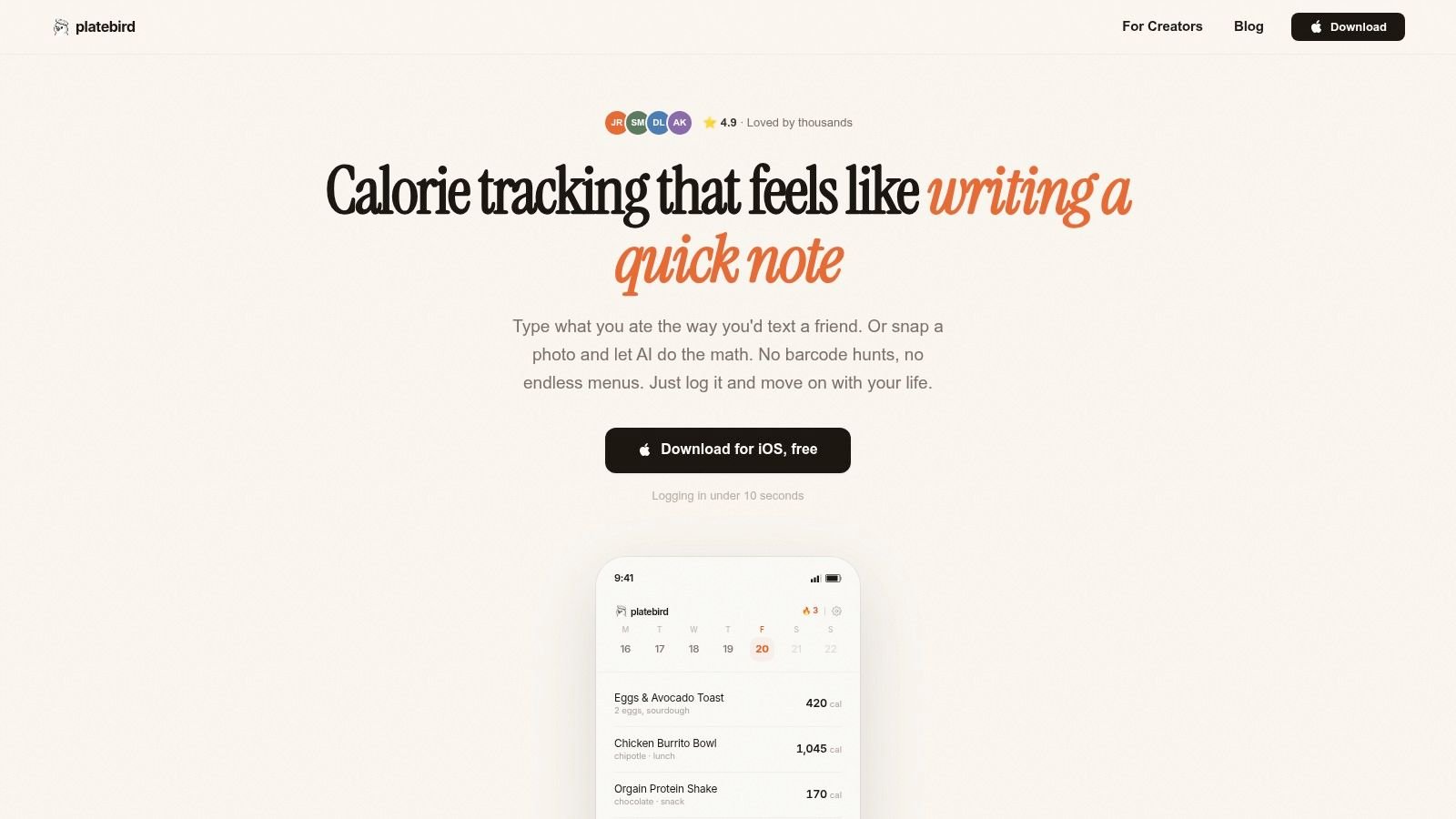
PlateBird feels like a calorie tracker built by someone who got tired of calorie trackers.
Instead of forcing you into barcode hunts or long search-and-select workflows, it lets you log meals the way people naturally think about them. Type "eggs toast coffee" or "chicken rice broccoli," and the app turns that into calories and macros. If the meal's already in front of you, you can snap a photo and let the app estimate what's on the plate before you eat.
Why PlateBird sticks
Most apps still treat logging like data entry. PlateBird treats it like note-taking. That sounds small, but it changes the whole experience. A typed phrase is faster than searching brand by brand, and photo logging is much easier to repeat than manually building a plate from scratch every time.
The app also learns your habits. If your breakfast is basically the same three weekdays a week, that becomes an advantage instead of a punishment. Repeat meals turn into shortcuts, which is exactly what makes meal prep and routine eating finally feel efficient inside an app.
Practical rule: The best logging system is the one that makes your most common meals easier every week, not harder.
There's also less commitment friction at the start. PlateBird is free to download, and you don't need an account just to begin. That matters more than most app reviews admit. A lot of people want to test a tracker in real life before handing over an email, setting up integrations, and customizing goals.
Where it beats older trackers
PlateBird is strongest for people who quit traditional apps because the process got annoying. Busy professionals, first-time trackers, parents, meal preppers, and gym-goers all run into the same issue. They don't need more nutritional theory. They need logging to stop interrupting their day.
Its App Store rating is 4.9/5, and the app has thousands of users. That lines up with the feel of the product. It's designed around speed and adherence, not just feature accumulation. If you want a direct comparison against the category giant, PlateBird's own breakdown of PlateBird vs. MyFitnessPal is worth a look.
A few trade-offs are real:
- Best for iPhone users: PlateBird is iOS-first, so Android users don't get the same experience right now.
- Best for simple and repeat meals: AI estimates can need cleanup on complex mixed dishes, heavy sauces, or messy restaurant plates.
- Best for consistency over perfection: If you need lab-style micronutrient depth every day, you may still want a more manual tracker.
For pure habit formation, though, PlateBird is the app I'd hand to someone who's already bounced off calorie counting once or twice. It removes enough friction that logging stops feeling like homework.
2. MyFitnessPal
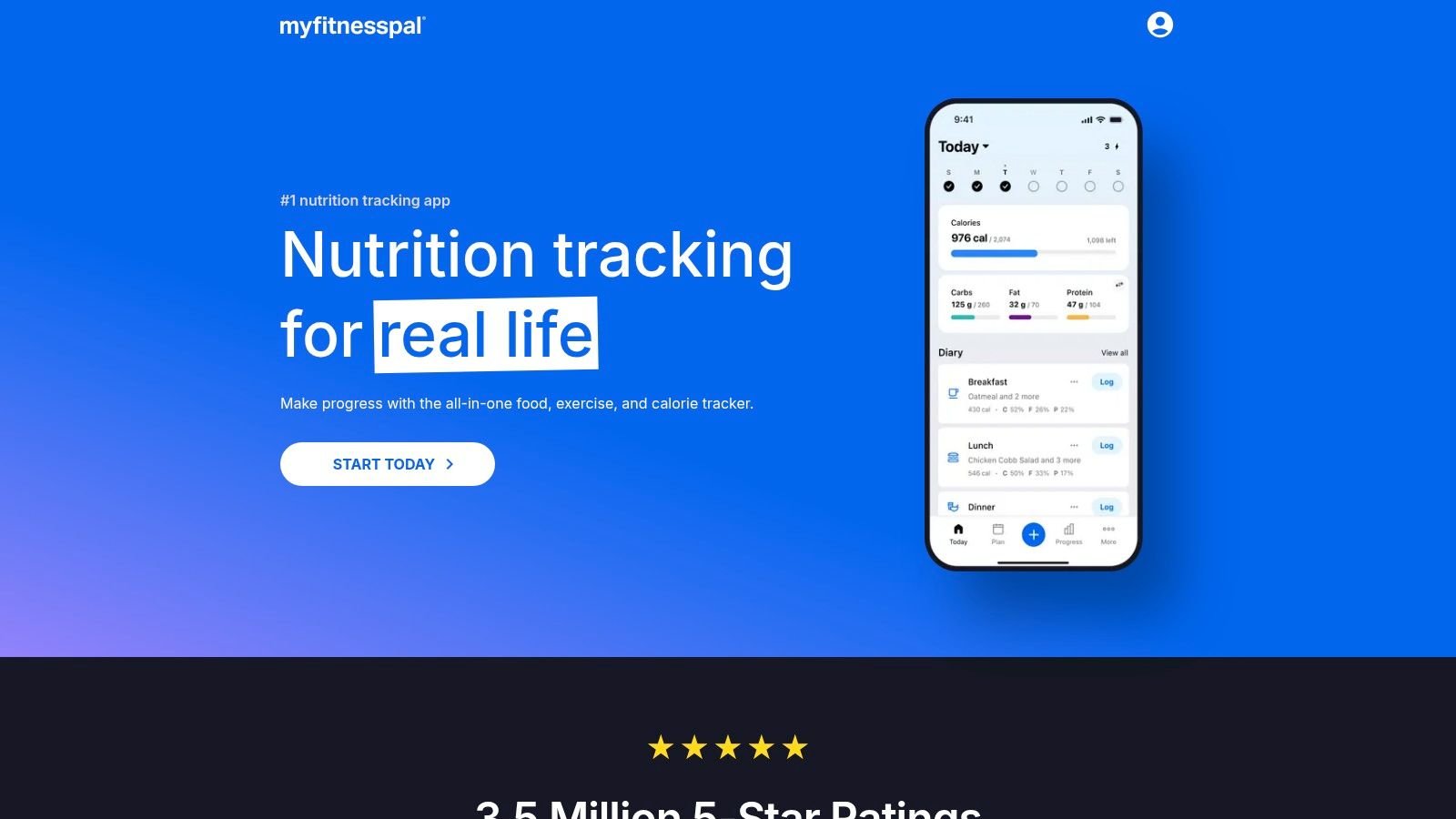
MyFitnessPal is still the default recommendation heard first, and that isn't accidental. It has the broadest recognition, a huge familiar ecosystem, and enough integrations that chances are good your watch, gym app, or friend group already uses it.
For many people, that social familiarity is the whole selling point. You can get started quickly, find common restaurant foods, import recipes, and sync activity without much setup.
What it does well
MyFitnessPal is strongest when you want an all-purpose platform rather than a specialized tracker. It handles calorie counting, workouts, device sync, and a lot of adjacent wellness tasks in one place. If you're the kind of user who likes seeing food and activity in a single hub, it still works well.
Its large database also helps when you eat lots of packaged foods, chain restaurant meals, or different brands from week to week. Even when the search results aren't elegant, there's usually something close enough to keep you moving.
MyFitnessPal works best when convenience comes from ecosystem familiarity, not from radically faster logging.
Where the friction shows up
The main issue is that some of the features people associate with MyFitnessPal are no longer part of the basic experience. Barcode scanning and newer speed tools like Meal Scan sit behind paid tiers, which changes the value equation for casual users. If you're trying to learn the basics of how to count calories effectively, that can feel like paying extra just to remove annoyances that used to be standard.
MyFitnessPal also feels heavier than it used to. Not inaccurate for everyone, not unusable, just busier. There are more prompts, more upsell moments, and more taps between intention and entry than I want in a daily habit app.
A few quick trade-offs:
- Best for integrations: Fitbit, Apple Health, and Google Health connections are useful if you want one dashboard.
- Best for social familiarity: Many coaches, gyms, and online communities already speak "MyFitnessPal."
- Less ideal for budget users: Key convenience features are tied to paid plans.
- Less ideal for friction-sensitive users: If tracking already feels tedious, MyFitnessPal doesn't do much to calm that down.
It remains a solid generalist. It just isn't the easiest app to live with anymore unless you're fully bought into its ecosystem.
3. Lose It!
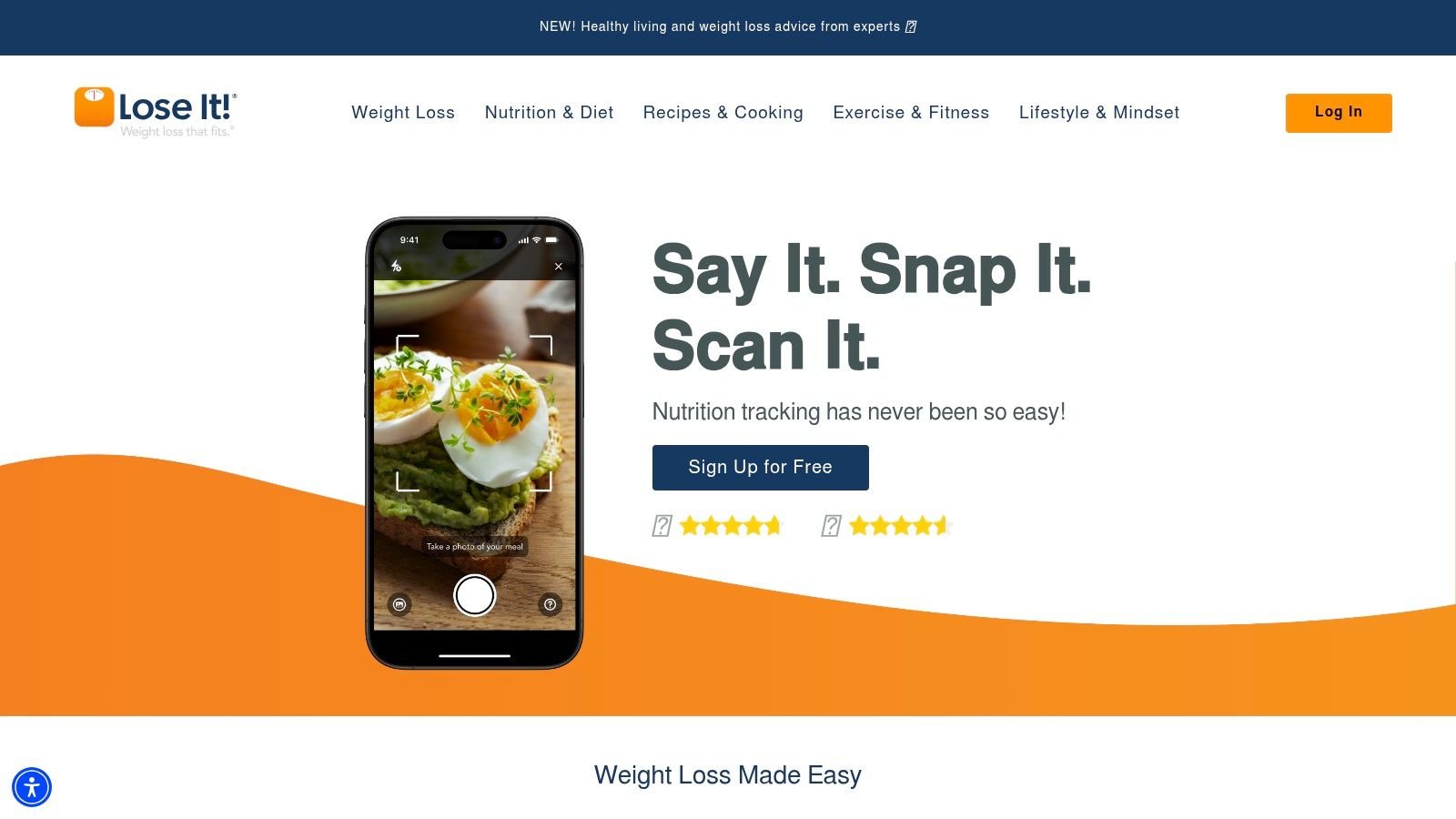
Lose It! has always been easier to recommend to beginners than to spreadsheet-minded nutrition nerds. Its biggest strength is that it doesn't overwhelm new users on day one.
The onboarding is approachable, the interface is friendly, and the whole product feels geared toward someone who wants to lose weight without turning meals into a math project. That's valuable. A lot of apps scare off first-timers by asking for too much precision too early.
Why beginners like it
Lose It! usually lands in the sweet spot between simple and capable. You get barcode scanning, device sync, coaching-style prompts, and photo or voice-based logging options without feeling like you're learning nutrition software. For a user who's moving on from mental calorie estimates and wants structure, that can be enough.
I also think Lose It! does a decent job of keeping the experience visually light. Some trackers make every meal feel clinical. Lose It! keeps things more consumer-friendly, which lowers the intimidation factor.
Where it can get uneven
The drawback is consistency across platforms and offers. Depending on when you sign up, the paid upgrade path can feel a little murky. Promotions show up often, but that also means two users can walk away with very different impressions of what the app "costs."
Its Snap It feature can be helpful, but photo logging still depends heavily on meal clarity. If you eat a lot of homemade mixed dishes, casseroles, curries, or heavily customized bowls, expect some manual cleanup. That's not unique to Lose It!, but the gap between "looks easy" and "needs correction" can be frustrating.
- Best for first-time trackers: Friendly setup and less intimidating design.
- Best for people who want coaching vibes: Challenges and insights add momentum.
- Less ideal for detail-heavy users: It isn't the strongest tool for deep nutrition analysis.
- Less ideal if you hate offer complexity: Pricing and promos can feel inconsistent.
If your main goal is building the habit of logging food every day, Lose It! is still one of the easier old-school trackers to get along with.
4. Cronometer
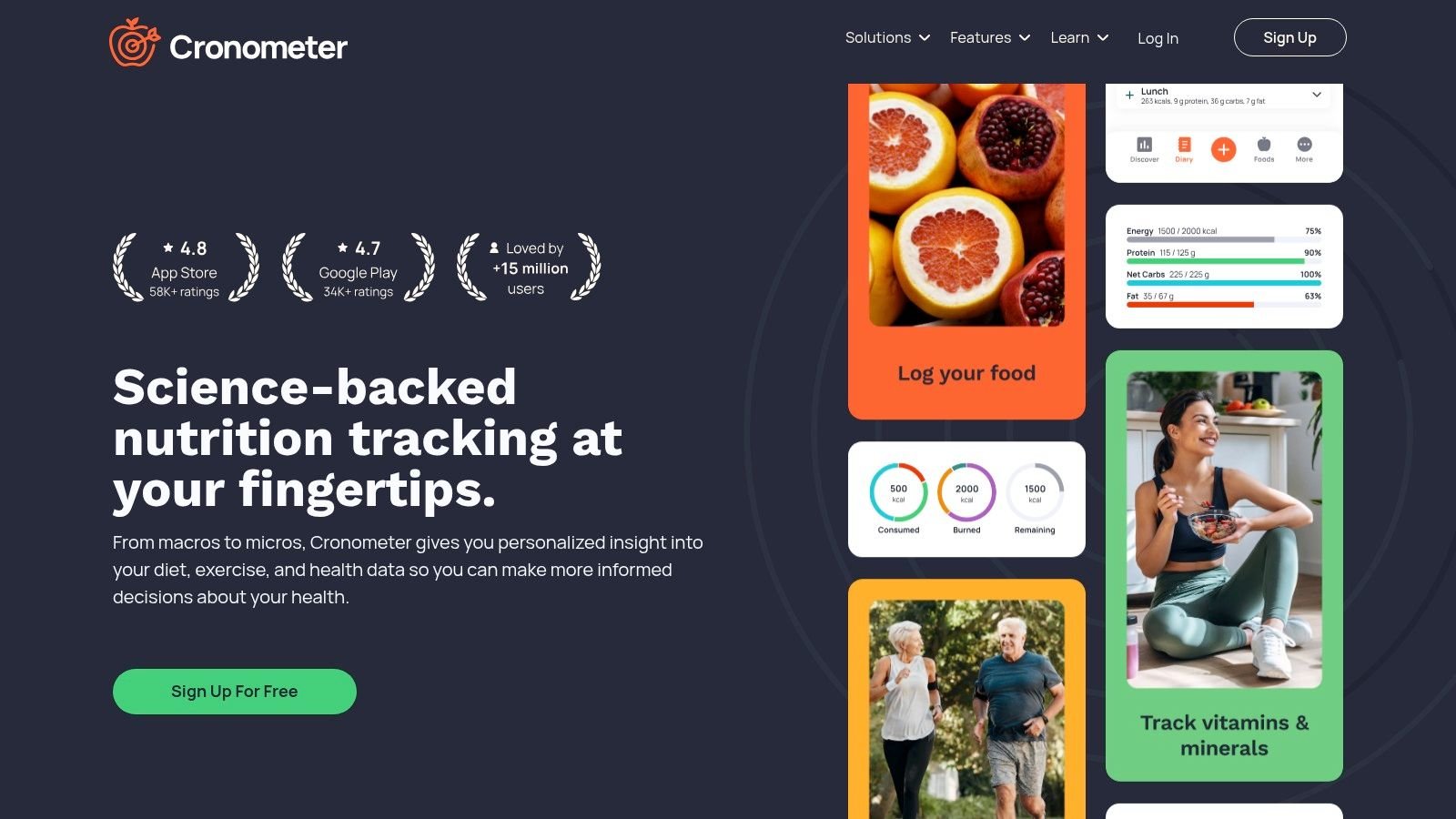
Cronometer fits the person who logs breakfast, notices energy is flat by midafternoon, and wants to know whether the problem is calories, protein, fiber, iron, sodium, or all of the above. That is Cronometer's lane. It treats food logging like nutrition analysis, not just a daily scorecard.
That difference matters in a roundup about sustainable calorie counting. Some people quit because logging feels tedious. Others quit because the app never answers the question behind the logging. Cronometer is better for the second group. If you want calorie tracking to lead to better food decisions, and not just tighter numbers, it gives you far more useful feedback than the average tracker.
Where Cronometer earns its keep
Cronometer is one of the strongest options for users who care about nutrient quality, not just calorie totals. It tracks a long list of vitamins, minerals, and other nutrition markers, so patterns show up fast. A diet can look fine at the macro level and still come up short on fiber, potassium, magnesium, or protein distribution across the day.
I also like Cronometer for people following structured nutrition plans, especially anyone learning how to track macros for performance goals. The food database generally feels more deliberate than crowd-edited apps, and that lowers the amount of second-guessing. If your habit falls apart every time you wonder whether an entry is accurate, that matters.
It is also one of the few apps where the extra detail feels useful instead of decorative.
Where the friction shows up
Cronometer asks for more attention from the user. Logging is not hard, but it is more methodical than the fastest apps in this category. If your real problem is consistency on busy weekdays, that extra friction can be enough to break the habit.
This is also where newer AI-powered logging tools put pressure on it. Cronometer can help you eat with more precision, but it does not always help you log with less effort. That trade-off is fine for detail-oriented users. It is less appealing for someone who wants to snap a photo, confirm a meal, and move on.
Gold improves the experience with better charts, deeper customization, and quality-of-life features many regular users will want. The free version is still usable, but some convenience features sit behind the paid tier, which makes the app feel a bit more workmanlike than some competitors.
- Best for micronutrient-focused users: It gives a clearer picture of what your diet is missing.
- Best for analytical trackers: Great fit for cutting, bulking, and nutrition troubleshooting.
- Less ideal for speed-first logging: It rewards accuracy more than convenience.
- Less ideal for people who already resist tracking: If logging feels like a chore now, Cronometer may not solve that.
Cronometer is excellent for users who want calorie counting to produce insight. It is less convincing as a low-friction habit app. If precision keeps you engaged, it is one of the best tools here. If ease is what keeps you consistent, another app will likely stick better.
5. MacroFactor
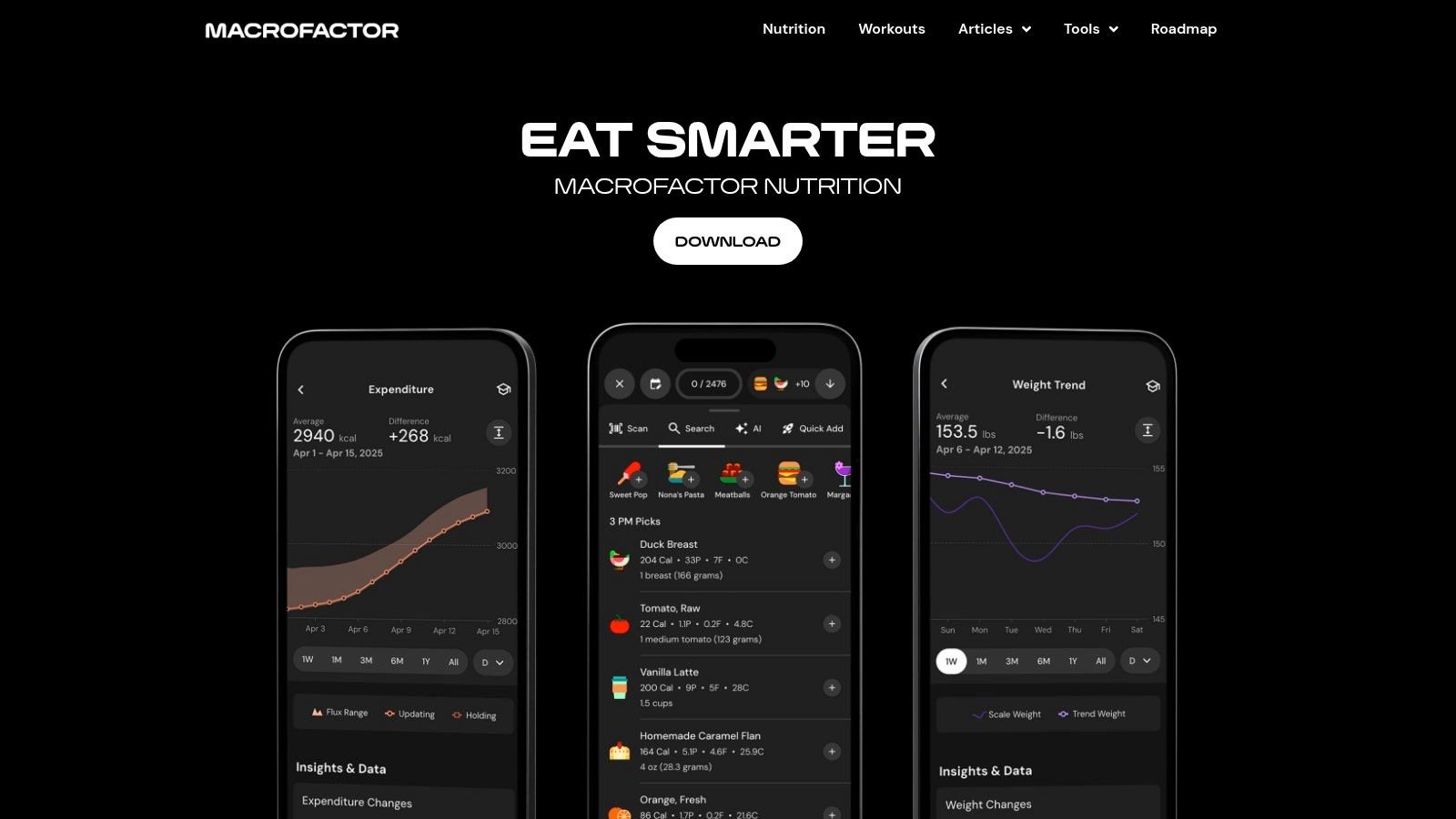
MacroFactor isn't the app I recommend to everybody. It is the app I recommend to lifters, experienced dieters, and anyone who's tired of manually adjusting calories every time progress stalls.
Its biggest draw is the adaptive coaching system. You log your intake and body weight, and the app updates targets based on your real-world trends instead of forcing you to guess whether you need to cut harder, hold steady, or increase intake.
Why serious trainees like it
MacroFactor is excellent at reducing second-guessing. That's what makes it so popular with science-minded users. You don't have to constantly ask, "Am I in a plateau or just impatient?" The app interprets the trend and adjusts.
It also handles imperfect compliance better than many rigid trackers. Real life isn't perfectly clean, and MacroFactor is designed around the reality that people miss entries, eat out, estimate portions, and still want useful guidance. If your focus is tracking macros for performance goals, it's one of the strongest coaching-style tools in the category.
The trade-off
There's no free tier, and that immediately narrows the audience. You have to believe you'll use it enough to justify paying from the start. That's fine for committed users, less fine for someone still figuring out whether calorie tracking will stick at all.
The other thing to know is that MacroFactor feels more analytical than motivational. It won't hold your hand with challenges, meal plan vibes, or beginner-friendly nudges. It's a tool for people who want feedback loops, not cheerleading.
- Best for lifters and cutting phases: Automatic target updates are useful.
- Best for experienced users: The app assumes you want data-driven guidance.
- Less ideal for beginners: It can feel like overkill early on.
- Less ideal if you want a free trial experience: Subscription is required.
When someone says, "I want my calories to adjust based on what my body is doing," MacroFactor is usually the first app I think of.
6. MyNetDiary
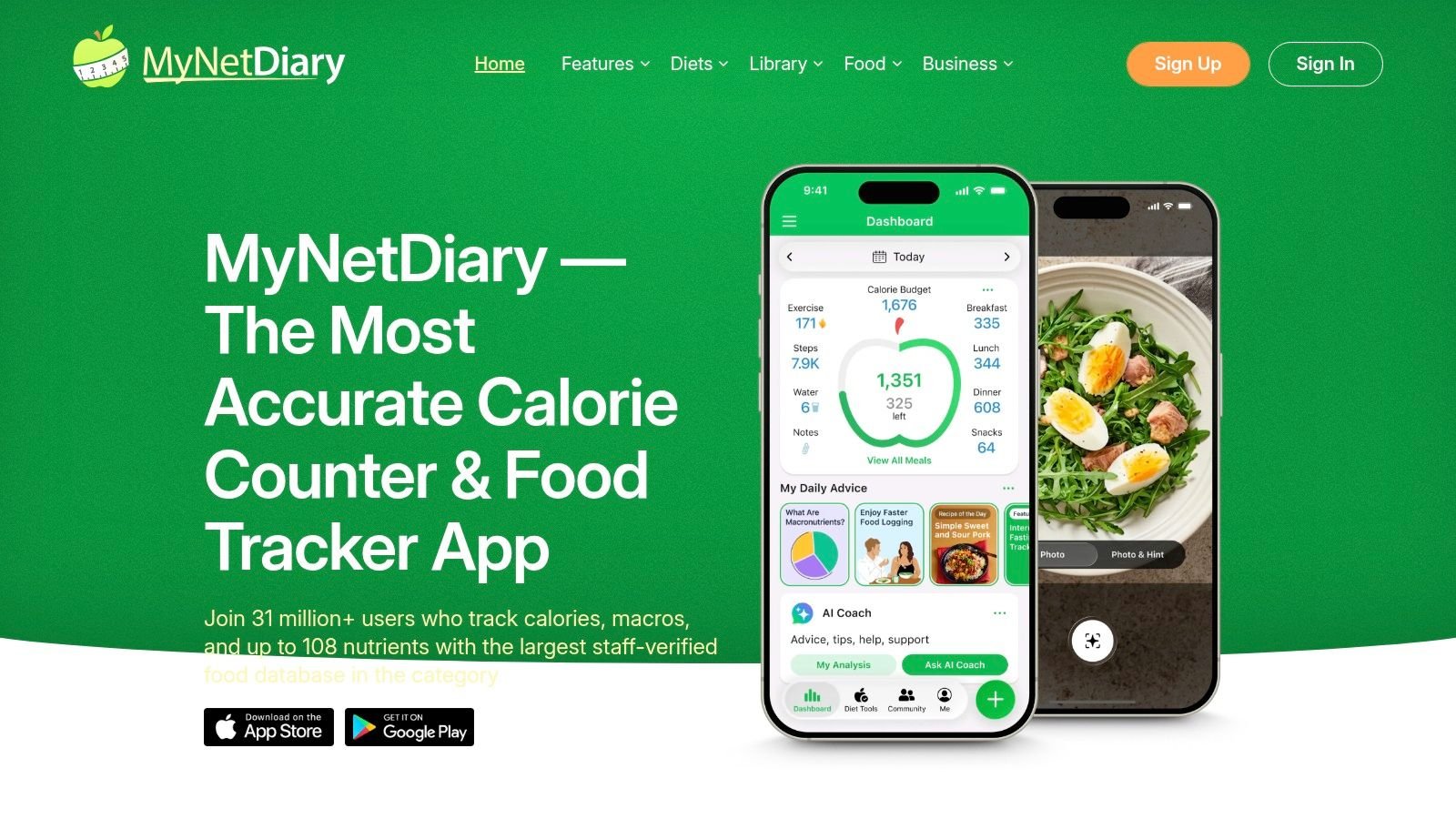
MyNetDiary is one of the strongest "practical value" apps on this list. It doesn't usually dominate online conversation the way MyFitnessPal does, but it often gives users more usable functionality without making the app feel stripped down.
For people who want a traditional tracker with a generous free experience, this is one of the better choices.
Why it earns loyalty
The free tier covers a lot of what many people need. Barcode scanning and macro tracking are available without immediately cornering you into an upgrade. That alone makes daily use less irritating than some better-known competitors.
It also has specialized appeal for people using GLP-1 medications. The GLP-1 Companion tools, including reminders, protein focus, and symptom logging, make MyNetDiary more than just a calorie counter for that audience.
Where it falls short
The interface is functional, but it doesn't feel as modern or elegant as some newer apps. If you care a lot about design polish or a lighter-feeling experience, you may notice that right away.
There's also some tier complexity. Premium, Premium Plus, and occasional offer structures can create the usual "what exactly do I need?" friction that shows up across this category.
A calorie app doesn't need to be beautiful. It does need to stay out of your way.
A few trade-offs:
- Best for value-conscious users: Strong free features make it easy to recommend.
- Best for GLP-1 users: The medication-related workflow support is a meaningful differentiator.
- Less ideal for people who want a sleek interface: The look is more practical than polished.
- Less ideal if you hate tier sprawl: The upgrade path isn't the simplest.
If PlateBird is the friction-first modern choice, MyNetDiary is the traditional utility-first choice. Not flashy. Very usable.
7. Lifesum
Lifesum works best for people who don't just want to log food. They want food guidance.
That distinction matters. Some users open a calorie app and think, "Just let me record what I ate." Others think, "Please tell me what to eat so I stop improvising badly." Lifesum is much better for the second group.
Best for guided structure
The app pairs tracking with meal plans, recipes, habit prompts, and a more polished, lifestyle-oriented interface. If you're drawn to preset structures like high-protein or Mediterranean-style eating, Lifesum gives you a scaffold instead of a blank diary.
That can be helpful when you're trying to clean up your diet and don't want to build your own system from scratch. The visual design also helps. Some users stay consistent because an app feels inviting instead of clinical.
Where it isn't the leader
Lifesum is not the best app here for serious macro precision or data depth. It tracks the basics well enough, but if your goal is meticulous nutrition analysis, Cronometer and MacroFactor are stronger.
Some of the more attractive planning features are also locked behind Premium, so the "full Lifesum experience" usually means paying.
- Best for users who want meal ideas and structure: The planning side is the point.
- Best for habit-focused users: Prompts and weekly goals support consistency.
- Less ideal for advanced macro tracking: It isn't built for precision-heavy users.
- Less ideal for free-only users: Many compelling features sit in paid tiers.
Lifesum is less about elite tracking and more about making healthy eating feel organized and attractive. For the right user, that's exactly enough.
8. YAZIO
You finish dinner, realize you still need to log the day, and want it done in under a minute. That is the test YAZIO passes better than a lot of calorie apps.
YAZIO works best for people who want tracking to feel light enough to repeat tomorrow. Its angle is not data obsession. It is habit support. The clean interface, built-in fasting tools, and recipe focus make it easier to stay engaged if your goal is general fat loss, better eating structure, or a simple intermittent fasting routine.
Where YAZIO works well
YAZIO is a good fit for users who do not want to stitch together three different systems. You can track calories, follow a fasting timer, browse recipes, and use guided structure in one place. That reduces friction, which matters more than feature count once the novelty wears off.
I also think YAZIO handles the "I cook more than I scan" crowd better than some competitors here. If your meals come from your kitchen instead of a pile of packaged snacks, the app feels more natural to use. The planning side supports the logging side, instead of feeling like a separate product bolted on later.
The newer AI-assisted logging trend matters here too. YAZIO is not the most advanced AI logger in this lineup, but it benefits from the same broader shift. The less typing and manual searching an app asks from you, the better your odds of sticking with it for months instead of five intense days.
Where the friction shows up
YAZIO gets less comfortable if you rely heavily on branded U.S. foods. Search results can feel thinner than apps that are more centered on the American packaged-food database experience. If you scan and search branded items all day, that trade-off shows up fast.
The other issue is value separation between free and paid. The free version gives you enough to test the interface and basic workflow. The version that feels fully useful for many people sits inside PRO, especially if you want the fasting and planning experience to feel complete.
- Best for users who want calorie tracking plus fasting in one app: It keeps routine tools together.
- Best for home cooks: Recipes and meal planning add practical day-to-day value.
- Less ideal for heavy branded food loggers in the U.S.: Food database depth can feel lighter.
- Less ideal for users who want a powerful free tier: Much of the long-term appeal is in PRO.
YAZIO passes the friction test for people who want calorie counting to feel organized, clean, and easy to repeat. It is less convincing for precision-focused users who judge an app by database depth and advanced analysis.
9. FatSecret
You download a calorie app on Monday, log breakfast, hit a paywall by lunch, and stop opening it by Thursday. FatSecret avoids that failure point better than many apps in this category.
FatSecret has been around for years, and that age shows in the design. It also shows in a more useful way. The app understands the basics of food logging and keeps a lot of them open in the free version. If the friction that usually makes you quit is cost, account setup fatigue, or finding out that barcode scanning sits behind a subscription, FatSecret has a real advantage.
Where it passes the friction test
The free version covers the core job well enough for many users to stick with it. You can log calories and macros, scan barcodes, save recipes, use the community features, and access your account on the web. That last part still matters more than app reviewers sometimes admit. People who log at a desk during work hours or like reviewing intake on a bigger screen will appreciate it.
That free-first approach makes FatSecret easier to trust. You can build a routine before deciding whether the app deserves your money.
Where the trade-off shows up
The interface feels older than most of the apps in this lineup. I would not call it confusing, but it does feel less polished and less motivating to open day after day. That matters because calorie counting is repetitive by nature. A plain app can still work, but it has to stay out of your way.
FatSecret also trails the leaders in the newer AI logging shift. Premium includes Smart Assistant voice logging and other extras, but this is still a more traditional tracker overall. If you want the app to reduce typing as much as possible through smarter photo, voice, or predictive logging, other options feel more current.
- Best for users who want a useful free calorie counter: The free tier does not feel stripped down.
- Best for people who like logging across phone and desktop: Web access is still practical.
- Less ideal for users who care a lot about design: The interface feels dated.
- Less ideal for users chasing the newest AI tools: Logging is more manual than the top AI-forward apps.
FatSecret is not the app I would pick for polish or innovation. It is one of the easier apps to stick with if your main goal is simple, low-cost calorie tracking that does not turn into a subscription decision on day one.
10. Carb Manager
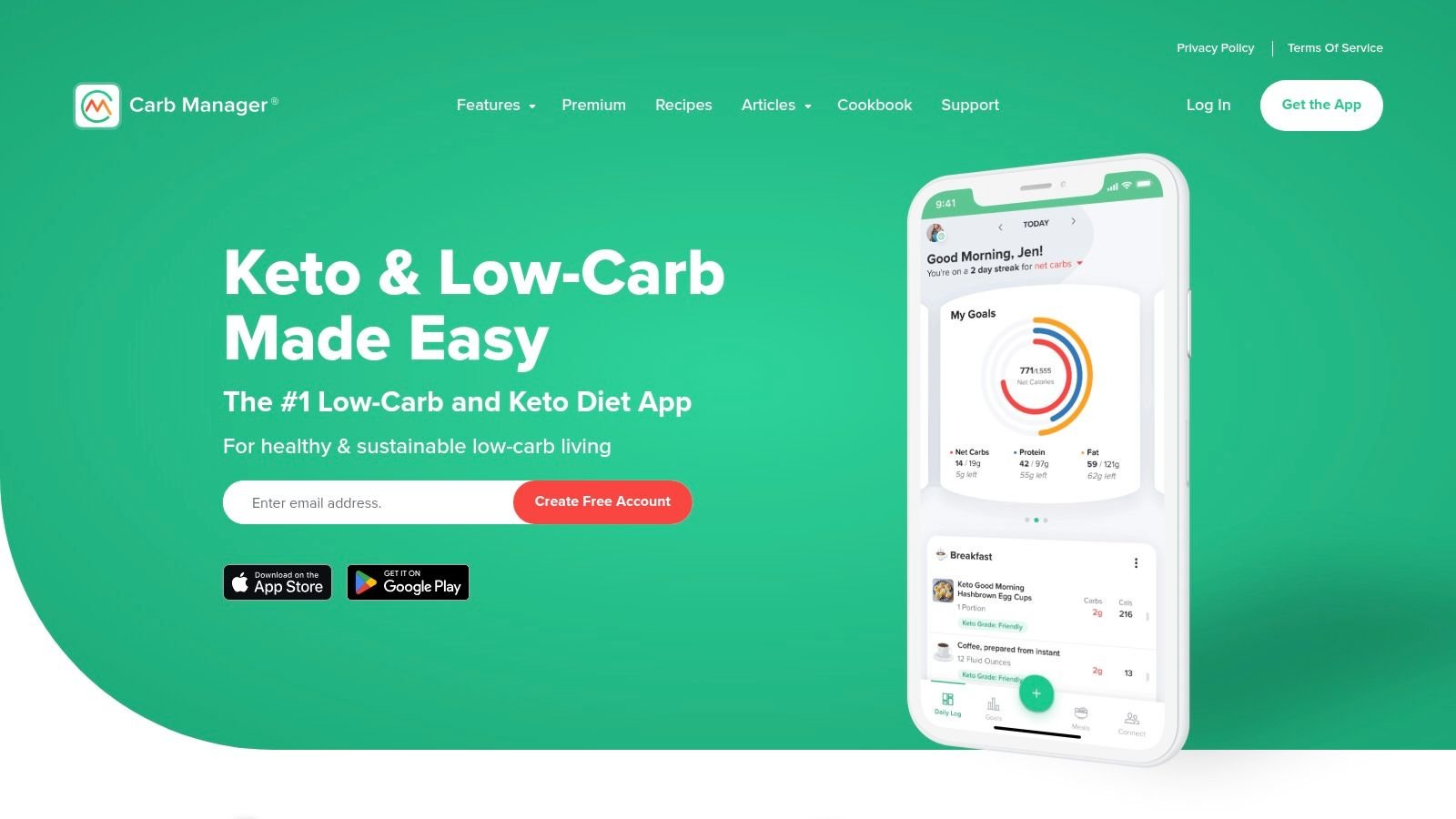
Carb Manager is one of the easiest apps to recommend if you eat low-carb on purpose and want the app to reflect that from the start.
Generalist trackers can handle keto or low-carb diets, but they usually treat net carbs like a side note. Carb Manager puts them at the center. That changes the usefulness of the app for anyone running a ketogenic, carnivore-adjacent, or structured low-carb approach.
Where it has an edge
The app is built around net-carb tracking, low-carb recipes, fasting tools, and optional glucose or ketone logging. For users who think in carb limits first and calories second, that setup feels natural.
It also reduces one of the common frustrations low-carb users run into with mainstream apps. You don't have to constantly reconfigure the experience to make it care about the metric you care about.
Where it narrows
That specialization is both the selling point and the limitation. If your diet is balanced, mixed, or just not low-carb, Carb Manager can feel too opinionated. The app makes more sense when your eating style is already defined.
Some content and features are also gated behind Premium, which is common in this category but still worth keeping in mind if you're only after a simple free calorie counter.
- Best for keto and low-carb users: Net-carb-first design is the differentiator.
- Best for users tracking metabolic markers: Glucose and ketone logs are useful.
- Less ideal for general calorie counting: Other apps are more flexible.
- Less ideal for users who want neutral diet framing: The app has a clear nutritional bias.
For the low-carb crowd, Carb Manager is more than a calorie app. For everyone else, it's probably more specialized than necessary.
Top 10 Calorie-Counting Apps Comparison
| App | Core features & USP ✨ | UX & Quality ★ | Value & Price 💰 | Best for 👥 |
|---|---|---|---|---|
| PlateBird 🏆 | ✨ Type-like text logging + AI photo recognition; saved meals & one‑tap shortcuts | ★4.9/5, ultra-fast, diary‑style logging (log a day <1 min) | 💰 Free to download; no account required to start | 👥 Busy pros, meal‑preppers, first‑time trackers, coaches |
| MyFitnessPal | ✨ Massive food DB, barcode & integrations, recipe import | ★★★★, familiar ecosystem, wide integrations | 💰 Freemium; key features (barcode/Meal Scan) often behind Premium | 👥 General users, gym communities, social trackers |
| Lose It! | ✨ Photo (Snap It), barcode, voice logging, challenges | ★★★★, approachable onboarding for beginners | 💰 Freemium; frequent discounts & promotions | 👥 New trackers, budget shoppers, casual lifters |
| Cronometer | ✨ Verified data + 80+ micronutrients, deep analytics | ★★★★, best‑in‑class detail for pros | 💰 Freemium; Gold subscription for advanced charts & photo logging | 👥 Nutritionists, precision‑oriented users |
| MacroFactor | ✨ Adaptive coaching algorithm that auto‑adjusts targets weekly | ★★★★, coaching/algorithm focused, strong charts | 💰 Subscription only, no free tier | 👥 Lifters, science‑minded dieters, evidence‑focused users |
| MyNetDiary | ✨ GLP‑1 Companion tools, strong free barcode & macros | ★★★, clear interface; slightly dated feel | 💰 Strong free tier; Premium unlocks plans/charts | 👥 Med‑medicated users (Ozempic/Wegovy), value seekers |
| Lifesum | ✨ Curated meal plans, recipes, habit prompts & color ratings | ★★★★, polished, motivating UI | 💰 Freemium; many plans/recipes in Premium | 👥 Users wanting structured plans & lifestyle guidance |
| YAZIO | ✨ Intermittent fasting timer + recipe analyzer | ★★★, elegant, recipe‑forward UX | 💰 Freemium; PRO subscription for advanced features | 👥 Fasting followers, recipe lovers, European users |
| FatSecret | ✨ Generous free tools, community forums & web access | ★★★, reliable but dated UX | 💰 Very strong free tier; Premium optional (varies by region) | 👥 Budget users, community‑oriented trackers |
| Carb Manager | ✨ Net‑carb focus, glucose/ketone logging & keto recipes | ★★★★, purpose‑built for low‑carb workflows | 💰 Freemium; Premium gates advanced tools | 👥 Keto/carnivore & low‑carb dieters |
Our Verdict: The Best App for Sustainable Calorie Counting
You log breakfast with good intentions. Lunch is hectic, dinner is takeout, and by 9:30 p.m. you're trying to remember how much rice was in the bowl. That is the point where calorie counting usually falls apart. Not because the app lacks features, but because logging starts to feel like admin work.
PlateBird is my top pick for sustainable calorie counting because it handles that daily friction better than the others. The best calorie app is not the one with the longest feature list. It's the one you will still use on busy weekdays, on restaurant nights, during travel, and when you're too tired to search through five screens before bed.
That is also why the AI angle matters here. New AI logging tools finally improve something that has needed improvement for years. Effort. PlateBird's typing first and photo first approach makes logging feel closer to sending a text than filling out a form. In practice, that changes adherence. If an app shortens the gap between eating and logging, consistency goes up.
Other apps still win their own categories. MyFitnessPal has the broadest familiarity and a huge ecosystem. Cronometer is better for users who care about verified entries and micronutrient detail. MacroFactor is stronger if you want coaching logic that adjusts based on your trend data. MyNetDiary is a good value pick in a more traditional tracker. Those are real advantages, and for the right user they matter more than speed.
But for sustainable calorie counting, speed and low friction usually decide the winner.
After using these apps, my rule is simple. The best tracker is the one that asks the least from you while still being accurate enough to guide decisions. PlateBird hits that balance better than any app on this list. It reduces the small annoyances that cause people to quit after a week, and that makes it the strongest option for anyone who wants calorie counting to become a habit instead of another abandoned health app.
If you've struggled with calorie tracking before, the problem may not have been discipline. The process may have been too clunky to repeat every day. PlateBird is the clearest fix I've seen for that. For many users, especially people who have started and stopped before, that is the difference that finally sticks.
If you're also thinking beyond body weight and into performance, recovery, and longevity, this read on metabolic health for sports enthusiasts is worth your time.
If you want calorie tracking to feel fast enough to keep doing, try PlateBird. It strips away the usual barcode hunts and long search flows, lets you type meals naturally or snap a photo, and makes repeat logging easier instead of more annoying. That's what gives it the best shot at becoming a habit rather than another app you forget about next week.