- Why Parents Are Searching for a Kids Nutrition App Right Now
- What a Kids Nutrition App Actually Is
- Age-Appropriate Features from Toddler to Teen
- Privacy and Safety Considerations Before You Download Anything
- What Real Engagement Looks Like After Week One
- A Framework for Evaluating Any Kids Nutrition App
- A Weekly Family Workflow That Actually Sticks
- What These Apps Can and Cannot Do Over Time
At the grocery store, your child is tugging at your sleeve while you're trying to compare cereal boxes. You pull out your phone and wonder whether a kids nutrition app could turn this familiar struggle into something useful, or whether it would become another forgotten icon after an enthusiastic first week.
That hesitation makes sense. Food apps vary widely in purpose, quality, privacy practices, and age fit. Some teach food groups through games. Others support meal logging, shopping decisions, or family routines. A few may make nutrition feel easier, while others can introduce unnecessary pressure around weight, calories, or “perfect” eating.
The most useful way to judge one isn't to ask whether it has the most colorful design. Ask whether it helps your family complete a real task with less friction. The right tool may support a grocery trip, a short conversation about food, or a predictable meal-planning habit. It shouldn't replace parental guidance, shared meals, or professional care.
Why Parents Are Searching for a Kids Nutrition App Right Now
Parents often reach for an app because daily nutrition decisions happen in small, rushed moments. A child refuses the vegetables on the plate, asks for the same snack again, or wants to know why one food comes in a package with a long label. You may want to teach something useful without turning dinner into a lecture.
A kids nutrition app can help by giving the child a concrete activity. Instead of saying, “Eat a balanced meal,” you might explore a plate-building game together, compare two lunch options, or use a shopping list to choose foods for the week. The app becomes a conversation starter, not the person in charge.
That distinction matters because the category has a mixed history. A review of nutrition-themed apps intended for children aged 12 and under identified 259 apps, and 76.4% displayed at least one food or beverage not recommended by dietary guidelines (the cross-sectional app review). A bright interface can still deliver confusing or poorly aligned messages.
What you'll be able to judge
A sensible decision starts with a few questions:
- Purpose: Is the app teaching, practicing a skill, tracking habits, or combining several functions?
- Developmental fit: Will your child understand and enjoy the activity without feeling talked down to?
- Family usefulness: Does it support shopping, meal planning, cooking, or reflection?
- Safety: Can you control accounts, permissions, purchases, and data sharing?
- Durability: Will the app remain useful after the novelty fades?
Those questions lead to a more realistic standard. You aren't looking for a magical food referee. You're looking for a modest digital support that fits into the routines you already have.
What a Kids Nutrition App Actually Is
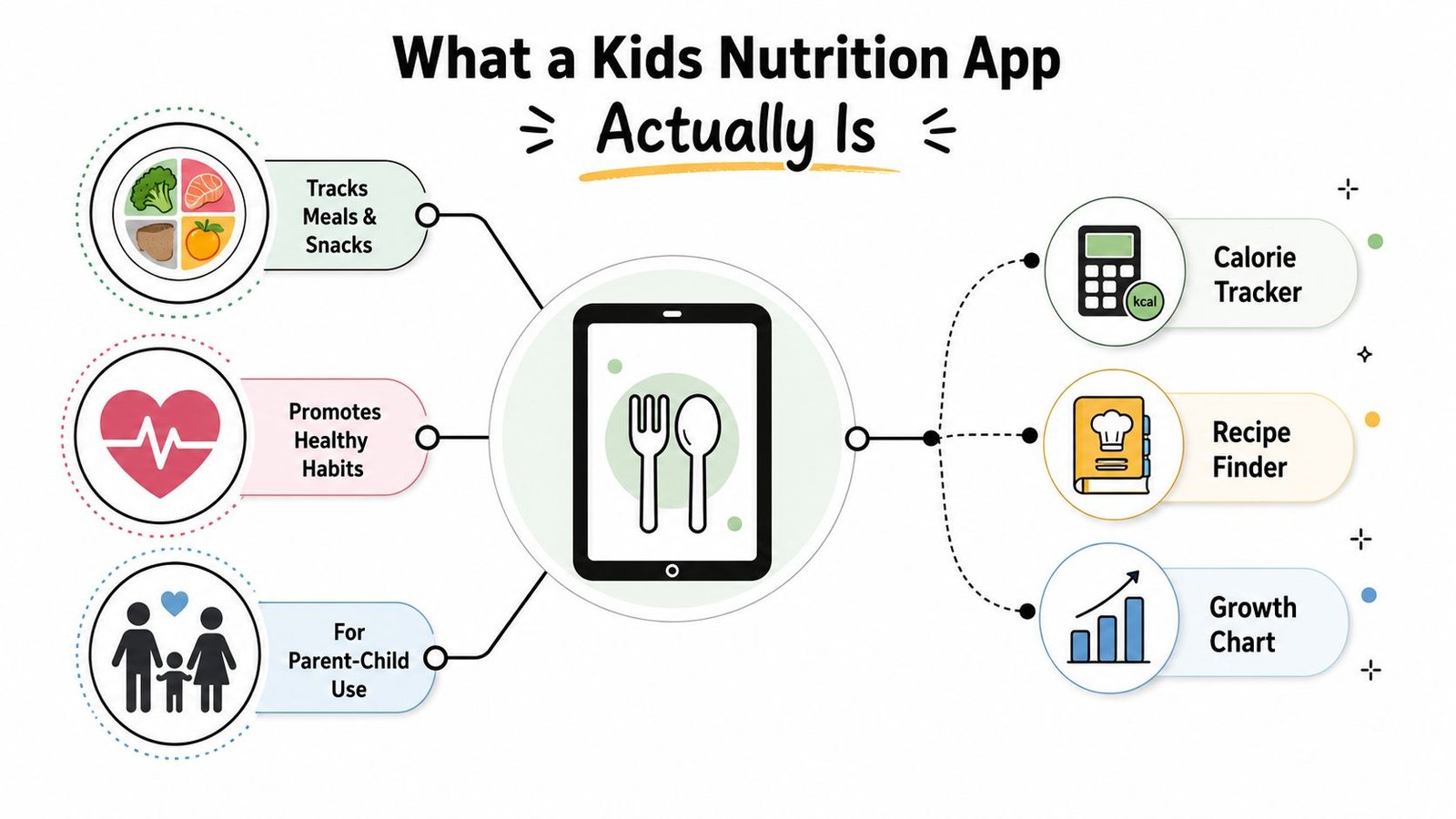
The phrase covers several different tools, so start by sorting the category into three functions. Education explains concepts such as food groups, nutrients, hydration, or label reading. Skill-building lets children practice tasks, including assembling a meal, identifying ingredients, planning a snack, or helping with a recipe. Behavior support records actions such as meals, water, or trying a new food.
A useful analogy is a small digital dietitian's office. The home screen is the waiting room, the logging screen is the exam room, and the lessons are the homework desk. Unlike a real dietitian, though, an app can't observe the child's full context, ask follow-up questions, or recognize when a nutrition message is creating anxiety.
The wider food-app ecosystem helps clarify the differences. A meal planner is designed around preparation. A barcode scanner focuses on packaged-food information. A recipe finder helps a family decide what to cook. A growth chart organizes measurements that should generally be interpreted with a qualified clinician. A kids nutrition app may include one of these tools, but its child-facing design and supervision features are what make it distinct.
A simple way to classify the app
Food games use stories, characters, puzzles, or rewards. They can make a new idea approachable, but entertainment doesn't automatically mean accurate guidance.
Didactic guides focus on lessons and explanations. They may offer more information, yet children may not return unless the material connects to a real family activity.
Habit trackers create visibility around repeated actions. They can help parents notice patterns, but logging can become tiring or overly evaluative if every snack feels like a score.
The app you choose should match the job. If your child needs a low-pressure introduction to food groups, a short game may be suitable. If your family needs help planning lunches, a meal-planning function may matter more than badges. If an app asks children to track calories or weight without a clear clinical reason and adult oversight, treat that as a serious warning sign.
Age-Appropriate Features from Toddler to Teen
A feature that delights a six-year-old may embarrass a twelve-year-old. Children differ in reading ability, attention, independence, body awareness, and comfort with sharing information. Age fit should therefore shape the whole choice, not just the app's graphics.
For toddlers and younger children, choose short activities, plain language, encouraging feedback, and food exploration without calorie numbers. Stories, food-group puzzles, and parent-guided tasks work best when they lead to something tangible, such as choosing ingredients for a snack. A 2023 systematic appraisal found that 83% of eligible free nutrition apps targeted children aged 4–8, while 75% focused on nutrition skills (the systematic appraisal of free children's nutrition apps). Because so many apps focus on younger users, parents should check whether an older child is being offered genuine age-appropriate content rather than larger buttons and childish rewards.
Tweens need participation, not preschool decoration
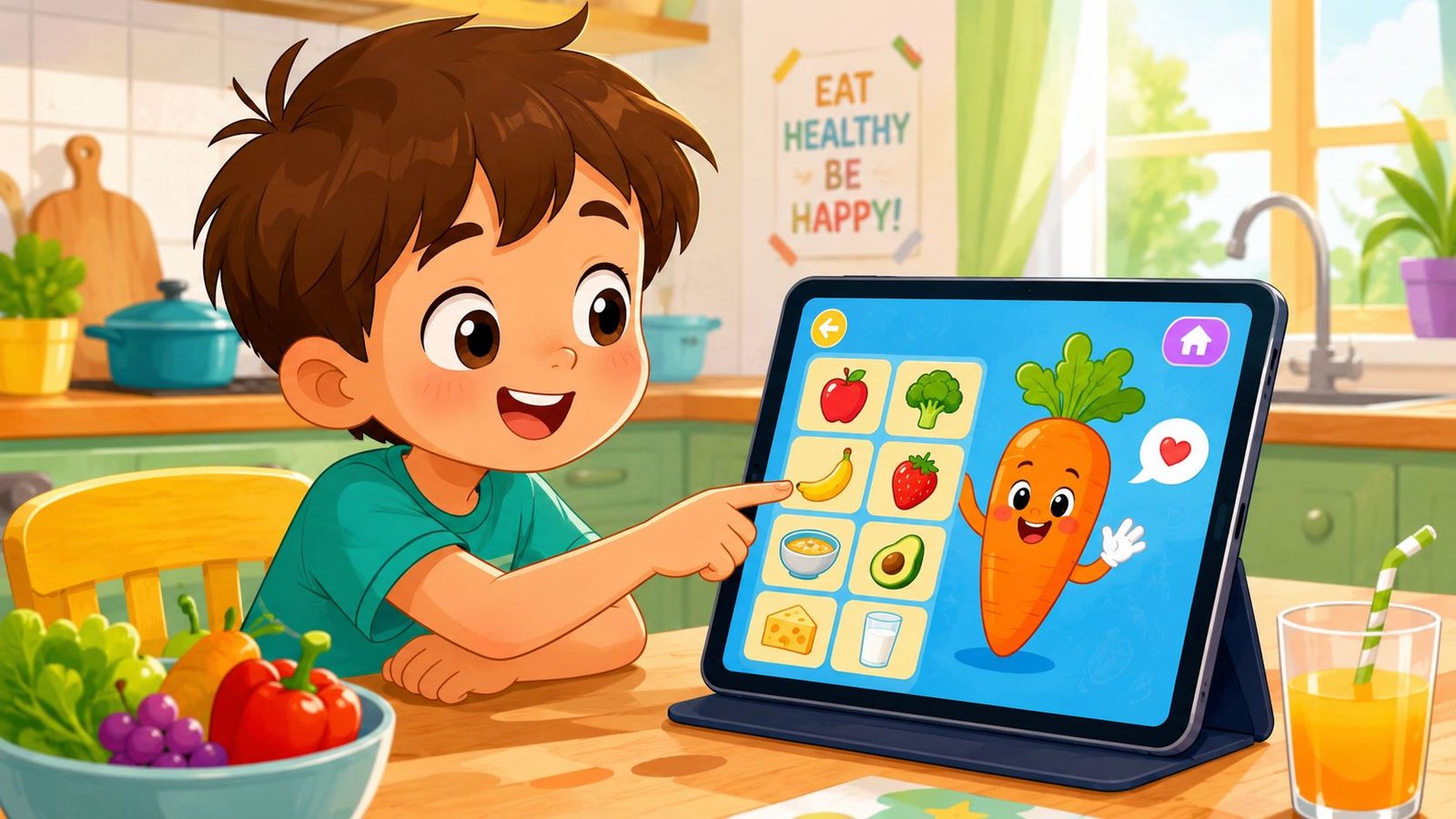
Around the tween years, children may be ready for basic label reading, simple goals, recipe selection, and partly structured meal planning. They can help decide what the family needs at the store or identify ingredients in a packed lunch. A useful app invites judgment and discussion instead of rewarding obedience.
For broader developmental context, parents can consult this practical 2025 guide to child development, then relate its descriptions of independence and learning to the app's tasks. A child who manages a school assignment may still need help interpreting nutrition information.
Families considering a simple logging routine can review this food tracker for kids as an example of the interactions they may encounter. Logging should help a parent and child notice patterns, plan the next meal, or share a question with a clinician. It should not turn eating into a performance or become another chore that survives only while the novelty lasts.
Teen users need autonomy and care
Teens may prefer a quiet interface, practical meal ideas, sports-fueling support, or connections with tools they already use. Privacy, control over sharing, and freedom from appearance-based goals matter more as independence grows. Choose an app that supports a family conversation and real decisions, rather than presenting itself as an authority that can diagnose, prescribe, or determine what a teenager “should” weigh.
Privacy and Safety Considerations Before You Download Anything
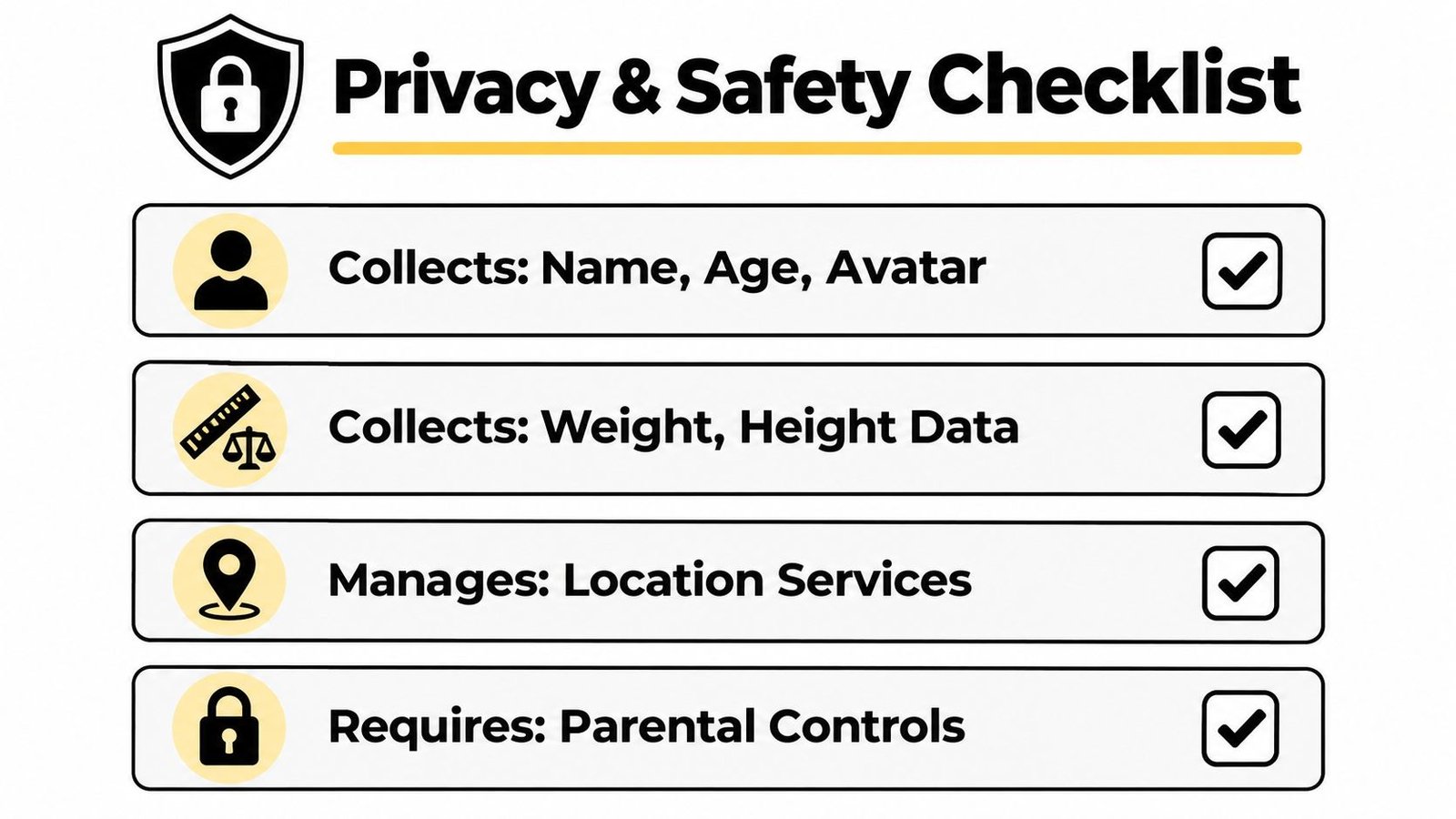
Privacy belongs on the pre-install checklist, not at the bottom of the settings menu. A nutrition app may request a name or avatar, age, height, weight, dietary preferences, meal photos, or access to location services. Each request deserves a reason.
Start with the store listing and privacy policy. Look for an anonymous or parent-managed option, clear explanations of data retention, and a direct statement about advertising and third-party analytics. In the United States, ask how the service addresses COPPA requirements. In the European Union, check its approach to GDPR obligations. Compliance language isn't a substitute for reading the policy, but its absence should slow you down.
Use a five-minute screening routine
- Check the account requirement: Find out whether your child can use the educational features without creating a personal profile.
- Review permissions: A meal-learning tool may not need contacts, precise location, a microphone, or unrestricted photo access.
- Inspect commercial features: Disable in-app purchases and look for advertising, external links, chat, or social sharing.
- Question sensitive fields: Weight and height can be appropriate in a clinician-led setting, but they shouldn't appear by default without a clear purpose.
- Test parent controls: Confirm that you can manage profiles, review activity, delete data, and set boundaries.
A useful comparison is how we protect your data, because a clear privacy explanation shows the level of detail parents should expect from any service. You don't need to reject every app that collects information. You do need to decide whether the benefit justifies the information requested.
Practical rule: If you can't explain what the app collects, why it collects it, and who can see it, don't install it on a child's device.
If the app includes weight change targets, calorie limits, public leaderboards, or language that labels foods as morally good or bad, pause before proceeding. Discuss the option with a pediatrician or pediatric dietitian, particularly if your child has a medical condition, a history of disordered eating, or significant anxiety around food.
What Real Engagement Looks Like After Week One
The first week can make an app look more successful than it is. A child may scan groceries, collect badges, and ask to log dinner because the activity is new. The true test comes later, when the phone is no longer novel and the family is tired.
Consider a fictional family with a parent, a school-age child, and a nutrition app used during shopping. During the early sessions, the child enjoys identifying foods and the parent appreciates having a shared task. By the middle of the trial, the child wants to skip the activity, the parent forgets to open the app, and logging starts to feel like paperwork.
A randomized pilot of the UK Change4Life Food Scanner app provides a useful evidence point. Among 126 randomized parents, 64 completed the study, and mean engagement fell from 18.01 minutes in week two to 6.76 minutes by week twelve (the Change4Life Food Scanner pilot). The same pilot found that 62 of 64 completers, 97%, found reminders helpful, so acceptance of a feature doesn't guarantee sustained use.
Design for the tired version of your family
The practical lesson is to remove decisions. A child shouldn't need to move through several screens to record a familiar breakfast. A parent shouldn't have to rebuild the same grocery list each week. Reminders should be helpful and adjustable, not constant prompts that become background noise.
The strongest workflow may involve the app only at selected moments:
- Choose one grocery or meal task.
- Complete it together.
- Log the result with the fewest possible taps.
- Close the app and continue living.
An adult-oriented tracker may demonstrate the same design principle through text entry, photo recognition, and saved meals, but children need an additional layer of protection. Speed matters, yet the experience must also avoid turning every eating occasion into surveillance.
The goal isn't maximum screen time. It's a small amount of repeatable support that survives an ordinary week.
A Framework for Evaluating Any Kids Nutrition App
A useful kids nutrition app should fit the family's workflow, not become another task for an already busy parent. Before downloading, check the store listing and privacy policy. Then run a short, supervised trial. Five questions reveal whether the app deserves a regular place in family life.
- Evidence quality: Does the app explain the basis for its nutrition guidance? Look for recognized dietary guidance, practical wording, and no exaggerated promises.
- Engagement design: Can a child complete the main task without help after learning it? Rewards can attract attention, but repeated use depends on whether the task remains useful.
- Age fit: Do the reading level, visuals, and expected independence match the child's developmental stage?
- Parent controls: Can an adult review settings, adjust access, limit features, or delete the account?
- Privacy posture: What information does the app collect, retain, and share? Can the family use it with fewer personal details?
The app should also pass a transfer test. A child may enjoy sorting foods on a screen yet make no different choice at breakfast. A tracker may show a parent what was logged while making the child feel watched. Short-term engagement is the spark. Durable behavior change is the family routine that remains after the novelty fades.
Compare the trade-offs
| App Archetype | Evidence Quality | Engagement Design | Age Fit | Parent Controls | Privacy Posture |
|---|---|---|---|---|---|
| Food games | Varies, verify the content | Often strong at first, durability needs testing | Usually strongest for younger children | May be limited, inspect before use | Check ads, accounts, and external links |
| Didactic guides | May provide more explicit explanations | Can weaken if lessons feel like homework | Depends on reading level and independence | Often useful when progress is visible | Review data collection and profile requirements |
| Habit trackers | Depends on the habits and definitions used | Can become repetitive or evaluative | Better for older children with guidance | Parent visibility may be central | Sensitive fields need close review |
A previous review grouped nutrition apps into food games, didactic nutrition guides, and habit trackers. Food games represented 62.5% of the reviewed apps, didactic guides 27.4%, and habit trackers 6.6% (the app-category review). These categories describe design choices, not a ranking. Each requires a different test.
For a younger child, ask whether the game leads to a conversation or action away from the screen. For an older child, ask whether a tracker supports planning without judging intake. Families comparing quick logging tools can review this AI calorie tracker app. Its low-friction input illustrates a useful design expectation, but children still need age-appropriate language, privacy protection, and adult oversight.
The best choice is the app that supports one repeatable family action and leaves room for real meals, conversations, and growing independence.
A Weekly Family Workflow That Actually Sticks
An app works best when it attaches to routines that already happen. Don't ask your child to open it randomly throughout the day. Give it a small role in planning, shopping, cooking, or reflection.
Start with one weekly focus
On Sunday, sit together and choose one manageable focus, such as trying a new vegetable, planning an after-school snack, or adding variety to packed lunches. Keep the target behavioral and specific. A family can decide what to do, while the app helps record or prompt the action.
At the store, use the app as a teaching aid rather than an approval machine. Let your child help find ingredients, compare labels when appropriate, or add foods to a shared list. If the task takes too long, stop. The lesson is more valuable when the family remains calm.
During dinner preparation, spend a few minutes reviewing what happened. Celebrate effort, curiosity, and participation, not an empty tracker or a “perfect” day. Families wanting more ideas for building routines can use these practical healthy habit steps as a broader planning reference.
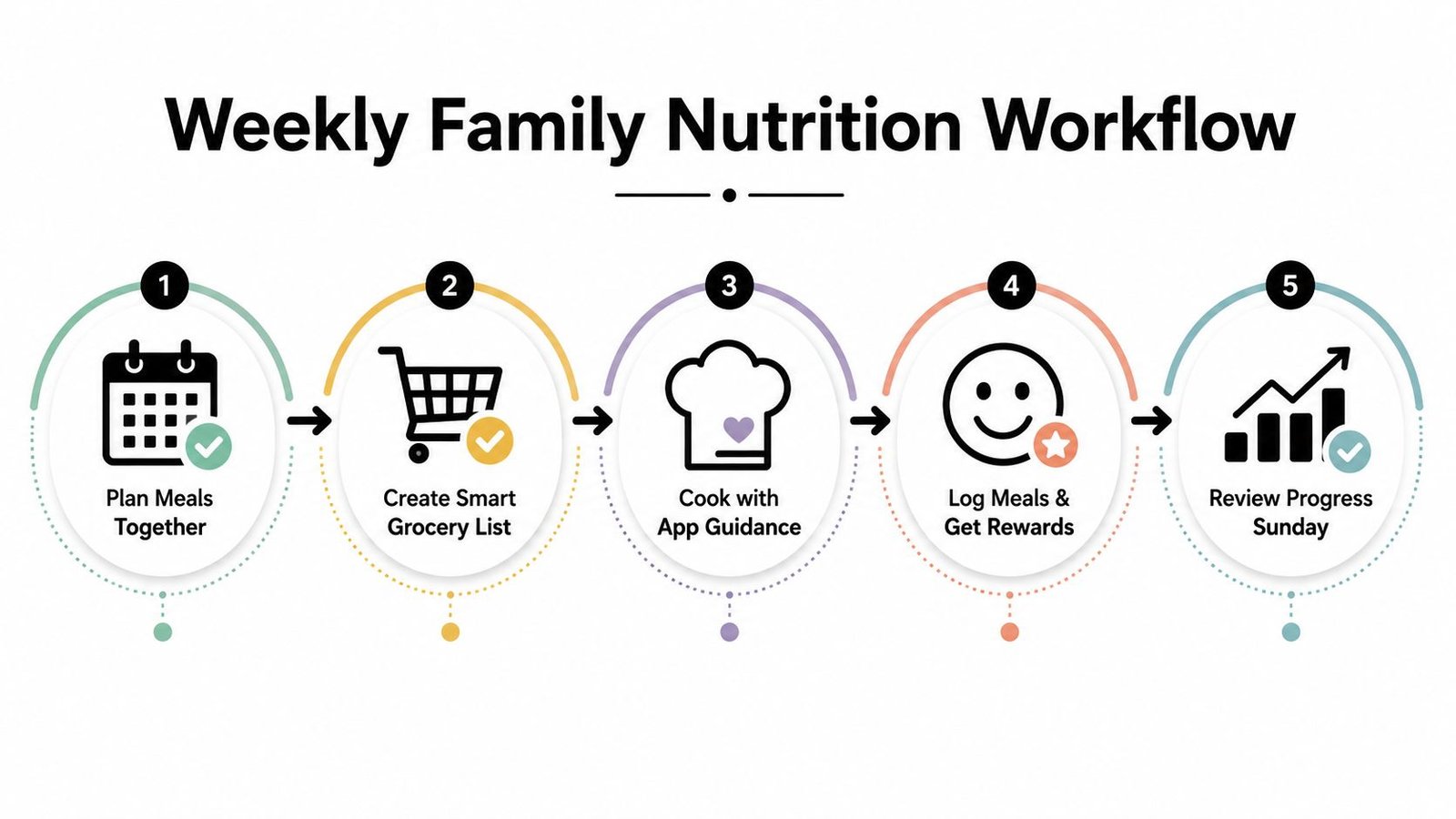
Give the week a gentle ending
On Friday or Sunday, ask three questions:
- Keep: What made the week easier?
- Change: What created friction?
- Drop: What felt unnecessary?
A parent can use an easy family meal planner to support the planning side, while the kids nutrition app handles a narrower task. Coaches and dietitians can use the same pattern between appointments, inviting the child to bring observations to the next conversation rather than demanding daily proof.
The app is a scaffold. The family supplies the meals, modeling, flexibility, and attention.
What These Apps Can and Cannot Do Over Time
A kids nutrition app can be useful at the point of decision. It may help a child recognize a food group, prompt a parent to plan a snack, make label reading less abstract, or give a family a shared vocabulary. These are worthwhile benefits, especially when the tool supports a real routine.
It can't replace family meals, clinical assessment, or a pediatric dietitian's judgment. It also can't guarantee that an educational activity will become a lasting behavior. Children eat within a larger environment shaped by availability, school schedules, culture, sensory preferences, stress, sleep, medical needs, and the adults around them.
The long-term evidence calls for restraint. A 2025 systematic review reported that 68% of included studies had at least one positive outcome, but only 21% of studies targeting sugar-sweetened beverage reduction showed improvement, and many studies lacked durable follow-up (the systematic review of digital nutrition interventions). The findings support a useful distinction: digital tools may improve knowledge and some dietary behaviors, while effects on growth, weight, physical activity, and lasting habit change remain limited or unclear.
Set expectations that protect the child
Use the app to:
- Teach briefly: Explore one concept connected to an actual meal or shopping choice.
- Nudge gently: Offer a reminder at the moment a decision happens.
- Make routines visible: Help the family notice patterns without assigning moral value to food.
- Coordinate support: Give parents, coaches, or clinicians a starting point for discussion.
Don't use it to:
- Diagnose a problem: An app can't interpret a child's health history.
- Police eating: Constant monitoring can damage trust and increase pressure.
- Promise transformation: Engagement is not the same as durable change.
- Replace care: Medical or developmental concerns belong with qualified professionals.
The best app is often the least dramatic one. It helps a family complete a small task, then gets out of the way. Choose carefully, introduce it together, review whether it still helps, and remove it when the burden becomes greater than the benefit.
PlateBird offers quick food logging through typed meal descriptions or meal photos, with saved meals that make recurring breakfasts, lunches, and recipes easier to record. If you want a low-friction tool to support family planning and personal nutrition awareness, visit PlateBird and see whether its workflow fits your routine.