If you want to get a handle on what you’re eating, the first step is always the same: flip over the package. The secret to reading a nutrition label isn't about becoming a nutritionist overnight. It’s about learning a quick, three-part scan: serving size, calories, then the big three macros—protein, carbs, and fat. Once you get the hang of it, you can size up any food in seconds.
The Story Behind the Nutrition Facts Panel
Think of that black-and-white box on your food as its biography. It’s not just a boring grid of numbers; it tells you the story of what you’re about to eat—where its energy comes from, what it's made of, and the nitty-gritty details of its ingredients. Learning to read this story is one of the most powerful skills you can develop, whether you’re trying to manage your weight, build muscle, or just feel more energized.
Turning Data into Decisions
You don't need a PhD in nutrition to make this work for you. The trick is to stop trying to absorb every single line item. Instead, zero in on the information that actually helps you reach your goals.
Here’s what I tell my clients to look for first:
- Serving Size and Calories: This is your anchor. It gives you the context for all the other numbers on the label.
- Macronutrients: Protein, carbohydrates, and fats are the main characters in your food’s story. They determine how it will fuel your body.
- Key Nutrients: A quick glance at things like added sugar, fiber, and sodium tells you a lot about the food's overall quality.
This simple habit transforms you from someone who just buys food to someone who makes intentional choices. You start to see past the flashy marketing on the front of the box and judge the product on its own merits.
The habit of reading labels has a measurable impact on dietary quality. It's not just about knowing more; it's about doing better with what you know. This simple action links directly to healthier eating patterns.
The Real-World Impact of Reading Labels
This isn't just theory—the positive effects are well-documented. Consistently checking labels helps guide you toward foods that actually support your health and away from the ones that don't. It’s a tiny habit that pays off big, especially with nutrients we often fall short on, like fiber.
For example, real-world data shows a huge connection between reading labels and getting enough of the good stuff. One major study found that people who regularly read nutrition panels were nearly four times more likely to meet their daily fiber goals than those who rarely bothered. When you consider that only about 5% of Americans actually hit their fiber target, you realize what a powerful tool this is. You can dig into the study's nutritional findings01691-3/fulltext) if you want to see the data for yourself.
Mastering Serving Sizes and Calorie Counts
When you pick up a package, the first two things you see on the nutrition label are the serving size and the calorie count. These are your starting point, but honestly, they’re often the most misleading numbers on the entire panel. This is the single biggest trap I see people fall into when they start tracking their food.
Let’s talk about a pint of ice cream. The label might proudly display "250 calories" in big, friendly numbers. Seems reasonable, right? But dig a little deeper, and you'll find the serving size is a measly half-cup, and there are four servings in that container. If you polished off the pint during movie night (we've all been there), you didn't eat 250 calories. You ate 1,000. That gap between the listed serving and what a person actually eats is where even the best intentions get derailed.
To avoid this, you need a quick-scan strategy every time you look at a new food.
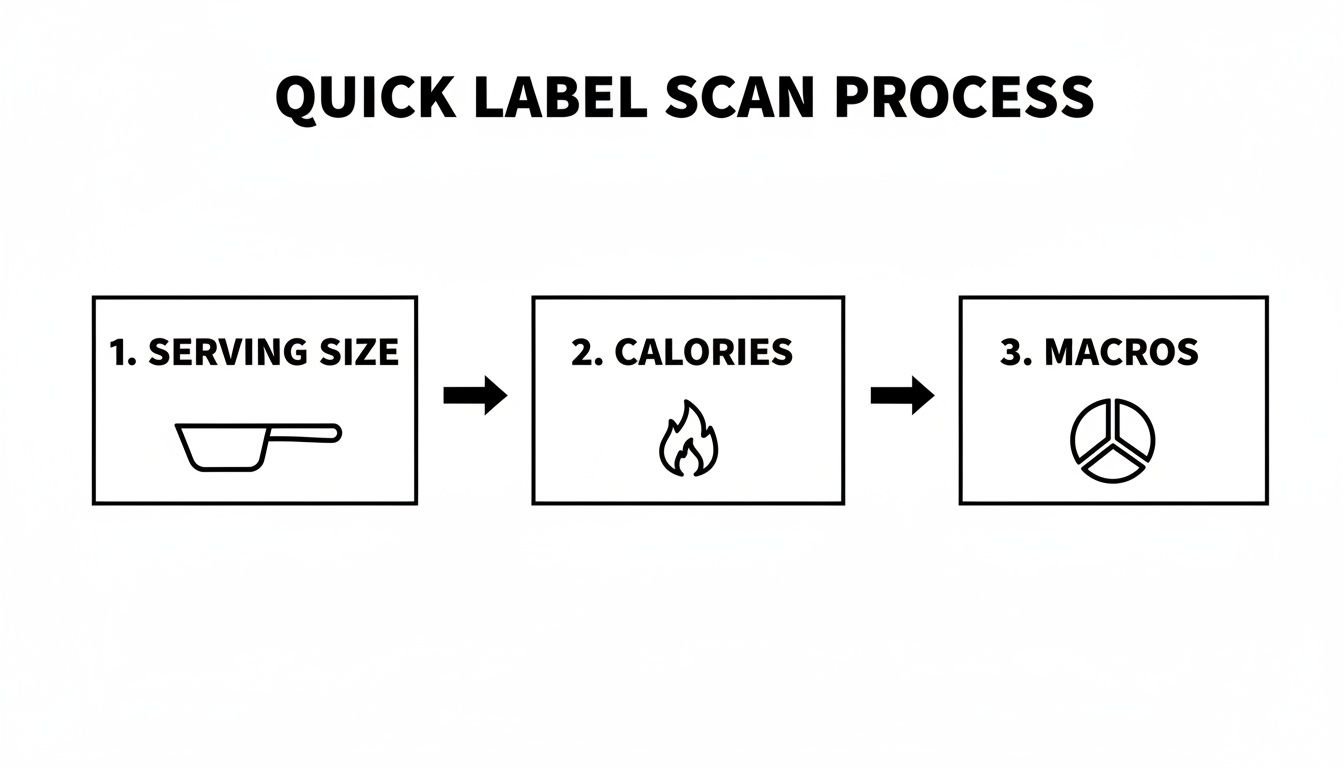
Always start with the serving size. It gives you the context for everything else on the label, turning confusing numbers into useful information.
The Simple Math of Portion Control
Before you even glance at the fat or sugar content, you have to do some quick "portion math." It's not complicated, but it's non-negotiable. If you plan on eating more than one serving, you have to multiply everything on the label by the number of servings you actually consume.
Let's use a family-size bag of potato chips as a real-world example:
- Serving Size: 1 oz (about 17 chips)
- Calories per serving: 160
- Servings per container: about 8
If you grab a big handful from the bag while watching a game, you're not eating 160 calories. You’re probably closer to two or three servings, which puts your snack in the 320-480 calorie range. So, before you log anything, ask yourself: "How many of these servings am I really eating?" For a deeper dive into logging your food accurately, check out our guide on how to count calories.
The most crucial question isn't "How many calories?" but "Calories for how much?" Answering this turns a confusing label into a clear, actionable piece of data.
It makes sense why so many of us look at calories first. A 2022 survey found that 60-70% of shoppers check the calorie count above all else. When you know how to interpret that number correctly, it becomes a powerful tool for managing your weight.
Understanding New Dual-Column Labels
Thankfully, the FDA has made this a lot easier on certain products. You’ll now find dual-column labels on packages that can be eaten in one sitting but contain multiple servings, like a 20-ounce soda or a larger bag of chips.
These labels make things crystal clear by showing two columns side-by-side:
- “Per Serving”: The nutrition facts for the standard serving size.
- “Per Container”: The total nutrition facts if you finish the whole thing.
This change is a huge win. It completely eliminates the mental math for those moments you know you’re going to eat the entire package. It gives you an honest, upfront look at the full nutritional impact of your choice, no calculator required.
Alright, you've got the serving size and calories figured out. Now for the really juicy part: the main nutrient block. This is where you graduate from just counting calories to understanding the quality of what you're eating. It’s the difference between just fueling your body and actually nourishing it.
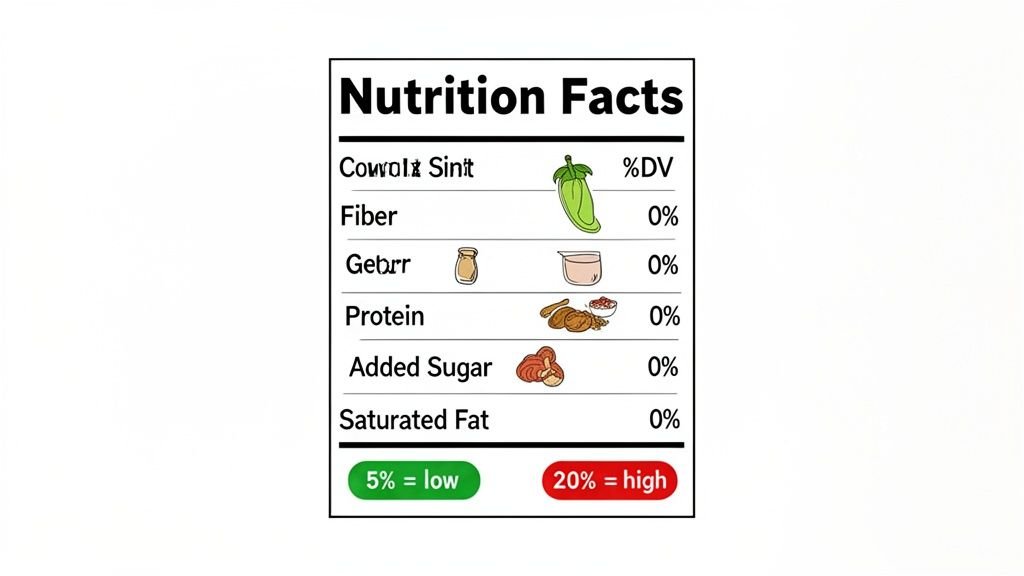
Think of this section in two parts: the stuff you want less of, and the stuff you want more of. Let's tackle the first group.
Nutrients to Limit and The 5/20 Rule
This is where you'll find Saturated Fat, Trans Fat, Cholesterol, and Sodium. We all know that going overboard on these isn't great for long-term health. But instead of getting lost in the grams and milligrams, I want to share a simple trick I use all the time. It’s called the 5/20 Rule.
This rule is a mental shortcut that uses the Percent Daily Value (%DV) column on the far right of the label. It works like this:
- 5% DV or less of a nutrient per serving is considered low.
- 20% DV or more of a nutrient per serving is considered high.
Imagine you're comparing two frozen dinners. One has 40% DV for sodium. That’s a huge red flag—it tells you instantly that this meal is a salt bomb. The other has just 10%. The choice is suddenly obvious, no calculator required. If a bag of chips has 3% DV for saturated fat, you know it’s a pretty low-fat choice in that department.
The 5/20 Rule is your fastest way to size up a food and compare it to another.
To make it even easier, here’s a quick way to think about it when you're scanning a label in the grocery store aisle.
%DV Quick Reference Guide (5/20 Rule)
| Nutrient Category | Aim for Low %DV (<5%) | Aim for High %DV (>20%) |
|---|---|---|
| "Limit These" Nutrients | Saturated Fat, Sodium, Added Sugars | |
| "Get More Of" Nutrients | Dietary Fiber, Vitamin D, Calcium, Iron, Potassium |
This simple framework helps you make smarter choices in seconds. You're looking for low numbers on the top-half nutrients and high numbers on the bottom-half nutrients.
Focus on The Good Stuff
After a quick scan for the "limit these" nutrients, your eyes should drop down to the good stuff. These are the nutrients most of us are constantly trying to get more of.
You want to see high %DV numbers here. We’re talking about:
- Dietary Fiber: This is a big one for feeling full and for a healthy gut. Most adults should be getting around 28-35 grams a day, but almost no one does. If a food has 5 grams or more per serving, you've found a great source.
- Vitamin D, Calcium, Iron, and Potassium: There's a reason these are mandatory on the new labels—they're considered "nutrients of public health concern," which is a formal way of saying most people are deficient. A high %DV for any of these is a major win.
- Protein: Protein usually doesn't have a %DV, but you should always check the grams. It’s key for staying full and maintaining muscle, so a higher number is almost always better.
The Critical Difference Between Carbs and Sugars
The carbohydrate section is probably the most misunderstood part of the entire label, but it holds some of the most powerful information. You'll see a few lines here: Total Carbohydrate, Dietary Fiber, and the incredibly important newcomer, Added Sugars.
"Total Carbohydrate" is the umbrella term. It includes starches, fiber, and all sugars—both the natural ones (like in milk and fruit) and the ones added during processing. That "Added Sugars" line is the game-changer. It isolates sugars that were dumped in by the manufacturer, like cane sugar, high-fructose corn syrup, or honey.
Here’s a real-world example. A container of plain Greek yogurt might have 7 grams of sugar, all from naturally occurring lactose. But the fruit-on-the-bottom version next to it might have 20 grams of sugar, with 13 grams listed as "Added Sugars." That second yogurt is basically a dessert.
Focusing on keeping your Added Sugars low is one of the single most effective things you can do to improve your diet. If you want to dive even deeper into this, our guide on what net carbs are breaks it down even further.
Uncovering the Truth in the Ingredient List
If the nutrition facts panel gives you the numbers, the ingredient list tells you the story. This is where you get to see what’s really going on behind the marketing claims and health halos. It moves you beyond just counting macros and helps you understand the actual quality of what you're eating.
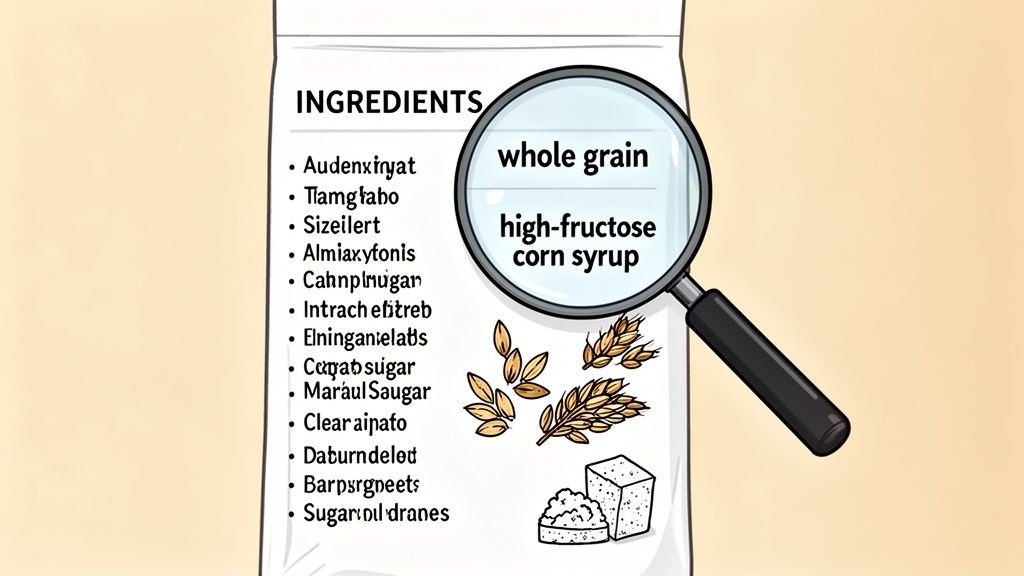
There’s one rule that trumps all others here: ingredients are always listed by weight, from the heaviest to the lightest. That first ingredient is the main component of the food, while the very last one is just a tiny fraction of it. Knowing this one simple fact is your key to quickly sizing up any packaged product.
Decoding the Order
A super long ingredient list can be a red flag. It often signals that a food is highly processed. As a general rule, I try to stick with foods that have shorter lists filled with ingredients I can actually recognize.
For example, if you pick up a loaf of bread and the first ingredient is "enriched flour" instead of "whole wheat flour," you know it’s not a true whole-grain bread, no matter what the front of the package says.
This same principle is a lifesaver for finding hidden sugars. Food companies have dozens of sneaky names for sugar, but if you spot one of them listed in the top few ingredients, you can bet the product is packed with it.
An ingredient list is the most honest part of food packaging. The order doesn’t lie—if sugar, or one of its many aliases, appears in the top three ingredients, you should treat that food like a dessert.
Keep an eye out for these common disguises for sugar:
- Syrups: High-fructose corn syrup, brown rice syrup, maple syrup
- Words ending in "-ose": Dextrose, fructose, sucrose, maltose
- Natural Sweeteners: Honey, agave nectar, molasses, fruit juice concentrate
Identifying Quality Ingredients and Allergens
Beyond just spotting sugar, the list helps you find the good stuff, too. If you’re looking for genuinely healthy whole grains, you need to see the word “whole” right before the grain’s name, like “whole grain oats” or “whole wheat flour.” Vague terms like “multigrain” or “wheat flour” just don’t offer the same nutritional punch.
This is also where you’ll find other things you might want to avoid, like unhealthy fats (look for partially hydrogenated oils, the main source of artificial trans fats) and other additives.
Finally, at the very bottom of the list, you'll find the allergen statement. This part is legally required for the top major allergens and is usually bolded, starting with “Contains.” For anyone with an allergy or sensitivity to things like milk, soy, or tree nuts, this is a non-negotiable checkpoint. Getting comfortable with this section is critical for keeping yourself safe and healthy.
From Label Expert to Tracking Pro
So, you’ve gotten the hang of reading a nutrition label. You can spot added sugars from a mile away and know exactly what you’re getting into with that new protein bar. That’s a huge win.
But here’s the thing I see trip people up all the time: translating that knowledge into a daily tracking habit. The initial motivation is high, but the sheer tedium of manually logging every single item, every single day, starts to wear you down. It’s the friction—that grind of stopping, measuring, and typing—that often kills momentum.
This is where knowing how to track smarter, not harder, makes all the difference.
Stop Being a Data-Entry Clerk
Think about the last time you logged a meal. You probably found yourself squinting at the label, meticulously typing something like “Fage Total 0% Milkfat Plain Greek Yogurt, 170g” into an app. It’s clunky and slow.
What if you could just tell your tracker you had "Greek yogurt with berries and granola"? This is exactly what tools like PlateBird are built for. You use normal language, and the app figures out the rest, pulling the correct nutritional data without you having to be so painfully specific. It shifts the work from you to the tech.
I always tell people that the best tracking method is the one you’ll actually do consistently. If you can remove the annoying parts of logging, it stops feeling like a chore and starts feeling like a natural part of your routine. That’s how you get lasting results.
A Picture Is Worth a Thousand Calories (Logged)
It gets even better. Instead of typing anything at all, you can just use your phone's camera. With PlateBird, its photo-logging feature uses computer vision to do the work for you.
Honestly, it feels a bit like magic the first time you try it.
- You take a quick picture of your plate—let's say it's some chicken breast, roasted broccoli, and a scoop of quinoa.
- The app instantly recognizes each food and estimates the portions.
- In seconds, it logs the calories, protein, carbs, and fat for the entire meal.
Suddenly, the complicated task of logging a home-cooked meal becomes effortless. We talk a lot about the nitty-gritty of this in our guide to calculating calories in homemade food, but this is the shortcut.
You’re no longer a data-entry clerk for your own diet; you're just someone eating lunch. When tracking is this easy, the label-reading skills you just mastered become the powerful foundation for a habit that actually sticks.
Navigating the Tricky Parts of Nutrition Labels
Okay, so you've got the basics down. You know where to find the calories and how to check the serving size. But then you run into those weird gray areas on the label that make you second-guess everything. It happens to everyone.
Let's walk through some of the questions I hear all the time. Getting these straight will make you a pro at deciphering what you’re really eating.
What's the Difference Between "Total Sugar" and "Added Sugar"?
This is a big one, and it trips a lot of people up. You’ll see two lines on the label: Total Sugars and right below it, Added Sugars.
Think of it this way: Total Sugars is the grand total. It includes sugars that are naturally part of the food—like the lactose in a plain yogurt or the fructose that makes a banana sweet.
Added Sugars are the ones you really need to watch. These are sugars that manufacturers dump in during processing to boost the flavor. We’re talking about things like cane sugar, high-fructose corn syrup, or even honey and maple syrup when they're added to a product that isn't just… honey or maple syrup. My personal rule of thumb is to keep the Added Sugars number as low as humanly possible. That’s where the empty calories hide.
Are "Sugar-Free" or "Fat-Free" Products Always Healthier?
Absolutely not. In fact, this is one of the oldest marketing tricks in the book. When a company takes something out—like fat—they usually have to put something else in to make it taste decent.
Take a "fat-free" salad dressing, for example. It sounds great, right? But flip it over. You'll often find it's packed with extra sugar and sodium to make up for the flavor and creamy texture that the fat provided. The same goes for "sugar-free" snacks, which are frequently loaded with sugar alcohols (like erythritol or sorbitol). While they won't spike your blood sugar, they can cause some serious digestive drama for a lot of people.
The label on the front is marketing. The nutrition panel on the back is the truth. A "fat-free" claim doesn't mean a thing until you see what they replaced the fat with.
How Do I Figure Out the Nutrition for a Recipe I Made?
This is where trying to do things manually completely falls apart. You can’t just add up the nutrition from a can of beans, a pound of ground beef, and a jar of tomato sauce to figure out your chili. You’d go crazy with a calculator, and your numbers would probably be way off anyway.
Honestly, this is why nutrition tracking apps were invented. A good app will have a recipe calculator built right in. Here’s how it typically works:
- You plug in every ingredient you used and the exact amount (e.g., 1 lb 93/7 ground beef, one 15 oz can of kidney beans, etc.).
- You tell it how many servings your final dish made.
- The app does all the math and gives you a complete nutrition label for a single portion.
It turns a ridiculously complicated task into something you can do in a few minutes. It's a game-changer for anyone who cooks at home.
Does the %DV Apply to Me?
The Percent Daily Value, or %DV, is meant to be a quick reference, not a personalized meal plan. All those percentages are based on a generic 2,000-calorie diet.
But what if you're a 150-pound woman who lifts weights, or a 220-pound man trying to lose a few pounds? Your actual needs for calories, protein, sodium, and everything else will be totally different.
So, don't live and die by the %DV. Instead, use it for what it's good for: quick comparisons in the grocery store aisle. It’s perfect for seeing if Cereal A has way more sugar or less fiber than Cereal B at a glance.
Tired of the tedious math and manual entry? PlateBird makes it effortless. Just type what you ate or snap a picture, and let our AI handle the rest. Download it for free and start tracking your meals in seconds.