
If you’ve ever gotten serious about meal prep, you know the feeling. The fridge is stocked, the containers are stacked, and you feel like you’ve conquered the week. But there's a nagging question that can undo all that good work: what are the actual numbers in each of those perfectly portioned meals?
A meal prep calorie calculator is the answer. It’s not just another app; it’s a tool that does the heavy lifting for you, calculating the total nutrition of a big batch recipe and then breaking it down per serving. This is how you move from just hoping you’re on track to knowing you are.
Why a Meal Prep Calculator Is Your Secret Weapon
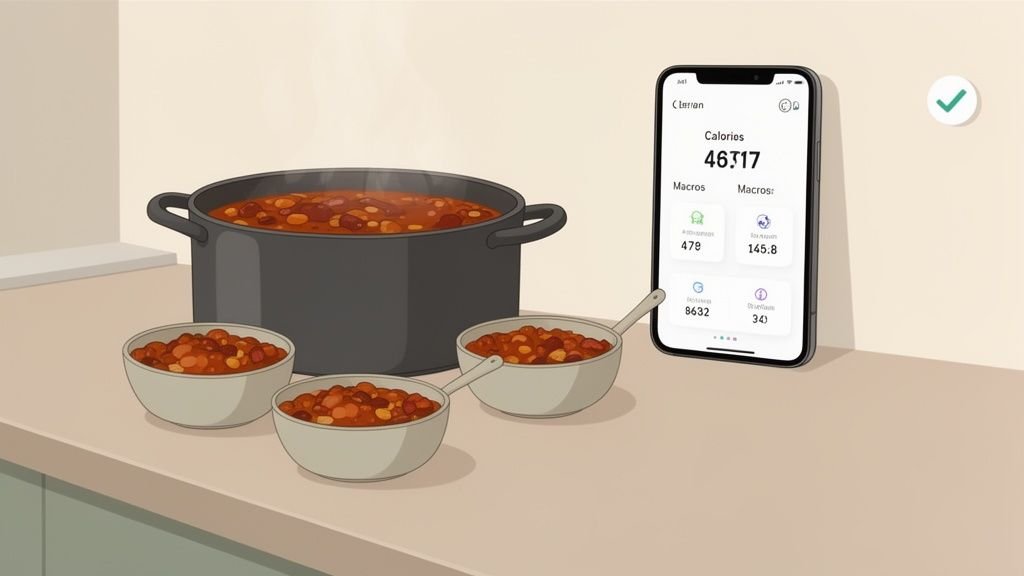
Picture this: you just spent Sunday afternoon making a massive pot of chili. Without a good system, you'd have to re-enter every single ingredient—the beef, the beans, the tomatoes—every single time you log a bowl for lunch. It’s tedious, and frankly, it’s why most people give up.
This is where a dedicated calculator changes the game. You do the math once for the whole batch, and from then on, logging your meal is as simple as grabbing a container from the fridge. Apps like PlateBird have made this so much easier than the old days of wrestling with spreadsheets. The whole point is to make tracking feel effortless, not like a second job.
From Tedious Chore to Effortless Habit
Anyone who tracked their food more than a few years ago remembers the pain. You’d have a spreadsheet open, a food database on another tab, and a calculator on your phone, painstakingly adding up every gram of every ingredient. It was a nightmare.
Thankfully, we've moved on. Now, you can just type out your ingredient list or even snap a picture, and an AI-powered app handles the rest. This little shift in process is what turns calorie counting from a chore you dread into a quick, satisfying part of your weekly routine. It’s a huge relief for anyone who has tried and failed with tracking before—a common struggle we dive into in our guide to counting calories.
This isn't just a niche trend; it’s a massive movement. The market for calorie counter apps, which are the engines behind these calculators, was valued at $2 billion in 2025. With a powerful 15% compound annual growth rate, it's projected to explode to somewhere between $8 billion and $12 billion by 2033. Millions of people are relying on these tools to get precise numbers for their bulk-cooked meals.
The real magic of a meal prep calorie calculator isn't just about saving time. It's about the confidence you get from knowing every meal you've prepped is perfectly aligned with your health and fitness goals.
Ultimately, this tool gives you back control. It finally connects the dots between the healthy food you cook and how that food actually helps you hit your daily targets.
Manual vs. AI-Powered Calorie Calculation
Wondering how much easier things have become? Here's a quick look at the old way versus the new way of calculating your meal prep.
| Feature | Manual Method (Spreadsheets) | AI Calculator (e.g., PlateBird) |
|---|---|---|
| Data Entry | Manually type each ingredient and its weight. | Type, speak, or snap a photo of your ingredients. |
| Nutrition Lookup | Search each item in a separate database (like USDA). | Automatically pulls nutrition data from a verified, built-in database. |
| Calculation | Requires formulas (=SUM, =A2*B2/C2) to tally totals. | Instantly calculates total calories, macros, and micronutrients. |
| Serving Size Math | Manually divide totals by the number of servings or total weight. | Divides batch totals by your chosen number of servings automatically. |
| Saving & Logging | Save the spreadsheet; manually create a "custom meal" in a tracker. | Saves the recipe in-app; log a serving with a single tap. |
| Accessibility | Tied to a computer or requires complex mobile spreadsheet apps. | Accessible anywhere on your smartphone. |
The difference is night and day. What used to be a 30-minute data entry project is now a two-minute task, making consistency finally achievable for just about anyone.
Setting Calorie and Macro Goals That Actually Work
Before you can even think about calculating the numbers for a recipe, you need a target. This seems obvious, but it’s the exact spot where so many people get tripped up, trying to force-fit generic advice into their own unique lives.
Your calorie and macro goals are deeply personal. A busy mom trying to shed a few pounds has entirely different needs than a 22-year-old guy trying to bulk up. The mom might thrive on higher protein and healthy fats to stay full and avoid the 3 PM snack monster, while the gym-goer needs a ton of carbs to fuel his workouts and recovery. It’s never about finding the "perfect" numbers, but about finding what’s sustainable for you.
Find Your Starting Point
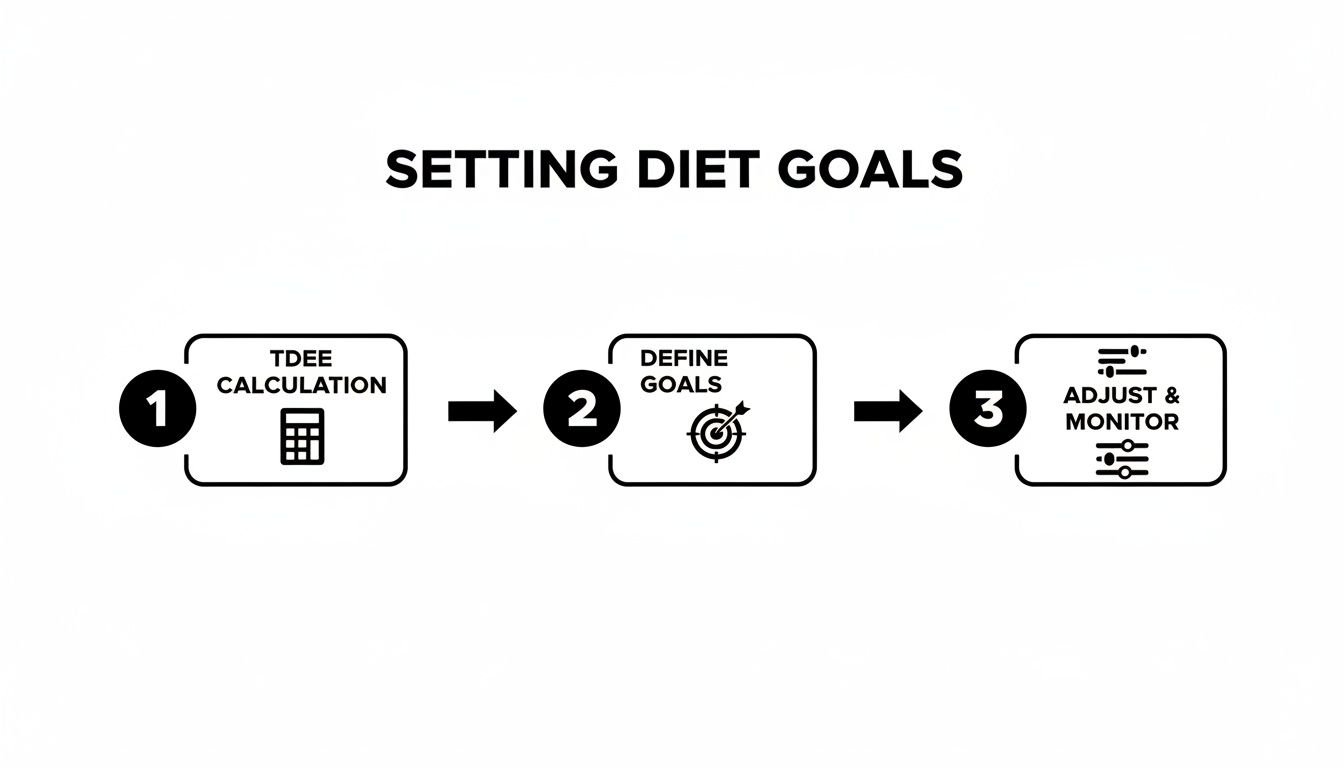
The best way to get a realistic number to work with is to estimate your Total Daily Energy Expenditure (TDEE). Think of this as the total number of calories your body burns just by living, breathing, working, and working out. There are plenty of free TDEE calculators online that will give you a great baseline in just a few minutes.
Let’s walk through a real-world example. I recently worked with a client, Sarah, a 30-year-old who wanted to use meal prep to get a handle on her nutrition and lose a little weight. We plugged her stats into a TDEE calculator, and it suggested she needed about 2,000 calories a day just to maintain her current weight.
To create a gentle deficit for fat loss—one that wouldn't leave her feeling deprived—we settled on an initial target of 1,700 calories per day.
Your initial TDEE is just an educated guess, not a hard-and-fast rule. The real magic happens when you see how your body responds over the first couple of weeks and adjust from there.
From Calories to Macros
With her 1,700-calorie target set, Sarah needed to figure out her macros. Since her main goals were fat loss and staying full and energized at her desk job, we started with a pretty standard split:
- Protein (40%): Absolutely critical for feeling full and holding onto muscle while in a deficit.
- Carbohydrates (30%): To provide enough energy for her daily life and light workouts.
- Fats (30%): Essential for hormone balance and that long-lasting, steady energy.
Doing the math, her daily macro goals looked like this:
- Protein: (1,700 kcal * 0.40) / 4 kcal per gram = 170g
- Carbohydrates: (1,700 kcal * 0.30) / 4 kcal per gram = 128g
- Fats: (1,700 kcal * 0.30) / 9 kcal per gram = 57g
These numbers were our launchpad, not a life sentence. After the first week, Sarah mentioned feeling a little sluggish in the afternoon, so we tweaked her plan to shift a few more carbs to her lunch. The most important part of this whole process is being flexible.
If you want to get more granular with your own numbers, you can dive deeper in our guide on what your macros should be. Just remember to listen to your body and give yourself permission to adjust.
Breaking Down Recipes for Accurate Calculations
Alright, this is where the real work—and the real payoff—of meal prep happens. We're going to turn a simple shopping list into the data that fuels your entire week. Don't worry, this isn't about becoming a math whiz. It's about setting up a simple system you can use over and over until it feels like second nature.
First things first, and this is a rule I never break: you have to weigh your main ingredients, especially proteins and carbs, while they're raw. This is completely non-negotiable if you want numbers you can trust.
Think about it: food changes drastically when you cook it. That 100 grams of raw chicken breast shrinks as it loses water, while 100 grams of dry rice gets way heavier as it soaks it up. All the nutrition databases are based on raw weights, so starting there is the only way to get a true picture of what you're eating.
The Recipe Breakdown in Action
Let's walk through a real-world example. Imagine you're making a big batch of my go-to Spicy Turkey and Black Bean Chili. Instead of getting overwhelmed by a long list of ingredients, you just plug each one into a tool like the PlateBird app.
Here’s what that looks like on my counter:
- 93% lean ground turkey – 2 lbs (907g)
- Olive oil – 2 tbsp
- Yellow onion – 1 large
- Green bell pepper – 1 large
- Canned black beans – 2 cans (15 oz each), rinsed
- Canned diced tomatoes – 1 can (28 oz)
- Chili powder – 3 tbsp
- Cumin – 1 tbsp
As you add each item, the app does the heavy lifting, instantly calculating the nutrition facts. In seconds, you have a grand total for the entire pot of chili. No calculator, no spreadsheets, just a "master recipe" ready to go.
This process starts with having clear targets, of course. The whole point of calculating is to hit your personal goals.
This kind of precision isn't just for elite athletes anymore; it's gone mainstream. Just look at the meal kit industry. The average meal kit dinner lands somewhere between 700-800 calories, a number that experienced meal preppers often use as a general benchmark for a solid meal.
It's no surprise that a shocking 65% of meal kit companies now push "Weight Loss" or "Low Calorie" options. People want control over their nutrition, and an app gives you that same power with your own home cooking. This trend is huge in North America, which accounted for over 45% of the industry's revenue in 2022.
The goal isn’t to be a perfect accountant for every pinch of salt. It’s about being precise with the ingredients that have the biggest caloric impact—your proteins, carbs, and fats. Get those right, and you're 95% of the way there.
From Total Pot to Single Serving
Once you have the total nutrition for your chili, the next step is portioning it out, which we’ll get to in a bit. The best part is, the hard work is already done.
From here on out, you won’t have to enter ground turkey, beans, and oil every time you eat. You’ll just log "1 serving of Spicy Turkey Chili," and the app knows exactly what that means. This is the secret to staying consistent. For a closer look at this method, check out our guide on how to calculate calories in homemade food.
Portioning Your Meals With Confidence
Alright, you’ve done the heavy lifting—you’ve calculated the total nutrition for your entire recipe. Now comes the most satisfying part, where all that math turns into a week of perfectly portioned, ready-to-eat meals.
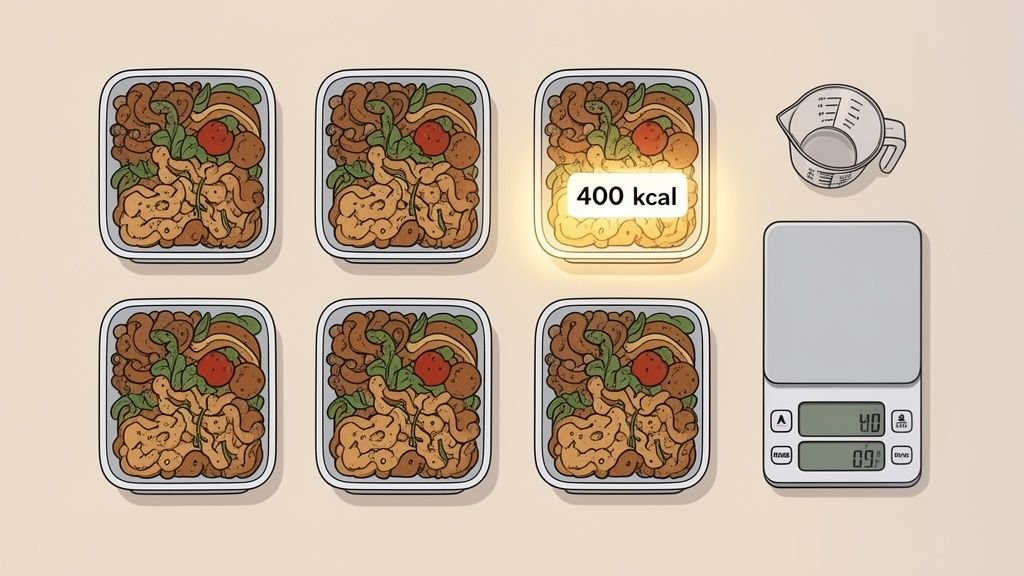
This is the step that connects your effort in the kitchen to your results on the scale. After using a meal prep calorie calculator to get the grand total, the final bit of math is wonderfully simple. You just divide the total by the number of meals you plan to make.
Let's go back to that Spicy Turkey and Black Bean Chili. If your app tells you the whole pot is 2,400 calories and you want to get six lunches out of it, you’re looking at an easy division:
2,400 total calories / 6 servings = 400 calories per serving
Just like that, each container you fill is a guaranteed 400-calorie meal. No more guesswork or "that looks about right" scoops. The thinking is already done.
The Tools That Guarantee Consistency
Precision is everything when it comes to portioning. You can eyeball it, but if you're serious about your goals, a couple of simple tools will make all the difference. My go-to setup is a non-negotiable part of my meal prep routine.
- A food scale: This is your best friend for anything solid—grilled chicken, roasted veggies, or a baked casserole. Just place your empty container on the scale, hit "tare" to zero it out, and weigh each portion for dead-on accuracy.
- Measuring cups: For soups, stews, or anything liquidy like our chili, measuring cups are far more practical. If your recipe makes 12 cups total, portioning out two cups per container gets you to your six equal servings.
It might feel a little extra at first, but this is the secret to making sure your tracking is reliable day in and day out. You're removing any chance for error.
Let’s walk through what this looks like with another common meal prep staple: simple chicken and rice.
Sample Meal Prep Recipe Calculation
Here is a quick breakdown of how you would calculate the totals for a basic chicken, rice, and broccoli recipe designed to make four meals.
| Ingredient | Raw Weight/Amount | Total Calories | Total Protein (g) |
|---|---|---|---|
| Chicken Breast | 800g | 880 | 176 |
| White Rice | 200g (dry) | 720 | 14 |
| Broccoli | 500g | 170 | 14 |
| Olive Oil | 2 tbsp | 240 | 0 |
| Recipe Totals | 2,010 | 204 | |
| Per Serving (4 meals) | ~503 | ~51 |
By calculating the totals for the entire batch first, you can see that dividing everything by four gives you a well-balanced meal of roughly 503 calories and 51 grams of protein. Now all that's left is to divide the cooked ingredients evenly among your four containers.
How Smart Apps Make Logging Effortless
This is where the magic really happens with modern tracking apps like PlateBird. Once you’ve saved your "Spicy Turkey Chili" recipe and told the app it makes six servings, you've essentially created a custom entry in your food library.
Logging your lunch for the rest of the week becomes a one-tap affair.
Instead of typing in turkey, beans, tomatoes, and spices every single day, you just search for "1 serving of Spicy Turkey Chili." The app knows exactly what that means and subtracts the 400 calories and all the right macros from your daily budget.
This seamless connection between cooking and tracking is what makes the whole system stick. You aren't just prepping food for the week; you're prepping your food log for the week, saving an incredible amount of time and mental energy. That tedious daily task becomes a single, satisfying action on prep day.
Logging Meals in Seconds with Smart Tools
Let’s be honest. After you've spent hours cooking, weighing, and portioning out your meals, the last thing you feel like doing is tediously logging everything you just made. The best meal prep calorie calculator is always the one you'll actually use, and a clunky logging process is the fastest way to make anyone quit.
This is where a little bit of tech makes a world of difference. Instead of manually typing "chicken breast, broccoli, and brown rice" every single day, modern apps let you save that entire meal. Think about it: you log it once, save it as "Monday Lunch," and from then on, tracking is just a single tap. This small hack is what separates a frustrating chore from a satisfying, sustainable routine.
It's a huge step up from the old days of repetitive daily data entry. By creating a personal library of your go-to meal preps, you're essentially putting your tracking on autopilot for the entire week. This frees you up to focus on what really matters—your results, not the data entry.
Smarter Logging: Photos and AI Shortcuts
What's really changed the game recently are the even smarter ways to log your food. Newer apps like PlateBird are designed to learn your habits, creating shortcuts that feel almost psychic. The app notices your favorite meals and keeps them front and center, so you don't even have to search.
But the most impressive feature I've seen is visual logging. Imagine just snapping a quick picture of your meal prep container.
Using computer vision, the app scans the photo and instantly identifies everything on your plate—the chicken, the quinoa, the green beans—and calculates the calories and macros on the spot. For anyone who finds manual logging a drag, this is a lifesaver. It completely removes the friction between eating your meal and tracking it.
Why Speed and Simplicity Matter
This move toward faster, simpler logging isn't just a gimmick; it's what keeps millions of people on track. You can see this trend across the entire industry. MyFitnessPal built an empire with over 200 million downloads and 85 million monthly active users by making it simple to log from a database of 16 million foods.
Likewise, FatSecret's 50 million users love features like barcode scanners for the same reason—speed. They mirror the quick, effortless experience of photo-based logging you find in PlateBird. These platforms are all part of a diet and nutrition app market expected to surge from $2-3 billion in 2025 to over $8 billion by 2033, and that growth is fueled by features that make our lives easier. You can discover more insights about these diet and nutrition app statistics and see how they're shaping user habits.
By creating a custom library of your prepped meals, you're not just saving time. You're building a sustainable system that guarantees you'll stay on track with your nutrition goals, week after week.
Fine-Tuning Your Meal Prep Tracking
Once you get the hang of tracking your meal prep, you start running into the little details. It's these small adjustments that really dial in your accuracy and give you the confidence that your numbers are spot on. Let’s walk through a few of the most common questions I hear.
What About Little Ingredients Like Oil and Spices?
This is where good tracking becomes great tracking. When it comes to high-calorie items like cooking oils and butters, you absolutely have to be precise. I always measure the exact amount I'm adding to the pan—say, 1 tablespoon of olive oil—and plug that right into my batch recipe. Those calories add up fast.
On the flip side, you have low-to-no-calorie things like dried spices (paprika, oregano, cumin), salt, and pepper. Honestly, for a big batch recipe, their caloric impact is so tiny it’s not worth the effort to track. The only time I pay attention is with pre-made spice blends, as some contain hidden sugars or fillers. A quick glance at the nutrition label will tell you if it's worth adding to your recipe.
My rule of thumb is simple: if it pours and has calories (think oils, dressings, or sauces), I measure it. If it just sprinkles and has virtually none, I don't sweat it.
Should I Weigh Food Raw or Cooked?
For maximum accuracy, you should always, always weigh your main protein and carb sources raw. This is the non-negotiable gold standard for a reason.
Cooking completely changes the weight of food. Your chicken breast shrinks as it loses water, getting lighter. Meanwhile, your pasta and rice soak up water, swelling up and getting much heavier. Since all official nutrition databases list calories for raw, uncooked ingredients, that's the number you need to rely on.
So, if you start with 500g of raw chicken breast, you can calculate the calories for the entire batch perfectly. After it’s cooked, you can weigh the final amount and divide it into equal portions. This two-step process—weighing raw for calculation, then weighing cooked for portioning—is the secret to getting reliable numbers every single time.
How Should I Handle Recipes with Tons of Veggies?
Tracking a mountain of vegetables can feel like a chore, but you can simplify it. For non-starchy veggies like broccoli, spinach, bell peppers, and onions, you really don't need to be precise down to the last gram.
When I’m building a recipe, I just use standard measurements for these. Tossing in "2 medium bell peppers," "1 large onion," or "3 cups of spinach" is totally fine. Their calorie count is so low that being off by a few grams won't make a meaningful difference in your final numbers.
However, for starchy vegetables like potatoes, sweet potatoes, or corn, it's a different story. I always pull out the scale for those to keep my carbohydrate counts in check.
Ready to stop guessing and start tracking with precision? PlateBird makes it simple. Just type or snap a photo of your meal prep, and let our AI do the rest. Download PlateBird for free and see how easy it is to hit your goals. Get started with PlateBird today.