- Why Most Parents Who Try a Food Tracker Quit in Three Weeks
- Deciding Whether Your Child Should Log at All
- Features That Matter in a Kids Food Tracker
- A Practical Week-One Onboarding Plan
- A Realistic Daily Tracking Workflow That Sticks
- Turning Logged Data Into Useful Patterns
- Troubleshooting When the Tracker Stops Working
You're standing in the kitchen with a lunchbox that came back half untouched again. The yogurt tube is gone, the apple is browning at the edges, and your child says, “I wasn't hungry,” while you try to remember whether breakfast was enough to carry them through the morning. That's the moment most parents reach for a food tracker for kids, and it's also the moment most trackers start failing, because the problem usually isn't discipline, it's bad data capture.
A good food tracker for kids should behave like a parent-led evidence tool, not a child self-monitoring device. The point is to notice patterns you can act on, like skipped snacks, repeated refusals, or a shaky breakfast, without turning meals into a moral scorecard.
Why Most Parents Who Try a Food Tracker Quit in Three Weeks
The first failure usually looks innocent. You open an app after school, try to remember what was in the lunchbox, and realize you're reconstructing a whole morning from fragments. That's where accuracy falls apart, and the research is blunt about it.
In one validation study of an online food record used with 8- to 9-year-old children, the mean match rate was 73%, while the omission rate was 27% and the intrusion rate was 19% when parents helped record school-lunch intake and researchers compared the entries with direct observation (validation study). In plain English, even with parent help, a quarter of what should have been logged was missed, and extra items were added too. The issue isn't laziness. It's friction.
The lunchbox test
If logging takes longer than emptying the lunchbox, families stop doing it. That's why I care more about fast entry and immediate capture than about fancy nutrition charts. A tracker that makes you type while your kid is already headed to soccer practice is setting you up to fail.
The better move is to log close to the meal, not hours later. Research across child nutrition tools keeps pointing in the same direction, shorter and more guided methods tend to outperform longer retrospective methods (MEDAL validation study). That lines up with parent experience too. When the entry happens right after eating, you're recording the meal, not rebuilding it from memory.
Practical rule: if the app can't capture the meal in under a minute, it won't survive a school week.
Parents also need a tracker that fits into the rest of the house. If you're already choosing kid-safe cups and bottles, you know how much friction matters. A useful companion reference is the parents' guide to kid-safe drinkware, because the same standard applies, simple, durable, and low drama.
A food tracker for kids succeeds on three things, speed, timing, and parent verification. Miss any one of those and the data starts to drift.
Deciding Whether Your Child Should Log at All
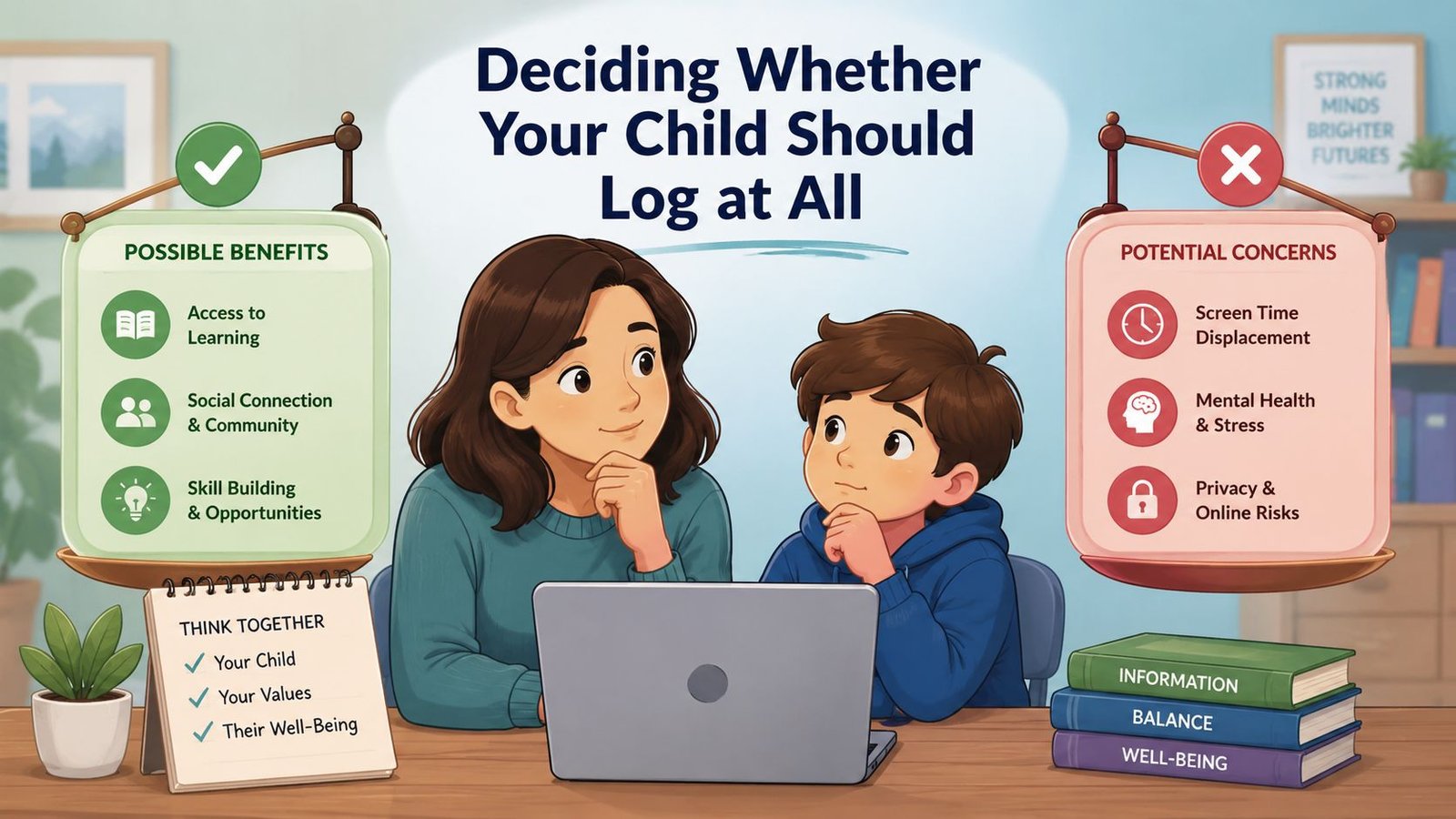
A lot of guides dodge the hard question, but parents shouldn't. Not every child should be logging food, and not every child should be looking at nutrient data. The right answer depends on development, not on app marketing.
A simple age-by-age rule
For ages 2 to 4, parents should log for the child. At that stage, the child can help point, name foods, or react to pictures, but the adult owns the record. For ages 5 to 7, a hybrid model works best, the child can tap icons or take a photo, and the parent verifies. For ages 8 to 11, co-logging makes sense, but only with prompts and adult review. For 12 and up, self-logging can work, but the framing matters more than the interface.
That framing should be about nutrition literacy, not body control. Mainstream concern about calorie-counting apps for kids exists for a reason, and older pediatric and eating-disorder concerns about diet-focused tracking are real. If your child starts treating the app like a scoreboard, you've already drifted into the wrong territory.
What you should track, and what you should never track
Track for growth, nutrients, and meal patterns. Don't track for weight loss, restriction, or punishment. That's the line.
- Use the tracker when: you're trying to understand picky eating, low appetite, school lunch gaps, or whether breakfast is doing its job.
- Stop using it when: your child hides food, argues about logging, or starts making body-shame comments.
- Keep the adult in charge: the parent should decide what gets entered and when the log gets discussed.
A developmental tool should reduce stress, not create surveillance. If the tracker changes the tone at the table, it's the wrong tool, no matter how polished the charts look.
The most useful way to think about a food tracker for kids is simple, it's a parent-run record with child participation, not a child-run diet diary.
Features That Matter in a Kids Food Tracker
Most app feature lists are junk. Kids do not need a giant food database, a leaderboard, or a social feed. They need a fast way to get the meal into the app, and they need a parent to clean up the record before it turns into fake precision.
What earns a yes
The requirements are straightforward. First, entry has to be quick enough to fit real family life. Second, the app needs photo or voice capture, because kids rarely want to type, and parents do not want to hunt through endless menus. Third, there has to be a parent dashboard with a verification step. Fourth, the interface has to be visual and age-appropriate, not a wall of nutrition tables. Fifth, privacy has to be strong enough that you would trust it with family data.
The child nutrition tool literature backs that direction. Systems for kids tend to work better when they use predefined food lists, portion photos, nutrient databases, and parent-supported workflows rather than free-form text alone (photo plus instant feedback pattern). The point is not perfect automation. The point is lowering friction without losing oversight.
| Entry Methods Compared for Kid Food Tracking | Method | Entry Speed | Accuracy with Kids | Best Age Range |
|---|---|---|---|
| Text | Slow if the child types, faster for a parent | Weak when memory is shaky | Older children and parent entry |
| Barcode | Fast for packaged foods, awkward for meals | Good for packaged items, weak for mixed meals | Older children, but limited use |
| Photo | Very fast and memory-friendly | Strong when a parent verifies | Ages 5 and up |
| Voice | Quick for parents, inconsistent for children | Good for simple meals, weaker with detail | Parent-led logging at any age |
If you are comparing products, a helpful reference is Guiding Growth for diet management, because it reflects the broader shift toward tools that support structure and interpretation, not just raw logging. That is the direction families need.
A good product should make the child's part small and the adult's part clear. Platebird's meal tracker app points in the right direction when it keeps logging fast and makes review simple, because that is what a parent can keep using on a busy school night.
Privacy is not optional
Here is the hard line, no public feed, no social comparison, no ad-driven profile building, and no app that makes you wonder where the data goes. If an app cannot clearly handle deletion, account control, and child privacy sensibly, skip it. A tracker for families has no business acting like a social platform.
For a practical product example, the internal design approach behind a photo food diary app is the kind of workflow families should look for, because photos are often faster than typing and easier to verify later. If the app does not support that kind of low-friction logging, it is not built for real households.
A Practical Week-One Onboarding Plan
The first week should feel like onboarding, not compliance training. If you push too hard on day one, the app becomes another thing your child has to “do right,” and that usually kills adoption fast.
Day-by-day rhythm
Start with Day 1 as parent-only logging while your child watches. Say, “I'm using this to remember what breakfast looked like,” not, “I need to check what you ate.” That tone matters more than most features.
On Day 2, let your child take the photo before eating. On Day 3, add a tiny child task, tap the icon for fruit, protein, veggie, or drink while the parent fills in the rest. On Day 4, make the parent verification step part of the routine before saving. By Day 5, choose one focus, usually vegetables or protein, instead of trying to track everything. Day 6 is for a calm review together. Day 7 is a reset day with no logging at all.
Use this language: “This helps me see if breakfast is filling you up,” not “I'm checking what you ate.”
That matters because children do better when the tracker feels like a shared tool. A parent verifies portions, the child participates where it's easy, and no one is expected to remember every bite from hours ago. The hybrid approach fits what the validation work says about accuracy, parent help improves the record, but it does not erase error. The point is a better family record, not perfect memory.
A good implementation also needs help with portion guessing. The portion size estimation guide is worth using if you want the log to be useful instead of just busy. Portion confusion is one of the fastest ways a family loses confidence in the data.
A Realistic Daily Tracking Workflow That Sticks
The trackers that last are the ones that fit into ugly, normal family mornings. School bags are open, someone can't find a shoe, and breakfast is happening in pieces. That's the everyday environment, so the workflow has to survive it.
Morning through dinner
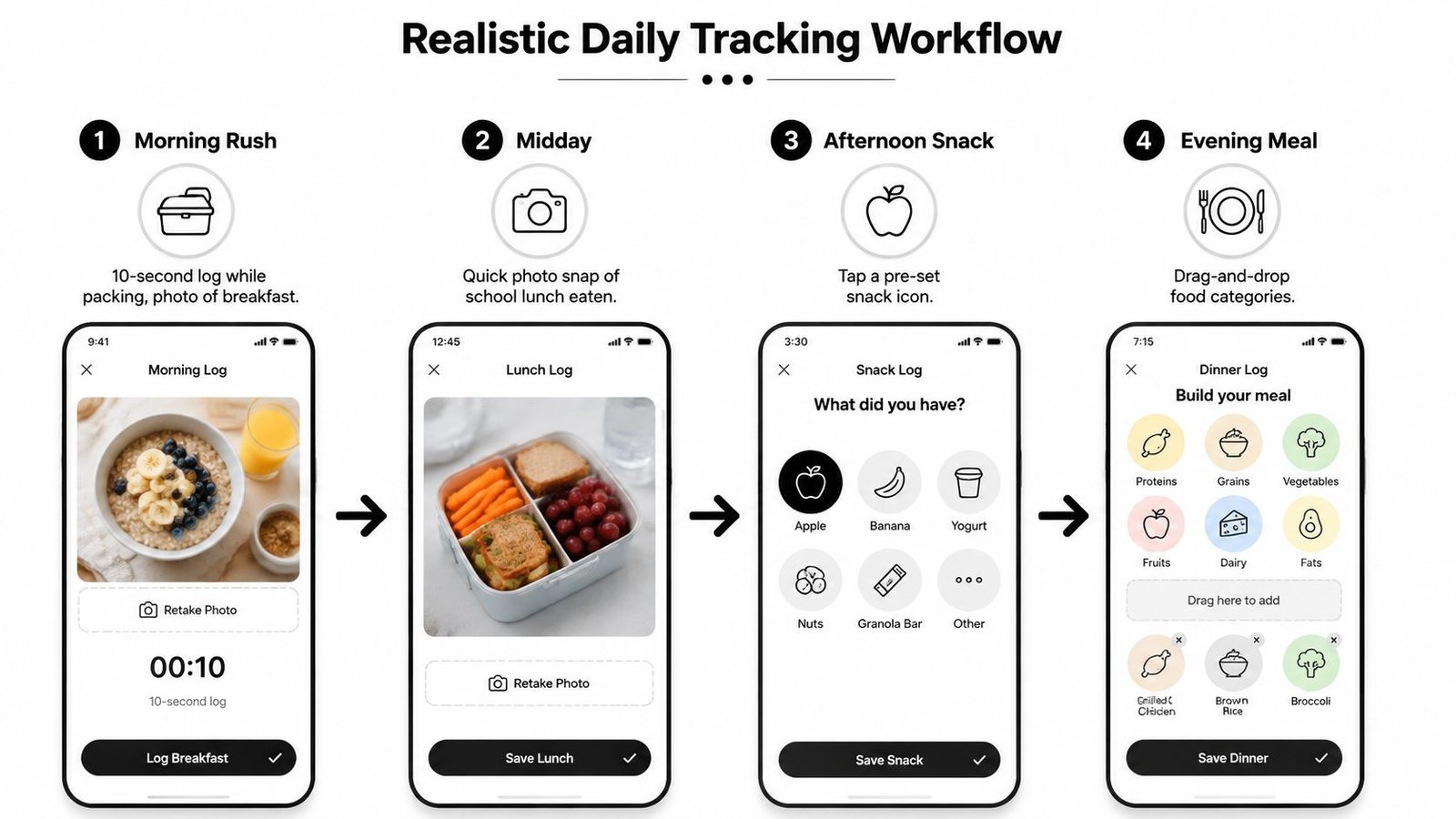
In the morning, log breakfast while packing the lunchbox. Keep it to a 10-second placeholder if that's all you've got, then refine it later if needed. The key is to avoid the “I'll remember tonight” trap.
At midday, use a photo snap at school drop-off if that's feasible, or tuck a note into the lunchbox for the parent to enter at pickup. The closer the log is to the meal, the less memory decay you're fighting. If more than a couple of hours pass, don't try to reconstruct every detail from scratch. Enter a placeholder, then edit later.
The afternoon snack is the easiest place to win or lose consistency. Log it the moment the child asks, before everyone is moving again. Dinner should be the family ritual, the child describes the plate, the parent taps, and the meal appears on screen while it's still visually fresh.
The standard is under a minute. Anything slower becomes weekend-only behavior.
That's the benchmark I'd use in a real house. A tracker that needs a long form, a barcode hunt, and three screens before saving will not last through a full school week. A tracker that lets you log quickly, then review later, has a chance.
What to do when memory gets fuzzy
Don't wait until bedtime to rebuild the day. Use the placeholder immediately and clean it up later. That small habit keeps the record anchored to the meal instead of to your memory of the meal, which is the part that usually gets messy.
The other thing families learn fast is that the dinner log is not just for calories. It's for noticing what keeps your child full, what gets skipped, and what repeats. That's where the app starts becoming useful.
Turning Logged Data Into Useful Patterns
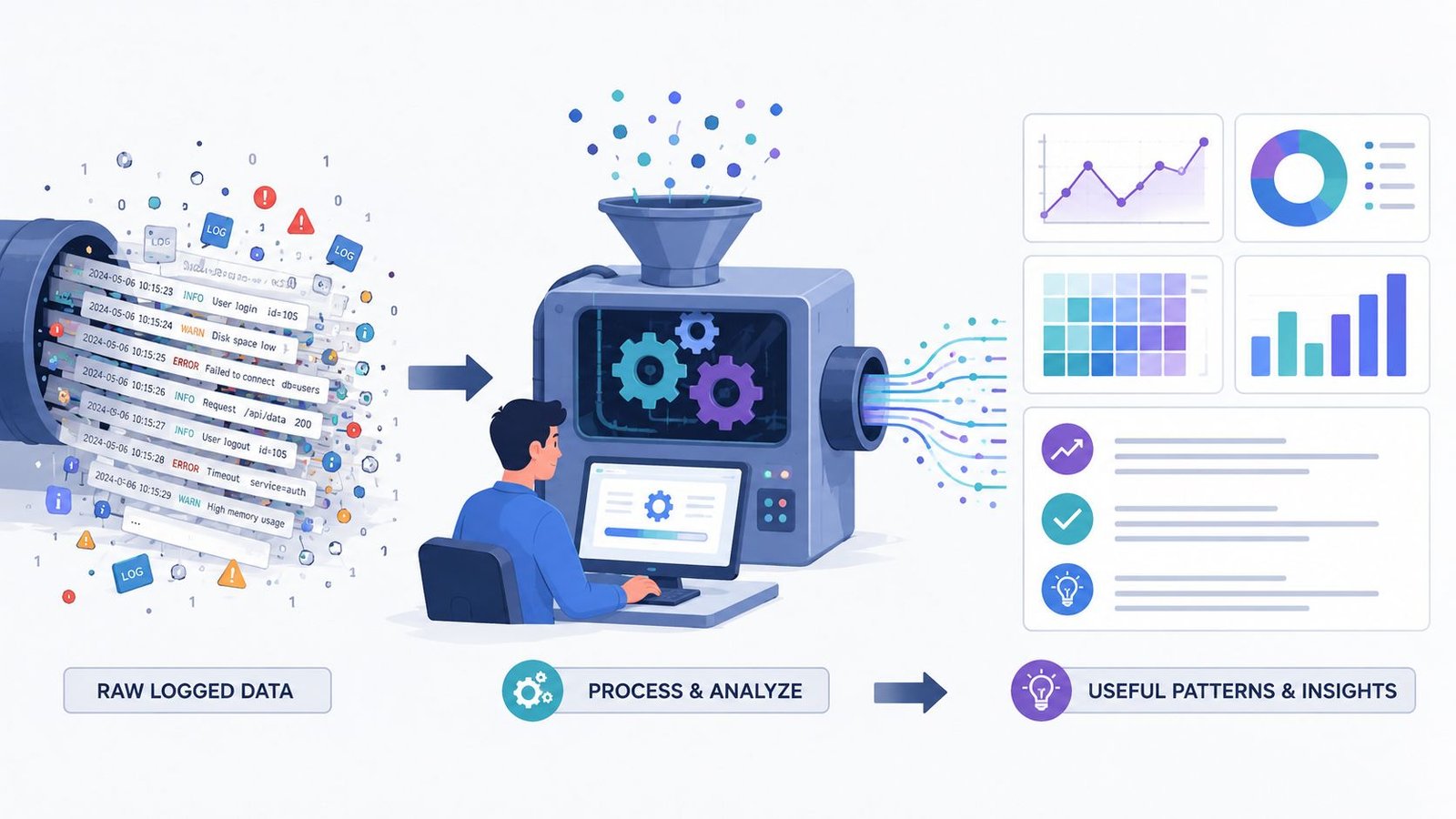
Raw logs are boring. Patterns are useful. If you've been tracking for a couple of weeks and still only see lists of meals, you're not using the data well enough.
Four signals worth caring about
The first pattern is repeated refusal of the same food group, especially vegetables. That's not a logging problem, it's a mealtime strategy problem. The second is large gaps between breakfast and lunch or a skipped afternoon snack, which usually points to hunger timing. The third is nutrient shortfalls in iron, calcium, or vitamin D across several days, and that's a real conversation starter with the pediatrician. The fourth is big day-to-day variation in portion size, which is usually normal in children and not a sign that the tracker failed.
A few logs can look chaotic and still be perfectly ordinary. Kids eat unevenly. They're not robots. The goal is to spot the repeated pattern, not police the plate.
The right move is to bring a two-week summary, not a pile of raw entries, to the next well-child visit. Ask the pediatrician to interpret the pattern with you. That's far more useful than obsessing over one low-appetite Tuesday.
The field keeps shifting toward apps that interpret food rather than just record it. One example in the market emphasizes nutrients, allergies, food processing, blood-sugar reaction, and growth-related scoring, which shows that families want more than a meal list. The problem is that the interpretation still needs a human adult who knows the child.
Troubleshooting When the Tracker Stops Working
The fastest way to ruin a good tracker is to treat it like a test. Kids feel that immediately. Once logging becomes a grade, the family gets resistance, secrecy, or both.
Four common failure modes and the fix for each
If the child refuses to engage, you probably made the app feel judgmental. Strip it back to photo-only mode and remove any “good food” or “bad food” language. If the parent burns out after three weeks, stop tracking every meal and reduce it to two anchor meals, usually breakfast and dinner. If there's data overload and decision paralysis, delete everything except one focus, like protein, vegetables, or a specific nutrient gap. If the tracker starts causing anxiety or food hiding, stop immediately and talk to the pediatrician.
Non-negotiable: if meals become a conflict because of the app, the app is wrong for the family.
There are also cases where no app will help. Sensory food aversion, ARFID, and suspected eating disorders are clinical issues, not tracking problems. A better interface won't fix that. A professional evaluation will.
The biggest guardrail is simple, keep the tool in its lane. A food tracker for kids should help you notice patterns, prepare better meals, and have smarter conversations with your pediatrician. It should never become a way to monitor, shame, or control a child's eating.
If you want a parent-first tracker that keeps the focus on quick logging, clean data, and practical use instead of diet drama, try PlateBird. It's built for fast food logging, photo capture, and the kind of low-friction tracking that fits into family life.