- The End of Tedious Food Logging
- What Exactly Is a Photo Food Diary App
- The Science Behind Seeing Your Food
- Must-Have Features for Effective Visual Logging
- Practical Workflows Photo Logging vs Text Entry
- Overcoming Hurdles with Accuracy Privacy and Consistency
- How PlateBird Makes Food Logging Effortless
- From Tedious Tracking to Mindful Awareness
You open a food tracking app with good intentions. Breakfast is easy enough. Then lunch happens.
A grain bowl from the cafe has six ingredients you can see, three you can’t, and a sauce that could be anything. You try the barcode scanner for the drink. It fails. You search for the wrap. Ten versions appear. You guess the portion size, promise yourself you’ll fix it later, and by dinner you’re done with the whole process.
That pattern is why so many people quit tracking long before they learn anything useful from it. The problem usually isn’t motivation. It’s friction.
The End of Tedious Food Logging
Manual food logging often feels like doing paperwork about your own lunch. You eat in five minutes, then spend far longer trying to translate the meal into a database.
For a lot of people, that’s where the habit breaks. The healthy goal is still there. The logging method is what gets in the way.

Why old-school tracking burns people out
Think about the usual routine:
- Search fatigue: You type in “chicken rice bowl” and get a long list of entries that all look slightly different.
- Portion guesswork: Was that one cup of rice, or more? Was the chicken grilled with oil?
- Missed moments: If you’re busy, you tell yourself you’ll log it later. Later often never comes.
A photo food diary app changes the starting point. Instead of describing your meal like a witness giving a statement, you snap a picture of what’s in front of you.
That shift matters because it matches real life. People already take photos of meals. Turning that habit into a health tool feels far more natural than weighing every ingredient or hunting through endless menus.
This isn’t some tiny niche in the app world. The global market for diet and nutrition apps is projected to reach USD 41.57 billion by 2032, and the meal planning app market, which includes photo-based food trackers, reached $2.5 billion in 2023, according to this overview of photo food diary app growth.
Why the category keeps growing
People don’t want generic advice anymore. They want feedback that fits the specific meal they ate on a Tuesday at 1:15 p.m.
Big shift: The easier a tool is to use in the moment, the more likely people are to stick with it.
That’s the promise of visual logging. Less admin. More awareness. More chances to stay consistent when life gets messy.
What Exactly Is a Photo Food Diary App
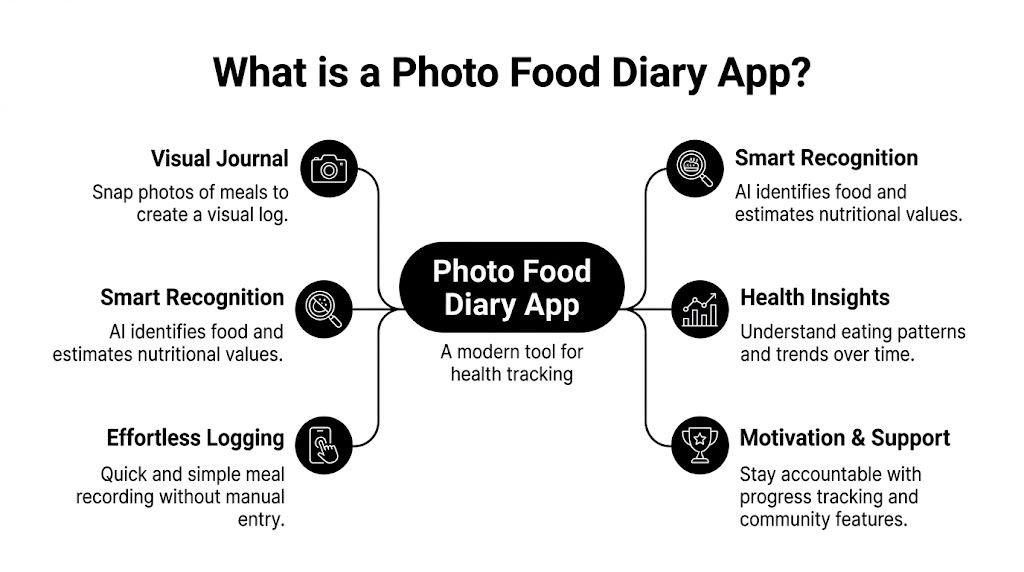
A photo food diary app is a visual record of what you eat. The simplest way to think about it is this: it’s like keeping a visual receipt for your meals.
Instead of relying on memory after the fact, you create a quick photo timeline of breakfast, lunch, dinner, snacks, and even the little bites that usually disappear from memory.
What the process looks like
Most apps follow a simple flow:
- You take a photo before you eat.
- The app reviews the image and tries to identify what’s on the plate.
- You check the result and add context if needed.
- The meal becomes part of your daily record so you can spot patterns over time.
That last part is where people often get surprised. A photo log doesn’t just help with nutrients. It helps with memory and pattern recognition.
You may notice that your afternoon snacks appear on stressful workdays. You may see that your breakfasts are light on protein. You may realize your weekend meals look very different from your weekday meals. Numbers can tell part of that story, but a visual timeline tells it faster.
Why photos change behavior
When you photograph food before eating it, you create a pause. It’s brief, but it matters.
Recent scientific research confirms that photo-based food logging significantly raises awareness and changes dietary habits compared to traditional text-based tracking methods. The same source notes that taking a photo before eating encourages healthier selections, and that dietitians and nutritionists use photo food journals as accurate reporting tools in practice, as described in the See How You Eat app listing.
That doesn’t mean every meal suddenly becomes perfect. It means you become more aware of what you’re doing.
A plain-language example
Suppose you usually type “salad” into an app and move on. That entry tells you almost nothing about the actual meal.
A photo might show:
- Mostly croutons and dressing
- A small amount of chicken
- Very few vegetables
- A large sweetened drink on the side
That visual cue can be more honest and more useful than a vague label ever could.
Seeing your own meals lined up in a gallery is often more motivating than staring at a spreadsheet of calories.
A good photo food diary app doesn’t need to shame you. It just needs to show you what’s there.
The Science Behind Seeing Your Food
The power of visual logging comes from two systems working together. One is psychological. The other is technical.
The psychological part is simple. When you can see what you ate, your eating habits become concrete instead of abstract.
Visual accountability
People often don’t overeat because they can’t do math. They overeat because eating is fast, emotional, social, distracted, or all four at once.
A gallery of meal photos creates what many coaches would call visual accountability. You’re no longer trying to remember your day from fragments. You can scroll and see it.
That matters because food choices are connected. A skipped breakfast often shows up later as a large lunch. A late-night snack pattern becomes obvious when the photos keep appearing at the same hour.
This kind of feedback feels different from number-heavy tracking. It’s less like a test and more like a mirror.
What the AI is doing in the background
The tech can sound mysterious, but the logic is straightforward. A computer vision model looks at your meal image and tries to recognize the foods it contains.
Then the app turns that recognition into structured nutrition data. In photo food diary apps, computer vision models such as GPT-4 Vision API achieve high accuracy in food identification and nutritional estimation by processing base64-encoded images. That workflow can turn one photo into estimated calories and macros, and developer benchmarks note that it can reduce logging time to under 60 seconds per meal, with error rates below 15% for common dishes in major markets (US, EU), as described in this developer walkthrough of building an AI food tracker.
Why that matters for everyday users
The practical benefit isn’t that AI is exciting. The practical benefit is that it removes steps.
Instead of doing this yourself:
- identify every ingredient
- search for each item
- choose a likely entry
- estimate the amount
- save the meal
The app can do much of the first pass for you.
That doesn’t make human review unnecessary. It makes the review much faster.
Where people get confused
Some people assume AI food logging means the app “knows” everything from a photo alone. That’s too simplistic.
The better way to think about it is this: the app is acting like a fast assistant who gives you a strong draft. You still want to glance over the draft before you accept it.
The smartest use of AI logging is not blind trust. It’s quick review.
That mindset helps people get the speed of automation without losing common sense.
Must-Have Features for Effective Visual Logging
Not every photo food diary app is worth your time. Some are smooth and practical. Others feel clever for one day and frustrating by day three.
The difference usually comes down to whether the app helps you log real meals, not idealized ones.
What a strong app needs
Here’s the checklist I’d give a client.
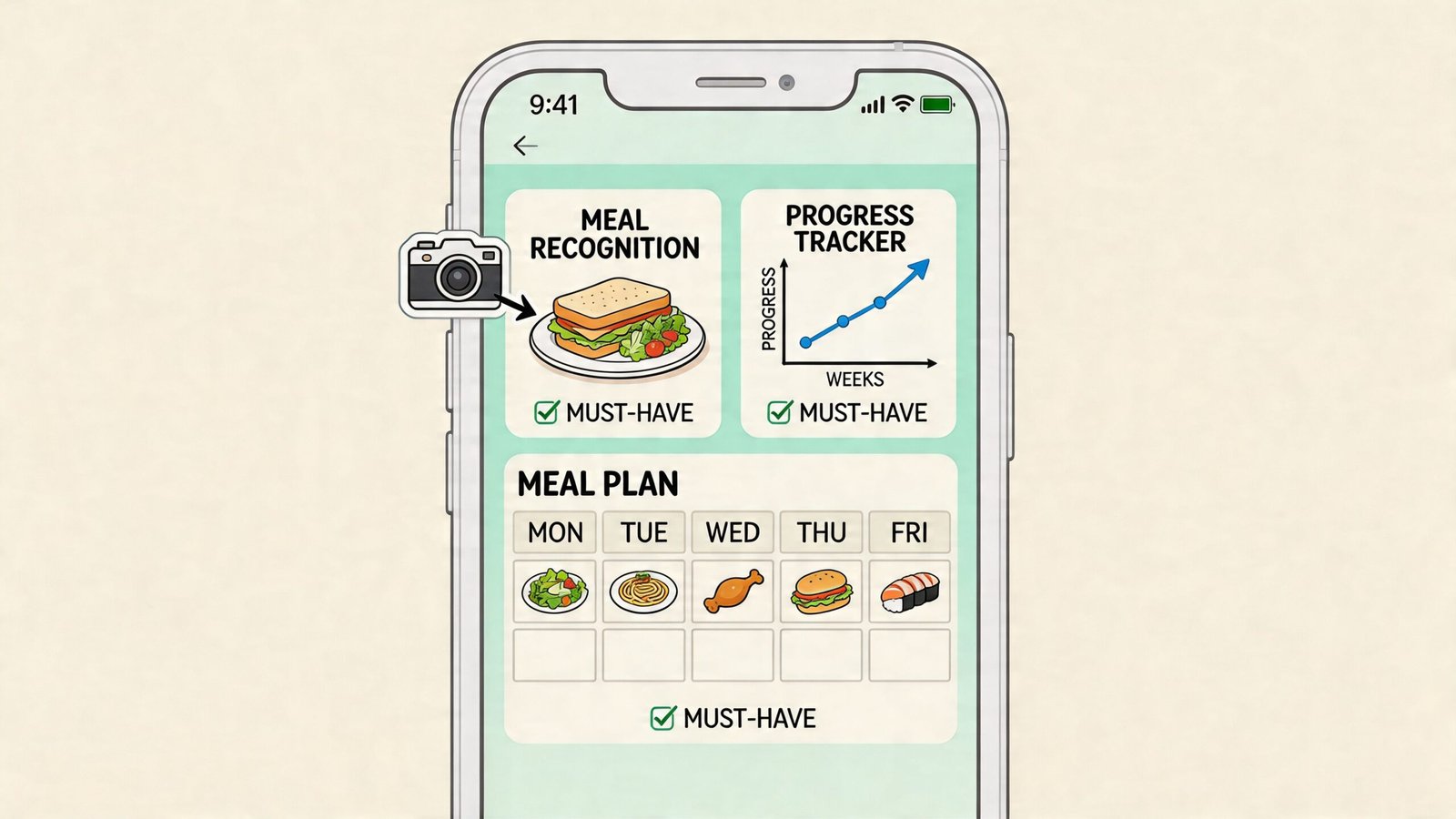
- Reliable food recognition: The app should identify common foods without making you fix every entry.
- Manual correction tools: You need to be able to edit ingredients, portions, or meal details when the image doesn’t tell the whole story.
- Clear macro breakdowns: Protein, carbs, and fat should be easy to read, not buried in menus.
- Fast repeat logging: If you eat similar breakfasts or meal-prep lunches, the app should remember that.
- A useful history view: You should be able to review your eating patterns without digging through clutter.
If an app can’t handle corrections well, it won’t hold up in real life. Sauces, mixed dishes, oils, and family-style meals are too common.
How better apps estimate portions
This is the part most users worry about, and they should. A photo is flat. Your food is not.
Top apps try to solve that with image analysis that estimates portion size from what appears on the plate. Research on AI food scanners describes geometric area-density correlation, where the system uses the visible area of foods in a plate image and converts that into estimated nutritional data. In NYU Tandon benchmarking on diverse cuisines, calorie estimation reached 85-92% accuracy versus manual weighing, with a strong r=0.97 correlation between larger visible portion areas and predicted macros, as detailed in this open-access paper on AI food image analysis.
That sounds technical, but the idea is simple. If the app can tell that chicken covers a certain share of the plate, it can make a smarter estimate than random guessing.
Features that help in daily use
A good app also acknowledges that meals aren’t always photographed under perfect conditions.
- Notes for hidden ingredients: Dressings, oils, and toppings often need a quick manual note.
- Flexible input options: Sometimes snapping a photo is best. Sometimes typing is faster.
- Readable meal images: If you like to batch-shoot recipes or save meal ideas, clean photos help. Many people use food photography presets to make meal photos easier to review later because better contrast and color can make your own log more visually useful.
A short demo can help you see what this workflow feels like in practice.
The simplest buying rule
Choose the app that makes logging easy on a busy day, not the app that looks impressive in a product demo.
If it saves time, lets you correct mistakes, and helps you understand your patterns, it’s doing the right job.
Practical Workflows Photo Logging vs Text Entry
The smartest users don’t treat photo logging and text entry as opposing camps. They use each one where it fits best.
It's similar to choosing between voice notes and email. One is fast for capturing the moment. The other is better when you need precision.
When a photo is the better move
Use a photo when the meal is visually complex or hard to describe.
Good examples include:
- Homemade mixed meals: chili, pasta bowls, curry, stir-fry
- Restaurant plates: especially when sauces and sides matter
- Family dinners: when you want a record now and details later
- Meal-prep containers: where the visual portion balance matters
A photo lets you capture the moment first, then clean up details if needed.
When typing is faster
Text entry wins when the meal is simple and familiar.
Here are the moments where I’d tell someone to type instead of snap:
| Situation | Faster method | Why |
|---|---|---|
| Apple and protein bar | Text | Clear, low complexity |
| Eggs, toast, coffee | Text | Repeats often and easy to describe |
| Packaged yogurt | Text or barcode | Standard item, little guesswork |
| Usual post-gym shake | Text | Often the same ingredients every time |
If you cook often, this also helps to know: calculating home recipes gets easier when you understand the building blocks. This guide on how to calculate calories in homemade food is useful for anyone who wants better estimates for soups, casseroles, and meal-prep dishes.
A practical routine that works
For busy professionals, I like a low-friction rule:
- Use photos for lunch and dinner
- Use text for repeat breakfasts and snacks
- Review once in the evening if needed
For parents, a slightly different routine often works better. Snap first while serving everyone, then edit later if a meal needs detail.
If logging has to be perfect in the moment, most people stop doing it. If logging can be quick now and refined later, they keep going.
The best workflow is the one you’ll still use on a stressful Thursday.
Overcoming Hurdles with Accuracy Privacy and Consistency
Skepticism around a photo food diary app is healthy. You should ask whether the numbers are trustworthy, whether your data is handled responsibly, and whether the habit will last beyond the first week.
Those are the right questions.
Accuracy is useful, not magical
Research acknowledges that photo-based journals are more accurate than manual recall, but the accuracy-convenience trade-off is still unresolved for many users. The same discussion points out that portion estimation from images alone remains a challenge, and that some settings still rely on expert interpretation for the best results, as explained in this review of photo food journals in dietitian practice.
That doesn’t mean photo logging fails. It means you should use it wisely.
Here’s how to get better results:
- Use good lighting: Shadows hide texture and make foods harder to identify.
- Capture the full plate: Cropped images leave out context.
- Add context for hidden calories: Oils, dips, dressings, and sweetened drinks often need a note.
- Review unusual meals: Buffets, casseroles, and mixed dishes need more human judgment than simple plates.
If your goal is rough awareness, a quick visual log may be enough. If your goal is tight macro control, you’ll want to review entries more carefully and sometimes pair the app with weighing or measuring.
A related point matters here too. Some people use food logs to notice patterns tied to digestion, energy, or symptoms. In that case, learning how to identify food sensitivities can help you track reactions more thoughtfully instead of focusing only on calories.
Privacy deserves the same attention as features
People often scan app screenshots and forget to read data policies. Don’t do that.
Look for plain answers to these questions:
- Do you need an account to start, or can you try the app first?
- Are your photos stored, and if so, for how long?
- Can you delete your data easily?
- Does the app explain whether images are used to improve the product?
You don’t need a law degree to compare privacy policies. You just need to see whether the company writes clearly and respects basic user control.
Consistency beats perfection
The biggest problem with any logging method isn’t usually one inaccurate lunch. It’s stopping altogether.
A few habits make a big difference:
- Keep the app on your home screen: Out of sight often becomes out of mind.
- Log before the first bite: Waiting until later adds friction.
- Use reminders sparingly: One prompt can help. Too many become wallpaper.
- Build a backup plan: If a meal is too messy to log fully, take the photo and move on.
For people who want more precision, kitchen tools still have a place. This practical guide to calorie scales for food helps clarify when weighing ingredients is worth the extra step and when it’s overkill.
The balanced view
A photo food diary app isn’t a lab instrument. It’s a behavior tool.
Used well, it can make eating patterns visible, reduce logging friction, and support better choices. Used carelessly, it can create false confidence. The sweet spot is simple: trust it enough to use it, but not so blindly that you stop thinking.
How PlateBird Makes Food Logging Effortless
Some apps still make food logging feel like database work. PlateBird takes a more practical approach.
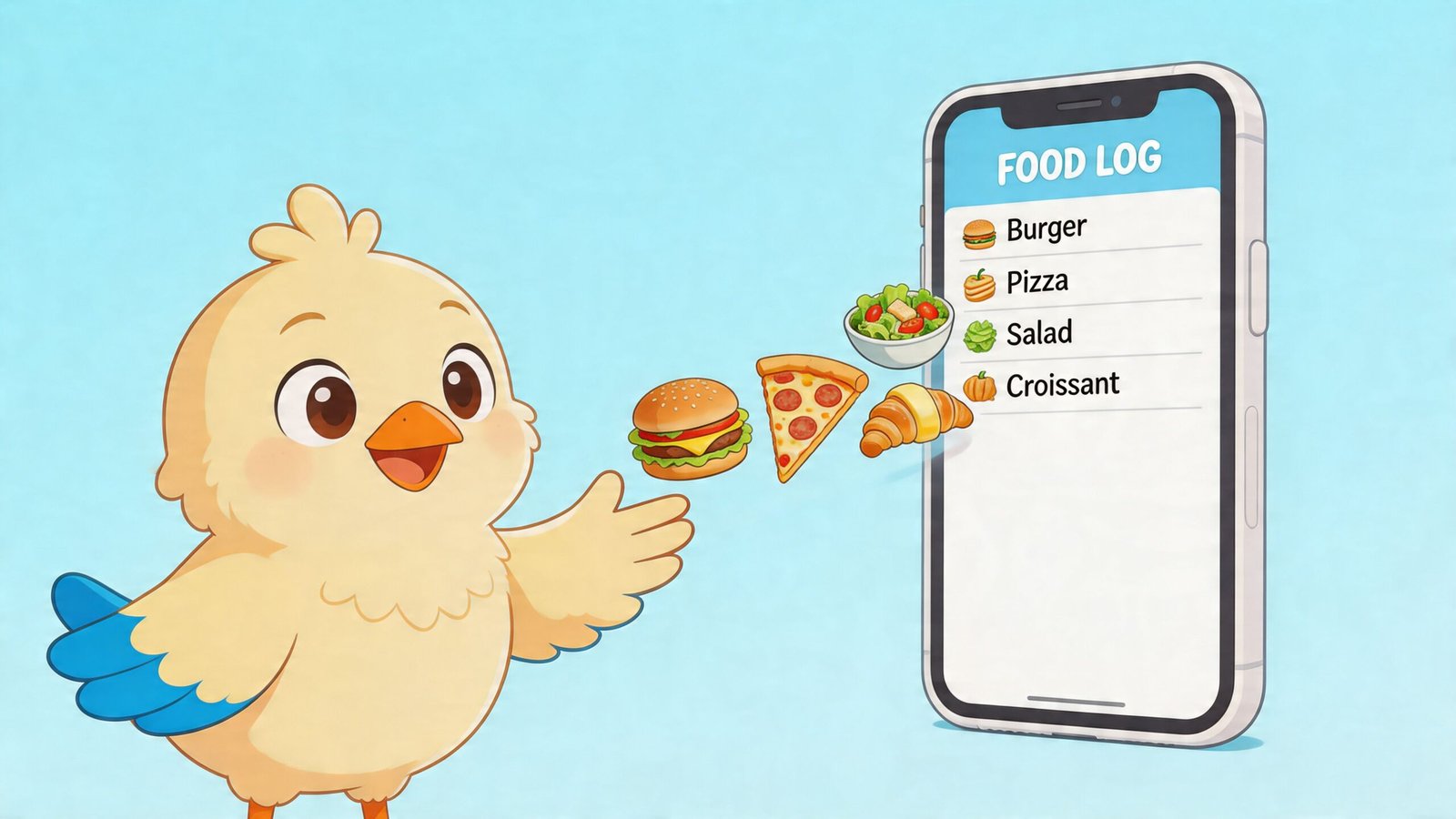
It’s built for the moments when you don’t want to browse long food lists or wrestle with a clunky scanner. If you ate “chicken rice broccoli,” you can type exactly that. If the meal is easier to show than describe, you can snap a photo and let the app do the first pass.
Why that feels easier in real life
PlateBird matches the workflow many people need:
- Quick text for repeat meals
- Photo logging for mixed or restaurant meals
- Habit learning for foods you eat often
- Low friction from the start, including no account required to begin
That combination matters. It means the app isn’t forcing one “correct” input style on every situation.
Where it fits best
If you’re a busy professional, it removes the pause that usually kills tracking. If you’re a meal prepper, it helps you reuse familiar meals instead of rebuilding them. If you’re new to macro tracking, it shortens the learning curve.
People comparing options may also want this roundup of the best macro tracking app category, especially if they care about speed as much as nutrition detail.
The easiest app to keep using is usually the best app for long-term results.
PlateBird stands out because it treats logging like a fast everyday action, not a project.
From Tedious Tracking to Mindful Awareness
A key value of a photo food diary app isn’t just convenience. It’s perspective.
When you stop spending so much energy entering food by hand, you free up attention for the part that changes behavior. You start noticing patterns. You see what your meals look like across a week. You catch habits earlier, with less judgment and more clarity.
That’s a very different relationship with tracking.
Instead of asking, “How do I log this perfectly?” you start asking, “What is this meal pattern telling me?” That’s where useful change begins.
A good visual logging habit can support weight loss, muscle gain, better meal balance, or simple self-awareness. But the common thread is the same. Make the process easy enough that you’ll keep doing it, then let the record teach you.
If you're ready to make tracking feel simple instead of exhausting, try PlateBird. It lets you type meals in plain language or snap a photo, so logging fits into real life instead of interrupting it.