- The Hidden Challenge of the Home-Cooked Meal
- How Recipe Calorie Calculators Turn Ingredients into Insights
- Key Features That Separate a Good App from a Great One
- A Practical Walkthrough with the PlateBird App
- Common Pitfalls and Pro Tips for Accurate Tracking
- How to Choose the Right Recipe Calorie Calculator for You
You cook a solid dinner at home. Maybe it's a stir-fry, a pasta bake, or a simple plate of chicken, rice, and broccoli. You feel good about it because you used real ingredients, controlled the portions, and skipped takeout.
Then tracking time arrives, and everything gets messy.
There's no barcode on your casserole. The olive oil in the pan wasn't measured perfectly. The recipe made more than one serving, but you didn't eat exactly half. You start opening tabs, searching ingredients, guessing tablespoons, and wondering whether this “healthy homemade meal” is helping your goal or subtly drifting away from it.
That's where a recipe calorie calculator app becomes useful. Not because it makes nutrition perfect, but because it turns a frustrating kitchen math problem into something manageable enough to stick with.
The Hidden Challenge of the Home-Cooked Meal
The hardest meals to track are often the meals you feel best about eating.
A packaged snack is simple. Scan, confirm, done. A home-cooked meal is different. You might use onion, garlic, oil, chicken thighs, rice, broccoli, soy sauce, and a handful of nuts on top. Then you split it into containers, serve your family, go back for a few extra bites, and suddenly the question isn't “What did I eat?” It's “How on earth do I log this accurately?”
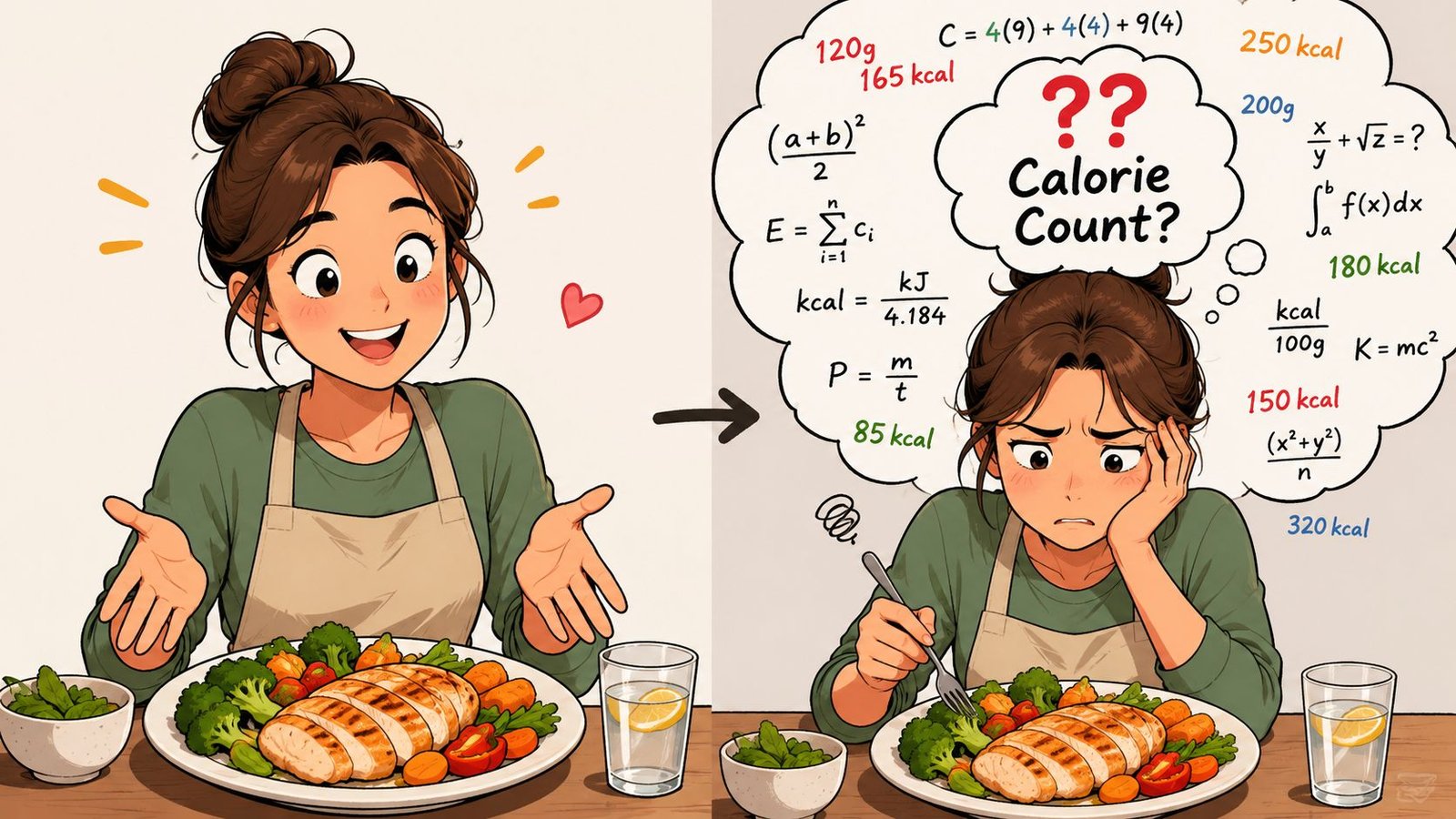
Many people assume tracking should feel easy if they're disciplined enough. It usually isn't a discipline problem. It's a translation problem. Your kitchen speaks in handfuls, splashes, simmering, and leftovers. Most trackers want clean entries, standard portions, and exact brands.
That gap is why so many people quit after a strong start. They can track breakfast and lunch, then dinner turns into guesswork.
Why homemade meals create more friction
Homemade food has moving parts:
- Ingredients vary: One brand of yogurt or tortilla may differ from another.
- Cooking changes food: Water cooks off, oil gets absorbed, and portion weights shift.
- Servings aren't obvious: A pot of chili might be six servings one week and four the next.
- Meals evolve: You add extra cheese, use more sauce, or swap an ingredient mid-recipe.
Homemade meals don't fail tracking because you're careless. They fail because real cooking isn't standardized.
A good recipe calorie calculator app helps bridge that gap. Instead of making you build a spreadsheet every night, it gives you a practical way to enter ingredients, save meals, adjust servings, and reuse recipes without starting over.
If you cook often, even your kitchen setup affects how consistently you prepare and portion meals. A practical resource like this NZ cookware buyer's guide can help if you're trying to choose pots and pans that make batch cooking and meal prep easier.
How Recipe Calorie Calculators Turn Ingredients into Insights
At first glance, these apps can seem almost magical. You type a meal or paste a recipe, and a nutrition breakdown appears. Under the hood, though, the process is easier to understand than one might expect.
The simplest analogy is a very fast kitchen librarian. You hand over a list of ingredients, and the app searches a large nutrition database to find the closest match for each item, quantity, and form.
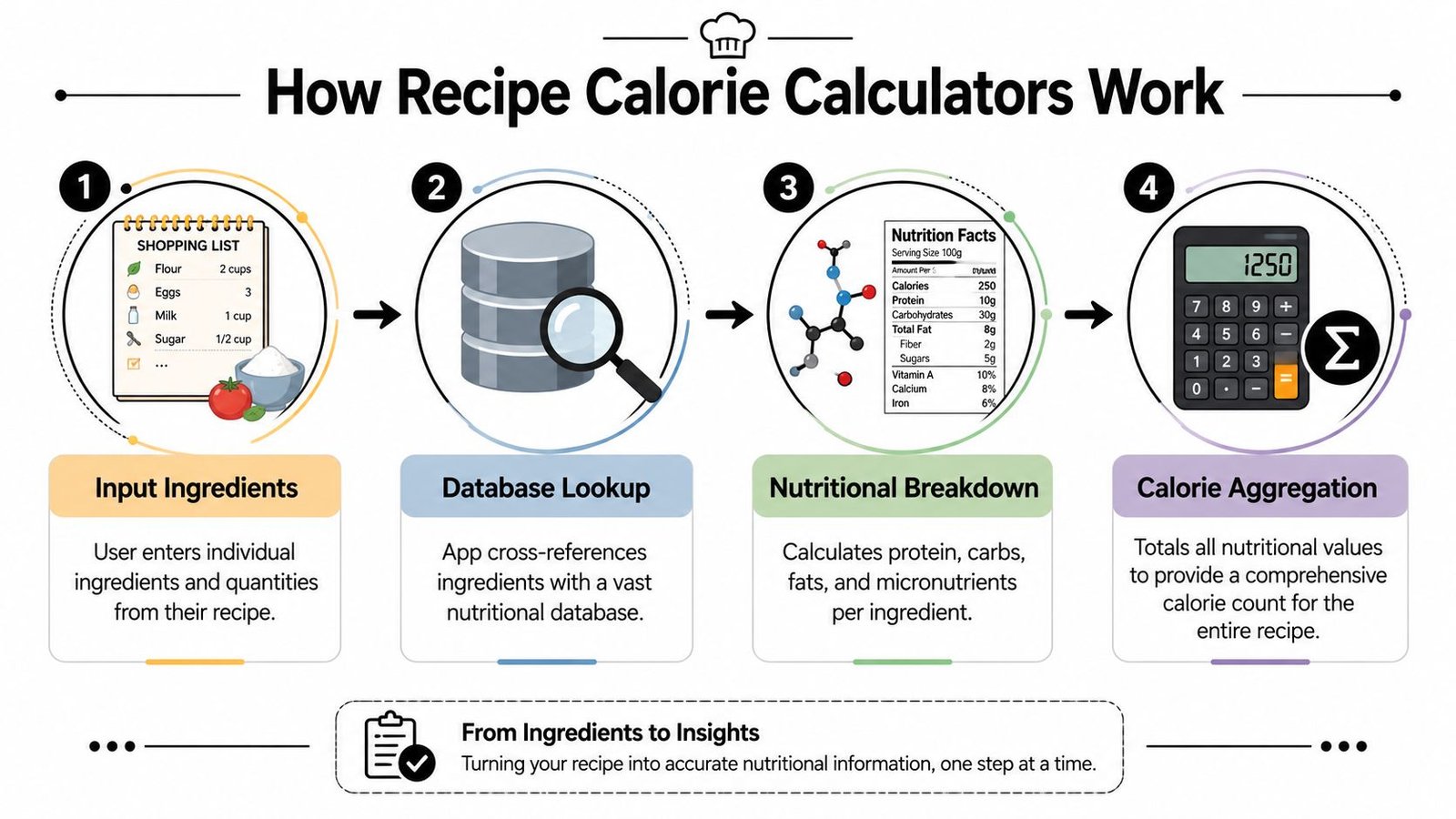
According to Wondershare's overview of recipe calorie calculators, these apps work by using extensive food databases and intelligent parsing algorithms. The same source notes that a key step forward has been AI-powered image recognition, where a user can snap a photo of a meal and get a macronutrient analysis, which reduces friction in food logging.
The three common ways people log recipes
Most apps rely on one or more of these input styles:
Manual ingredient entry
You type ingredients and amounts such as chicken breast, cooked rice, olive oil, and broccoli. The app matches each item to a database entry and adds up the totals.Recipe import
Some tools pull ingredients and serving info from an online recipe or pasted text. That saves time if you cook from food blogs or saved links.Photo-based analysis
You take a photo of your plate, and the app estimates what's on it. This is usually fastest when you need a rough logging method that still feels usable on a busy day.
What “intelligent parsing” actually means
People often get confused when apps seem to “understand” messy text. Parsing is the process that enables this functionality.
If you type something like:
- 1 tbsp sugar
- 2 eggs
- 1 cup cooked rice
the app breaks each line into parts. It identifies the amount, unit, and food item, then links that item to a standard nutrition entry. In practical terms, it's turning your kitchen shorthand into structured data.
Practical rule: The cleaner your ingredient entry, the better the result. “Chicken thigh, cooked, skinless” gives an app more to work with than just “chicken.”
Some tools also use OCR, which means they can read ingredient lists from images, handwritten notes, or cookbook pages. Others recalculate nutrition automatically when you change serving count, which is one of the most useful features for meal prep.
Why this matters for real goals
A recipe calorie calculator app isn't only about calories. It helps you see protein, carbs, fats, and sometimes vitamins and minerals in a meal you made yourself. That's especially useful if your goal is fat loss, muscle gain, or more consistent eating.
If you're trying to understand the bigger reason calorie intake matters, this explainer on how calorie deficits aid weight loss gives helpful context.
And if you want a deeper homemade-food angle, this guide on calculating calories in homemade food is a useful companion to recipe tracking.
Key Features That Separate a Good App from a Great One
A basic app can total ingredients. A great app makes tracking feel light enough to repeat tomorrow.
That difference matters more than flashy design. Individuals don't quit because they hate nutrition. They quit because logging becomes repetitive, fussy, or confusing when life gets busy.
Accuracy features that actually matter
One of the most overlooked details is whether the app handles raw versus cooked food properly. According to the Nutrientizer listing on Microsoft Marketplace, accurate calculation needs to account for cooking losses, since food weight and calorie count change after cooking. The same source notes that effective systems use distinct Cooked Food and Raw Food modes to standardize the portion against the right database entry.
That sounds technical, but the practical lesson is simple. If you log cooked chicken using a raw entry, your result can drift away from reality.
A strong app should also make serving adjustments painless. If a recipe makes several portions, you should be able to change the serving count and see the nutrition update automatically.
Features worth looking for
Here's what usually makes the biggest day-to-day difference:
Reliable ingredient matching
The app should recognize common foods and cooking terms without forcing you to rewrite every line.Serving size recalculation
If you change a recipe from four servings to six, the per-serving nutrition should update without manual math.Saved custom meals
Repeating breakfasts, lunches, and meal-prep bowls should become one-tap entries.Macro visibility
If you care about protein, carbs, and fats, those numbers should be easy to find, not buried behind extra taps.Simple mixed-dish handling
Soups, casseroles, curries, and stir-fries shouldn't require you to break every bite into separate foods.
A useful comparison point is whether the app behaves more like a database search engine or more like an assistant that helps you log naturally. If you're exploring newer options, this overview of AI calorie counters shows how the category is shifting toward lower-friction logging.
A quick evaluation table
| Feature | Why it matters in real life |
|---|---|
| Raw and cooked modes | Reduces mistakes when food weight changes during cooking |
| Saved recipes | Cuts down repeat entry for common meals |
| Auto serving adjustments | Helps meal preppers divide recipes accurately |
| Photo logging | Useful when you're short on time |
| Clear macro display | Helps with protein-focused or balanced eating goals |
The best app isn't the one with the longest feature list. It's the one you'll still be using after the novelty wears off.
One more thing people rarely check is privacy. If you're logging food, body goals, and habits, it's reasonable to look at how the app stores and uses that information. Convenience matters, but trust does too.
A Practical Walkthrough with the PlateBird App
Let's make this concrete with a meal many people eat on repeat. Chicken, rice, and broccoli.
You've made it at home. Maybe the chicken was pan-cooked, the rice was batch-prepped earlier, and the broccoli was steamed or roasted. This kind of meal sounds simple, but it still creates the same tracking questions: cooked or raw weight, exact portion size, and whether logging will take ten seconds or ten minutes.
Text logging when you want speed
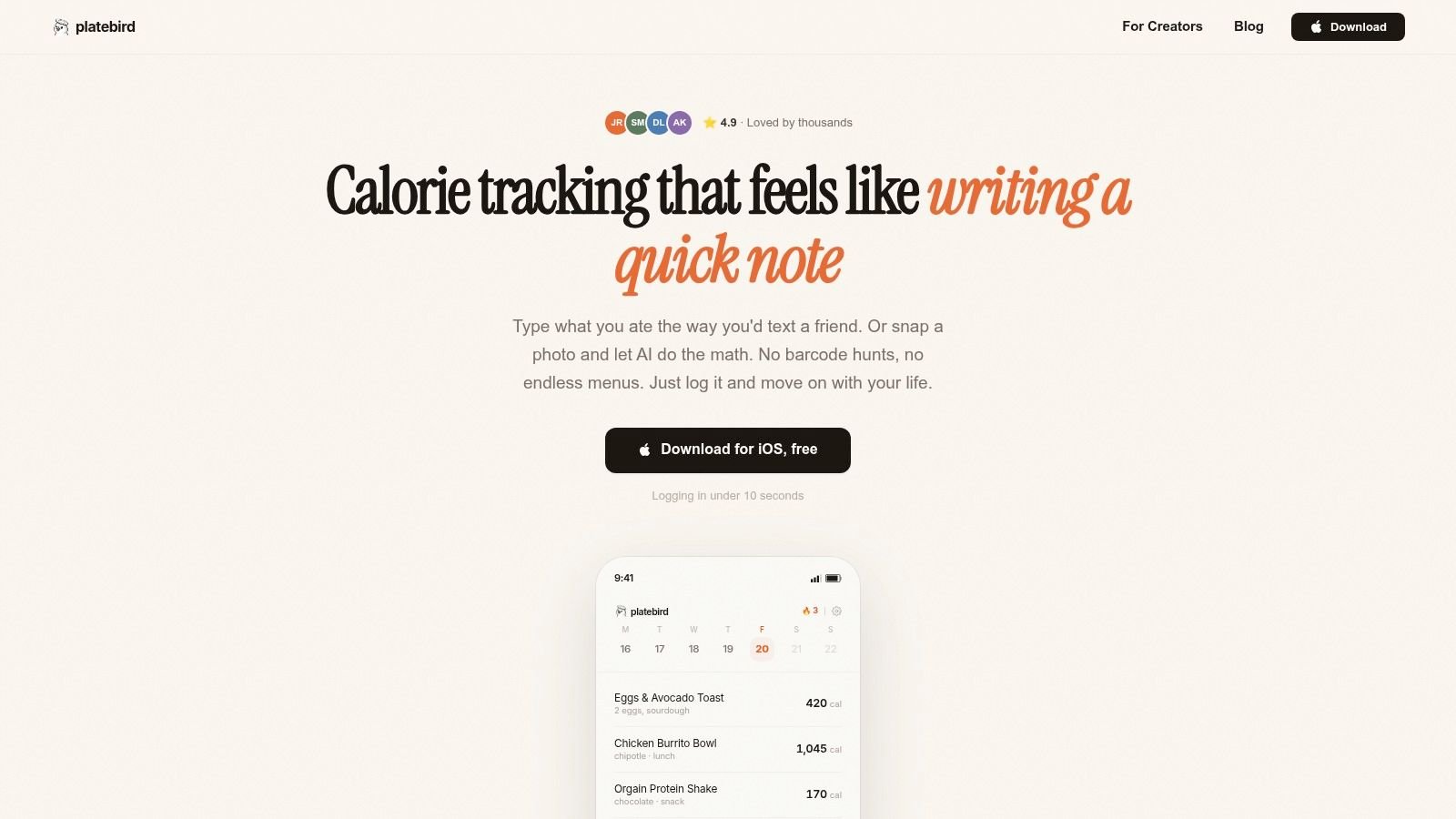
One of the fastest ways to log a straightforward meal is plain text entry.
Instead of searching one item at a time, you type something like “chicken rice broccoli.” For a beginner, this is a big mental shift. You're not trying to think like a food database. You're logging the way you naturally remember eating.
That matters because friction compounds. If every meal requires several searches, portion edits, and confirmation taps, dinner tracking starts to feel like homework.
Here's where this approach helps most:
- Busy lunches: You want a quick entry before the next meeting.
- Repeat meals: You eat the same meal-prep bowl several times a week.
- Simple plates: The food is easy to describe in normal language.
Photo logging when your plate is easier to show than describe
Other days, typing isn't the easiest route. The plate might include a mixed dish, extra toppings, or a meal you served quickly and didn't weigh.
In those moments, snapping a photo can feel more natural. The app's computer vision identifies the foods on the plate and estimates the nutrition before you start eating. For someone new to tracking, that removes the “I'll log it later” delay that often turns into forgotten meals.
If a meal is in front of you right now, logging by photo can be easier than trying to reconstruct it from memory tonight.
Photo logging isn't magic, and it won't erase all uncertainty. But it lowers the barrier enough that more meals get logged. And consistency usually helps more than chasing impossible precision.
Mixed dishes are where convenience really shows
A true test for any logging app isn't grilled chicken. It's the foods people make in normal kitchens. Chili, soups, pasta bakes, stir-fries, curries.
Those meals combine ingredients, cooking liquids, and changing serving sizes. If you've ever tried to log a homemade soup after the fact, you know how quickly a “quick entry” becomes a lot of manual correction.
For a closer look at that challenge, this guide on how PlateBird handles mixed dishes like soups and stir-fries is worth reading.
The practical takeaway
The reason people stick with a modern recipe calorie calculator app usually isn't that the nutrition screen looks impressive. It's that logging feels less interruptive.
When an app lets you type a meal in natural language, save it, and reuse it later, homemade food stops being the part of your day that breaks the habit. And when photo logging is available, you have a fallback for the meals that are too messy to describe perfectly.
That combination matters because real tracking isn't done in ideal conditions. It's done while you're hungry, distracted, cooking for other people, or packing lunch for tomorrow.
Common Pitfalls and Pro Tips for Accurate Tracking
It's often assumed the problem with calorie tracking is underreporting snacks or forgetting sauces. That happens, but homemade meals create a different issue. Tracking drift.
Tracking drift is the slow gap between what the app calculates and what your meal contains. It shows up in ordinary cooking. Oil stays in the pan or gets absorbed differently. Water evaporates. One brand of ingredient isn't the same as another. You serve yourself a “roughly equal” portion that isn't equal.
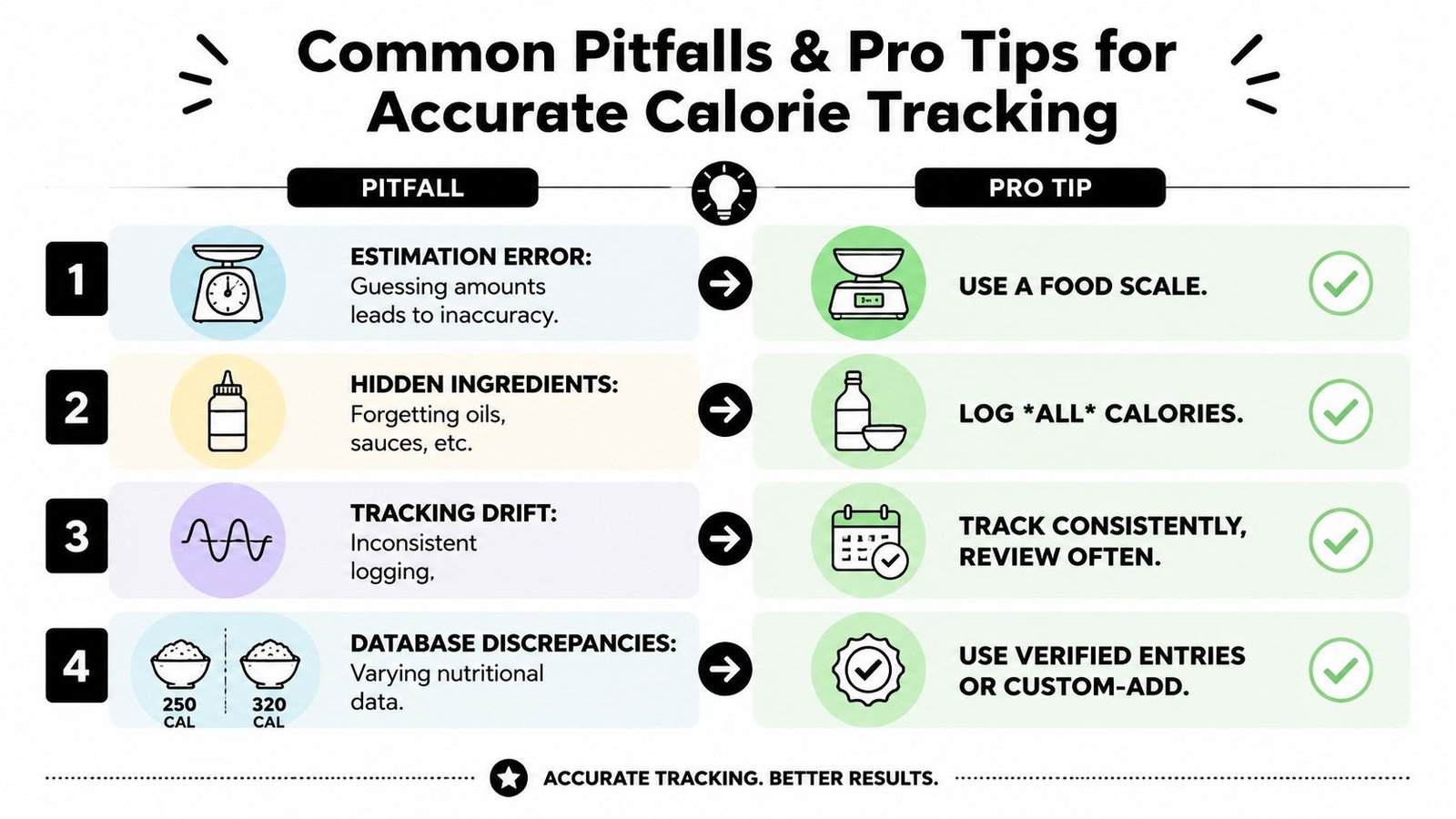
The One Ingredient Chef discussion of nutrition facts points out that recipe calorie calculators often fail to account for home cooking variability like oil absorption and evaporation, leading to tracking drift with 20% to 30% calorie variance in homemade meals versus calculated values. That same source says no app currently offers dynamic adjustment for these real-world conditions.
The four mistakes I see most often
Guessing portions after the meal
Memory is usually less reliable than people think, especially when a meal was shared or eaten in stages.Ignoring cooking fats
Butter, oil, dressings, and sauces often create the biggest gap between planned and logged intake.Using the wrong food state
Raw rice and cooked rice are not interchangeable entries. Neither are raw meat and cooked meat.Treating the app as exact science
The app gives you a structured estimate. It doesn't know how much steam escaped your pot or how heavily your vegetables were coated in oil.
Pro tips that make tracking more useful
A few habits reduce drift without making your life harder:
| Pitfall | Better approach |
|---|---|
| Estimating oils and sauces | Log them when you cook, not later |
| Vague portioning | Weigh the full finished dish, then divide by servings |
| Random database choices | Reuse the same trusted custom recipe entry |
| Partial servings | Log the whole recipe once, then enter the fraction eaten |
Partial servings deserve special attention. People get stuck on meals like casseroles, lasagna, and tray bakes because they didn't eat “one serving.” They ate about a third, or a little less than half. The easiest workaround is to save the whole recipe first, define the total servings, and then log the fraction you ate. That's much easier than rebuilding the recipe every time.
Best habit: Aim for consistent estimates, not perfect estimates. A stable method beats random precision.
If you meal prep often, weigh the finished pot, not just the raw ingredients. That gives you a practical anchor when portions change from day to day. And if your tracking seems “off” despite good habits, look at the obvious drift sources first: oils, condiments, nibbles while cooking, and serving size creep.
How to Choose the Right Recipe Calorie Calculator for You
The right app depends less on the app store description and more on how you eat.
If you cook from scratch most nights, choose a tool that handles custom recipes, serving changes, and saved meals well. If your main problem is time, prioritize natural text entry or photo logging. If you're focused on fitness, make sure macros are front and center. If you mostly eat mixed dishes and leftovers, smooth recipe reuse matters more than a giant search database.
The category is expanding quickly. The Grand View Research market report on diet and nutrition apps says the global market was valued at USD 2.14 billion in 2024 and is projected to reach USD 4.56 billion by 2030, growing at a 13.4% CAGR. The same report connects that growth to advances in AI, image recognition, and personalized nutrition algorithms.
That growth is useful for you because better tools are being built around real friction points, not just calorie totals.
A simple way to decide
Ask yourself these three questions:
What usually derails me?
Time, boredom, confusion, or inconsistent homemade meals?How do I cook?
Batch cooking, spontaneous dinners, family meals, or quick solo plates?What do I need to see quickly?
Calories only, or calories plus protein and other macros?
Sometimes it helps to compare adjacent tracking categories too. If you also track beverages, this guide to compare drink tracking apps shows how specialized logging tools approach convenience in a different niche.
A good recipe calorie calculator app should make you feel more capable, not more behind. The best choice is the one that removes enough friction that you keep using it when the week gets messy.
If you want a simpler way to log homemade meals, PlateBird is built for exactly that. You can type what you ate in plain language or snap a photo, then get calories and macros without digging through endless menus. For anyone who wants tracking to feel fast enough to maintain, it's a practical place to start.