
You open a calorie tracker with good intentions. Breakfast is easy enough. Then lunch happens. Your bowl has rice, chicken, vegetables, a drizzle of sauce, and maybe a handful of nuts you grabbed while cooking. Now you're tapping through search results, guessing portions, and wondering whether “homestyle chicken bowl” means anything close to what's on your plate.
That's where many users stop being consistent.
An ai calorie counter changes the experience from database hunting to quick estimation. You snap a photo or type a plain-English note like “eggs toast coffee,” and the app does the heavy lifting. For people trying to lose weight, hit protein goals, or stop eating on autopilot, that shift matters more than any flashy feature list. The win isn't just speed. It's finally having a system you'll keep using on a busy Tuesday.
The End of Tedious Food Logging
Manual food logging usually fails for boring reasons.
Not because people don't care. Not because they lack discipline. It fails because the process asks too much of you at the exact moment you're busiest, hungriest, or least interested in using your phone like a spreadsheet.
A common day goes like this. You make oatmeal in the morning and log it. At lunch, you scan a barcode, can't find the exact brand, choose a close match, and promise yourself you'll fix it later. Dinner is homemade, so now you're estimating oil, sauce, and portions from memory. By the end of the week, the friction feels bigger than the benefit.
That's why newer tools are getting attention. An ai calorie counter removes a lot of the repetitive work by letting you interact with food the way you already think about it. You see your meal. You describe your meal. The app translates that into calories and macros.
Why people burn out
A few pain points show up again and again:
- Search fatigue: You type the same foods over and over, then scroll through near-duplicates.
- Portion guesswork: A bowl of pasta at home rarely matches the neat serving size in a database.
- Interruptions: Logging breaks the flow of your meal, your commute, or your workday.
- Monotony: Even motivated runners, lifters, and parents get tired of repeating the same task.
If you're training for an event, you already know how much little rituals matter. The same mindset that helps you showcase your marathon medals and bibs can also help you stay consistent with nutrition. The difference is that food logging needs to feel lightweight, not like homework.
The best tracking system is the one you'll still use when life gets messy.
That's why many people now look for tools built around low-friction habits instead of giant food databases alone. If you're comparing options, this roundup of a best macro tracking app approach is a useful place to start because it focuses on speed, not just feature overload.
How AI Calorie Counters See Your Food
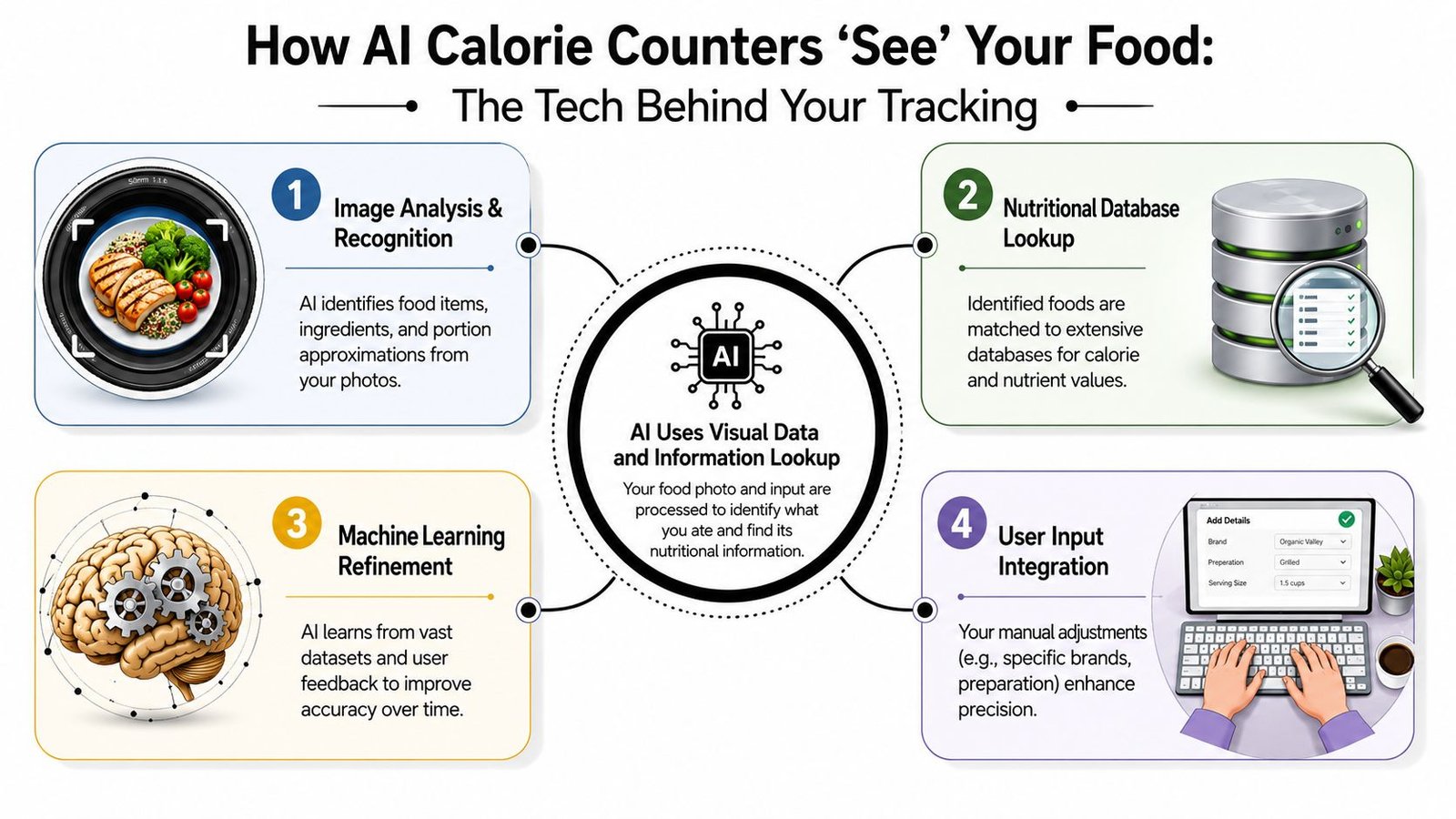
An ai calorie counter acts like a food detective with two tools. One tool looks. The other reads.
When you snap a photo, the app uses computer vision. When you type “2 eggs toast coffee,” it uses natural language processing, often shortened to NLP. Both paths aim at the same goal: turn everyday meal input into a nutrition estimate you can use.
What happens when you snap a photo
Photo-based tracking sounds magical, but the logic is fairly simple.
First, the app identifies the foods on the plate. Then it tries to separate them from each other. After that, it estimates portion size. Finally, it matches those foods to nutrition data.
According to Azati's food recognition overview, AI calorie counters using computer vision reach 85 to 95% accuracy for complex dishes by breaking images into individual food components with models such as YOLO or Mask R-CNN, then estimating portions with depth-aware segmentation and volumetric modeling. The same source says a case study found this approach improved recognition accuracy by 40 to 55% compared with baseline systems.
That sounds technical, but think of it this way. The app isn't seeing “dinner.” It's trying to see “rice,” “broccoli,” and “grilled chicken” as separate objects, then estimate how much of each is there.
What happens when you type your meal
Text logging follows a different route.
You write something quick, like “chicken rice broccoli” or “greek yogurt berries honey.” The app parses the words, figures out likely foods and quantities, and maps them to calorie and macro values. Good text systems also learn your habits, so the fifth time you enter the same breakfast, it becomes nearly effortless.
This is one reason hybrid tracking works so well in real life. Some meals are easier to photograph. Others are easier to describe. Soup in a dim restaurant might be easier to type. A meal prep box with clearly separated foods might be easier to snap.
Where user input still matters
AI helps most when you give it clean signals.
That means clear photos, specific wording, and quick corrections when the app guesses wrong. If you type “salad,” the app has to make broad assumptions. If you type “chicken salad with olive oil dressing,” you give it a much better starting point.
If you're interested in how health tech is changing training spaces too, this Gym Membership Tips guide on gym innovation gives a broader view of how digital tools are shaping fitness habits. And if you want a concrete example of photo-first logging in action, a photo food diary app shows what that workflow looks like day to day.
The Real Truth About Tracking Accuracy
Accuracy is the question everyone asks first, and for good reason. If the numbers are wildly off, convenience doesn't matter much.
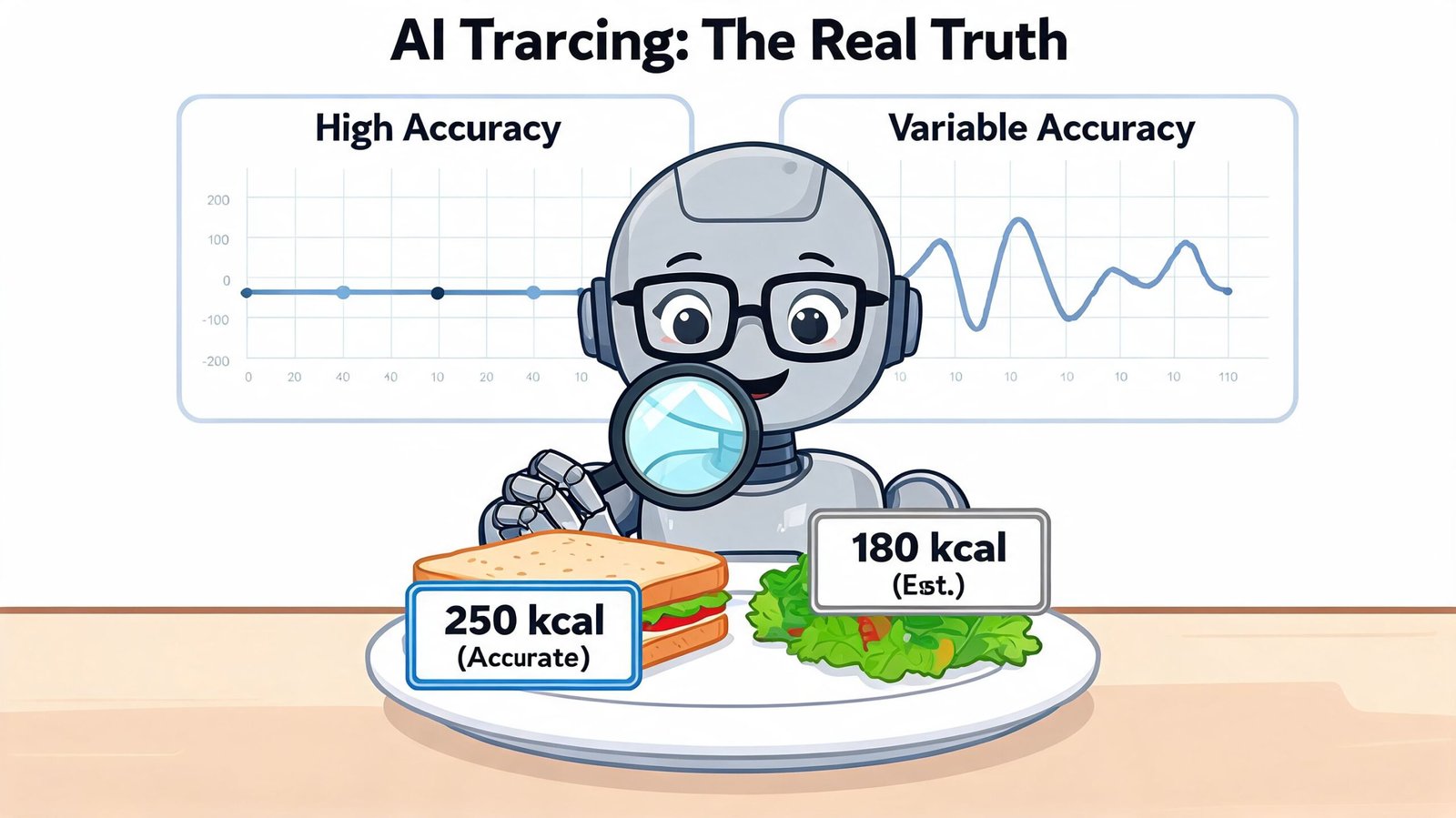
The good news is that modern tools are often much better than people expect. The catch is that accuracy depends heavily on the kind of meal you log and how you log it.
Where AI performs well
For many common foods and straightforward meals, performance is strong. A recent summary from NutriScan's review of AI calorie tracking apps says independent studies show AI calorie counters reaching 92 to 97% accuracy, while manual tracking has 31% higher error rates, takes twice as long, and can analyze complex meals in under 2 seconds.
That's a major reason these apps feel so helpful. They reduce both time cost and mental cost.
Simple meals usually give the best results. A plate with clearly separated foods is easier to analyze than a casserole, stew, or mixed takeout bowl with overlapping ingredients.
Where the estimates get shaky
Real meals are messy.
Sauces hide calories. Oils don't announce themselves in a photo. Foods overlap. Lighting changes color. A spoonful of peanut butter can look tiny and still matter a lot. Text entries can also create problems if they're vague. “Pasta” tells the app far less than “penne with chicken and cream sauce.”
Practical rule: Treat AI as a fast estimator, then review the result like a coach checking game film.
That mindset prevents frustration. You're not asking for lab-grade certainty from a lunch photo. You're asking for a usable estimate that helps you stay consistent over weeks, not perfection at every meal.
Why expectations matter
Even nutrition labels aren't perfect, so it helps to think in ranges rather than absolutes. What matters most for individuals is whether the tracker is directionally useful and repeatable.
If your goal is fat loss, muscle gain, or better awareness, an ai calorie counter can give you a strong daily system. You'll still get the best outcomes by checking obvious misses, correcting portions, and being extra careful with calorie-dense add-ons.
Some people like pairing AI logging with other reference tools, especially when they cook often. If that's you, a guide to calorie scales for food can help you understand when weighing ingredients adds clarity and when it's overkill.
Practical Tips for Flawless Food Logs
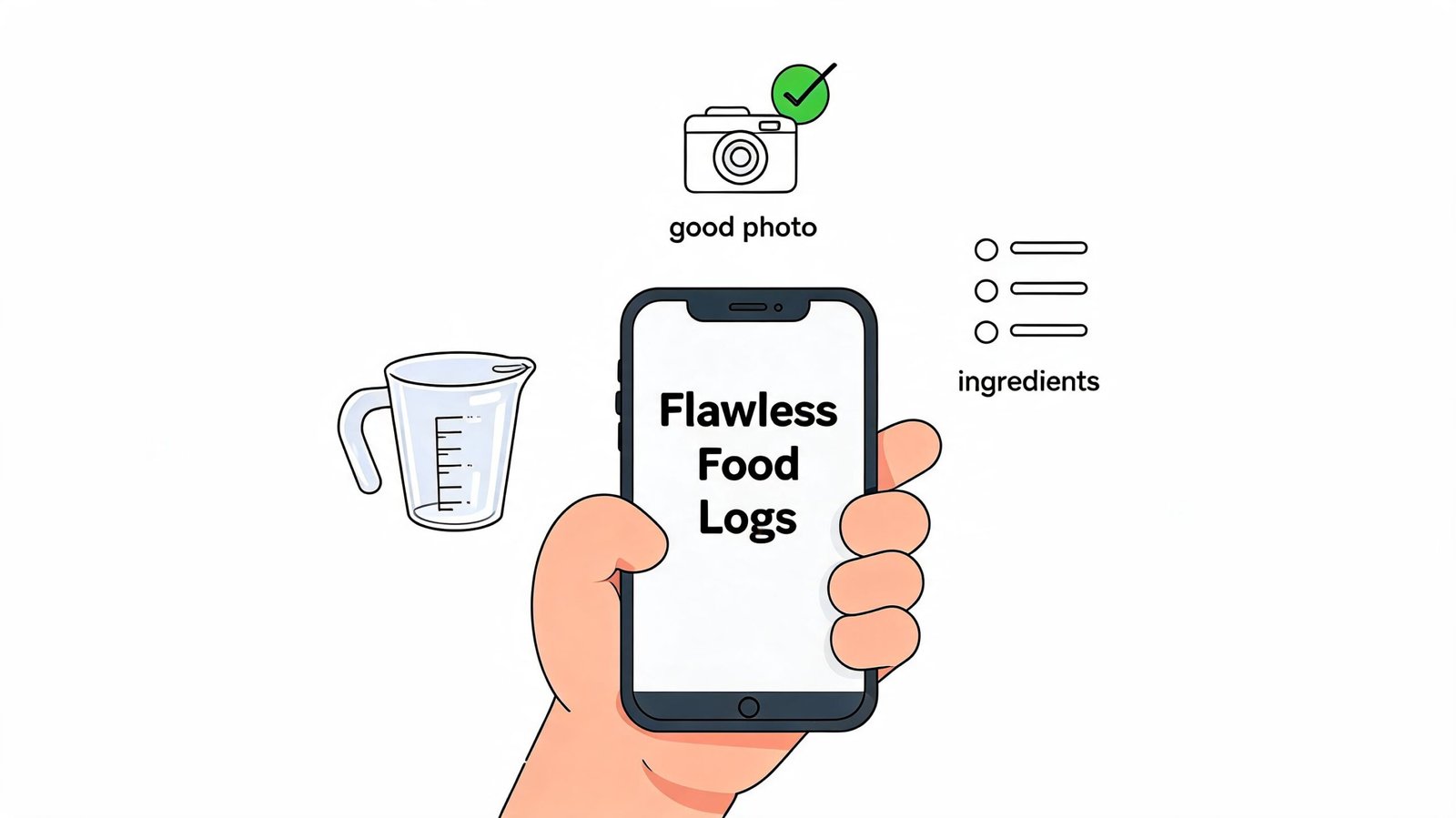
Most tracking errors don't come from the AI alone. They come from rushed input.
You can improve results a lot with a few simple habits, and none of them require being obsessive.
Better photos lead to better estimates
If you're using the camera, help the app see the meal clearly.
- Use good light: Natural light or a bright indoor light helps the app distinguish colors and edges.
- Show the full plate: Don't crop out side dishes, toppings, or drinks you plan to consume.
- Shoot from above when possible: A top-down angle usually makes food boundaries easier to detect.
- Pause before saving: If the app mistakes rice for potatoes or misses a sauce, fix it right away.
The easiest meals for AI to read are the ones that look organized. Meal prep containers, plated breakfasts, and separated ingredients usually produce cleaner estimates than crowded restaurant tables.
Smarter text beats vague text
Text input works best when you write the way you'd explain the meal to a friend who's trying to recreate it.
Instead of typing “sandwich,” try “turkey sandwich on wheat with mayo.” Instead of “coffee,” try “latte with whole milk.” Tiny details can matter, especially when fats, dressings, and branded foods enter the picture.
A case study from MoogleLabs on AI calorie counting with NLP reports that text-based AI trackers can reach up to 92% accuracy. The same source says habit-learning shortcuts can cut daily logging to under 60 seconds and double adherence rates compared with purely manual apps.
That last part matters most in practice. The goal isn't to create the world's most detailed food diary. It's to make logging easy enough that you don't quit.
If you eat the same breakfast four days a week, your app should learn that and stop asking you to start from scratch.
Here's a quick walkthrough if you want to see this style of logging in motion.
A simple workflow that works
Try this rhythm for a week:
- Snap meals with clear visual separation. Think bowls, plates, meal prep boxes.
- Type meals that are messy or hidden. Soups, casseroles, sandwiches, and anything with oils or sauces often benefits from text.
- Correct once, then reuse. If you regularly eat “eggs toast coffee,” save it as your default breakfast.
- Audit dinner more carefully. That's where hidden calories often sneak in.
This method keeps effort low while improving consistency. That's the true superpower of an ai calorie counter.
How to Choose the Right AI Counter for You
The best app isn't the one with the longest feature list. It's the one that matches the way you eat and log.
That sounds obvious, but a lot of people still choose based on hype. Then they abandon the app because the workflow doesn't fit their life. A parent eating leftovers at the kitchen counter needs something different from a bodybuilder meal-prepping identical lunches.
The category has moved fast. A Men's Health review of AI calorie tracking apps notes that the market has expanded quickly since 2023, with apps like Cal AI reaching over 1 million downloads. The same piece notes that MyFitnessPal, which launched in 2005, added AI scanners as established apps adapted to reduce manual-entry friction.
Start with your preferred input style
Some people hate taking food photos. Others hate typing.
If you mostly eat home-cooked meals with mixed ingredients, text input may feel more reliable because you can specify what the camera can't see. If you eat visually distinct meals, photo logging may feel faster. Many people will do best with a hybrid system that lets them choose based on the meal in front of them.
Use this decision table
| Criterion | What to Look For | Example Question to Ask |
|---|---|---|
| Input method | Photo, text, or both | Do I want to snap, type, or switch depending on the meal? |
| Logging speed | Minimal steps and quick review | Can I log lunch in a few taps during a busy workday? |
| Database quality | Strong food matching and common meal coverage | Does it recognize the foods and brands I actually eat? |
| Habit learning | Saved meals and shortcuts for repeats | Will it remember my standard breakfast or meal prep bowl? |
| Flexibility | Easy edits after AI guesses | Can I correct ingredients, portions, or preparation methods quickly? |
| Privacy comfort | Clear data practices and low signup friction | Do I need an account before I can even test the app? |
Choose for adherence, not novelty
A flashy demo can look impressive and still be annoying in daily life.
The right tracker removes one tiny excuse after another until consistency becomes normal.
Workflow remains more critical than a long list of features. When an app allows you to rapidly type out a meal, snap a photo of a meal, correct a mistake, and continue your day, the likelihood of long-term use increases. This convenience often carries more weight than various graphs or social feeds.
Making AI Your Ultimate Nutrition Partner
The smartest way to think about an ai calorie counter is not as a judge. Think of it as a partner that lowers friction.
That shift changes everything. You stop asking, “Is this perfectly precise?” and start asking, “Is this easy enough to use every day, and good enough to guide my choices?” For nutrition, that's often the more useful question.
There's still a real tradeoff between speed and certainty. A recent comparison from Jotform's review of AI calorie trackers notes that photo-based AI can have errors of up to 38% for complex meals, while text-based logging can draw on large databases that may exceed the FDA's 20% margin of error on food labels. That's why the “photo or type” debate doesn't really need a winner. The practical answer is often both.
What this means in daily life
Use photos when your plate is visually clear. Use text when ingredients are hidden or you know details the camera can't infer. Review obvious misses. Save repeated meals. Let the app handle the boring part so you can focus on patterns.
That's where AI earns its place. Not by being perfect, but by making consistency realistic for people who were never going to weigh and search every bite forever.
Better tracking usually comes from less friction, not more effort.
If you understand the strengths and limits of the technology, you can get strong results from almost any solid app. You'll log more often, guess less wildly, and build a clearer picture of what your diet looks like.
If you want a low-friction way to put this into practice, PlateBird is built around the workflow that works best in real life. Type what you ate, snap a photo when that's easier, and let the app turn repeat meals into shortcuts so logging stays fast enough to stick.