You download a meal tracker app because you want a little more control over your eating. Not obsession. Not a second job. Just clarity.
Then the old version of tracking shows up. You search for every ingredient, guess portions, scroll through duplicate food entries, and try to remember whether lunch was one tablespoon of dressing or two. By day three, the app feels heavier than the habit you were trying to build.
That's where many people quit. Not because they don't care. Because the process asks too much.
Modern meal tracking works better when it reduces psychological friction. The best tools don't just count calories. They make awareness fast enough that you'll track your meals on a busy Tuesday, during a restaurant lunch, or while cleaning up after dinner.
Beyond the Calorie Count Why We Track Our Meals
A lot of people start tracking after a familiar moment. Their energy feels off. Their weight has drifted. Their workouts aren't matching their effort. So they try to “eat better,” but without any real feedback, that usually turns into vague promises like “less snacking” or “more protein.”
The old-school answer was a notebook, a spreadsheet, or a clunky app that demanded perfect input. Breakfast became homework. Dinner became math.
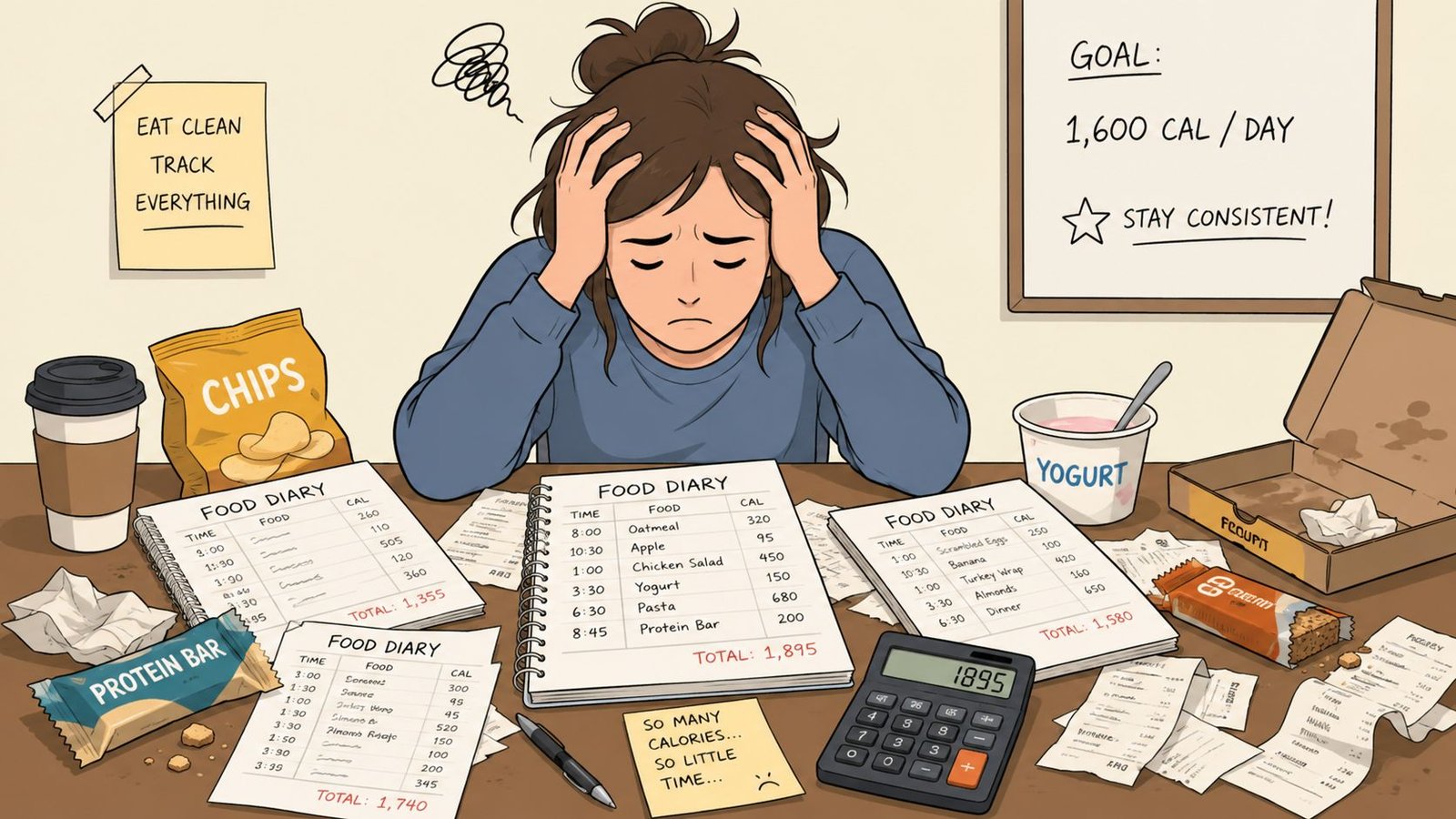
What changes things is a mindset shift. A meal tracker app isn't most helpful when it turns you into a food accountant. It's most helpful when it gives you a mirror. You start to notice patterns. Maybe breakfast is lighter than you thought, but evening snacks are bigger. Maybe you're under-eating protein. Maybe “healthy lunches” are leaving you hungry an hour later.
Awareness beats guesswork
Tracking creates awareness before it creates change. That's why it can help with fat loss, muscle gain, meal prep, or feeling more consistent around food.
And you're not unusual for wanting that support. A 2021 study surveyed more than 2,000 individuals across major markets and found that more than half of the population had used a food-tracking or diet and nutrition app, which shows these tools have moved into the mainstream rather than staying a niche habit [N].
If you're trying to match your food choices to a specific eating goal, it also helps to pair tracking with a clear plan. Someone building muscle on a plant-based approach, for example, might use a structured guide like the Louisville Jerky Co. muscle plan and then use tracking to see what happens in real life.
Practical rule: Track to learn, not to judge.
What people often get wrong
Many beginners think tracking is about restriction. It doesn't have to be. It can be about answering simple questions:
- Protein check: Am I getting enough across the day?
- Hunger pattern: Which meals keep me full?
- Consistency check: Do weekends look very different from weekdays?
- Portion reality: Are my estimates close to what I'm eating?
That's a much calmer use of a meal tracker app. You're not proving anything. You're gathering information you can use.
How a Modern Meal Tracker App Works
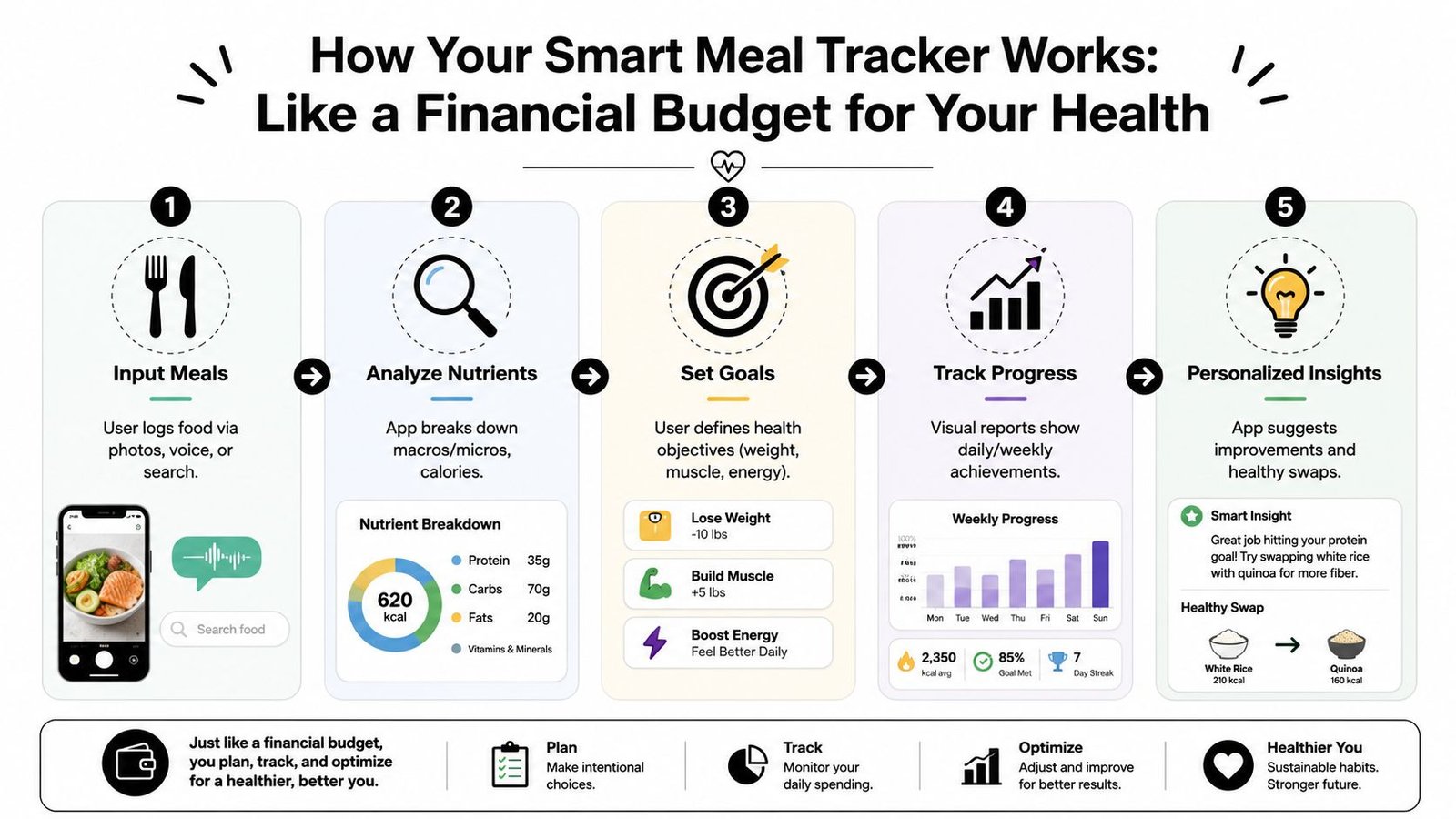
The simplest way to understand a meal tracker app is to compare it to a budgeting app.
A budgeting app shows where your money goes. A meal tracker app shows where your nutritional budget goes. Calories are one part of that. Protein, carbs, fat, and overall eating patterns matter too. The point isn't to stare at numbers all day. The point is to stop guessing.
The basic loop
Most apps follow a simple rhythm.
You log the meal.
That might mean typing what you ate, scanning a barcode, speaking into your phone, or taking a photo.The app analyzes it.
It matches the food to a database and estimates calories and nutrients.You learn from the pattern.
Over a day or week, trends become easier to spot.
That's the reason tools like an AI calorie counter feel more useful than a handwritten journal for many people. The app doesn't just store what you ate. It translates the meal into something you can work with.
What this looks like in real life
Say you eat eggs, toast, and coffee for breakfast.
A modern app can turn that simple note into a logged meal, estimate the nutrition, and file it in your history so it becomes easier next time. After a week, you might notice breakfast is steady, lunch is inconsistent, and late-night snacks happen on your most stressful workdays.
That's where the app becomes educational.
Logging isn't the finish line. The real value is seeing the pattern you couldn't see in your head.
The five pieces that matter
A useful tracking system usually includes these parts:
| Part | What it does | Why it matters |
|---|---|---|
| Input meals | Lets you log by text, photo, voice, or search | Reduces effort at the moment you eat |
| Analyze nutrients | Breaks meals into calories and macros | Turns food into usable feedback |
| Set goals | Gives structure to weight, muscle, or energy goals | Keeps tracking tied to a purpose |
| Track progress | Shows daily or weekly summaries | Helps you notice trends, not one-off meals |
| Personalized insights | Surfaces recurring habits and possible adjustments | Makes the app feel supportive, not mechanical |
If you're new to this, keep one thought in mind. A meal tracker app is not there to control you. It's there to shorten the distance between what you intend to eat and what you eat.
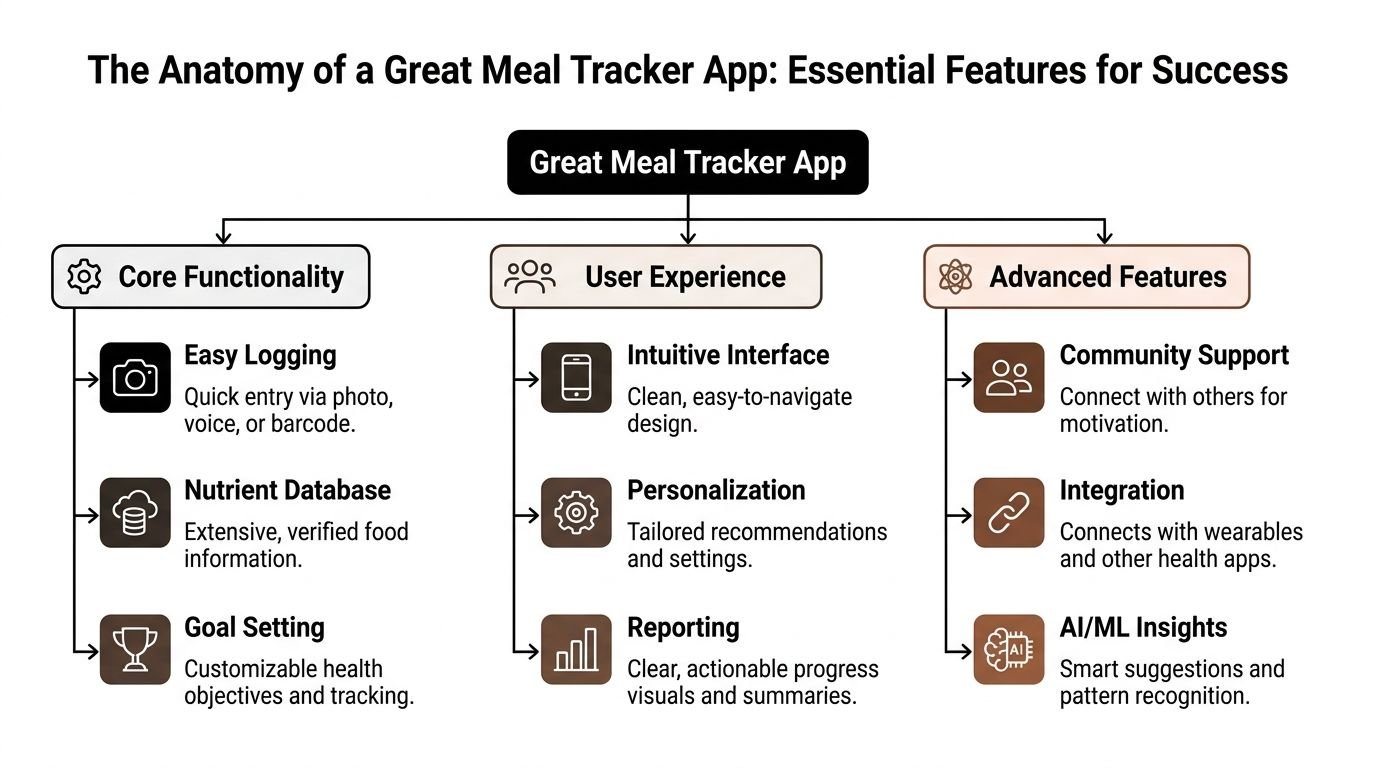
The Anatomy of a Great Meal Tracker App
Not every meal tracker app feels the same once real life gets involved. An app can look polished in screenshots and still become annoying when you're hungry, in a rush, or trying to log takeout in a dim restaurant.
The best apps succeed because they remove tiny points of friction. That's what keeps a habit alive.
Easy logging comes first
If logging feels slow, people stop doing it. That's why the input method matters more than most beginners realize.
Independent geriatric research found that 6 out of 7 analyzed iOS and Android apps used barcode scanning for packaged food input, and 7 out of 7 retained recent or frequent foods for faster retrieval. The same research also noted that apps such as Lose It! used convolutional neural networks for photo-based food recognition, showing how modern apps reduce friction through scanning, memory, and visual recognition in daily use in this published review of nutrition app features.
That sounds technical, but the user benefit is simple. Fewer taps. Less searching. Less decision fatigue.
Usability matters more than feature count
An app doesn't need every feature. It needs the right ones to feel smooth.
A strong meal tracker app usually gets these basics right:
- Fast entry options: Search is fine, but barcode scanning, saved meals, and photo input save time.
- Recent meal memory: Repeating breakfast shouldn't require rebuilding it from scratch.
- Clear nutrient display: Users appreciate quick visibility into calories and macros, especially protein.
- Clean navigation: You shouldn't have to hunt for the log button or daily totals.
If you want an example of the kind of logging experience many people now expect, a calorie counter app that takes a picture of food shows why visual entry has become appealing for busy users.
Coach's note: The best feature is the one you'll still use when you're tired.
A quick checklist before you commit
Use this short test when comparing apps.
| Question | Good sign | Warning sign |
|---|---|---|
| How long does one meal take to log? | Feels quick and repeatable | Feels like data entry |
| Can it handle real meals? | Works for packaged, homemade, and restaurant food | Only works well for ideal scenarios |
| Does it learn your habits? | Saves meals, remembers favorites | Makes you start over each time |
| Are the visuals clear? | Easy-to-read daily summaries | Crowded screens and hidden totals |
| Does privacy feel respected? | Settings and permissions are understandable | Data handling feels vague |
Accuracy and ease need each other
People often assume there's a tradeoff between speed and quality. In practice, both matter.
An app that's accurate but annoying won't be used. An app that's easy but confusing won't teach you much. The sweet spot is a tool that helps you log quickly enough to stay consistent, while still giving information clear enough to guide better choices.
That's the anatomy of a great meal tracker app. Less friction. Better recall. More usable feedback.
From Chore to Habit Real World Tips for Sticking with It
Users don't quit tracking because they're lazy. They quit because the habit gets too expensive mentally. Every meal asks for attention, memory, and patience. That cost adds up.
The good news is that long-term progress doesn't require perfect detail. A 2024 study on user perspectives found that consistency in logging mattered for maintaining weight loss, while the granularity of detail did not significantly matter in the long run, challenging the idea that every teaspoon must be measured with precision, as discussed in this research summary on logging consistency.
Rough monitoring is still real monitoring
Many new users mistakenly believe there are only two choices. Either log everything with laboratory precision or don't bother. That's the wrong frame.
If you log a chicken bowl as “rice, chicken, veggies, sauce” and stay consistent, you'll usually learn more than someone who tracks perfectly for four days and disappears.
Three ways to lower friction today
- Use repeats on purpose: If your breakfast and lunch are often similar, save them. Repetition makes tracking easier, not boring.
- Log close to the meal: Don't rely on memory hours after eating. Memory edits details.
- Accept “good enough” entries: For homemade chili, tacos, or takeout bowls, a close estimate is often more sustainable than a long search for the perfect match.
If perfection makes you skip the habit, perfection is the problem.
How to handle messy real-world meals
Restaurant food is where many people give up. No menu details. No exact ingredients. Larger portions than expected.
Try this approach instead:
- Start with the obvious anchors. Pick the main protein, starch, and visible fats.
- Choose a similar restaurant-style entry. That's often more realistic than matching it to a packaged grocery item.
- Be consistent with your method. A repeatable estimate teaches more than random precision.
- Make a brief note if needed. “Ate half the fries” is useful context.
For home-cooked meals, create simple reusable entries. “Turkey pasta,” “sheet pan salmon dinner,” or “smoothie with protein” doesn't need to become a forensic report.
A basic food diary for weight loss is most helpful when it supports this kind of repeatable, low-drama workflow.
The mindset that keeps people going
Tracking works best when it feels like brushing your teeth. Quick. Ordinary. Not emotionally loaded.
That means you don't need to log forever, and you don't need to win at logging. You need a habit that survives normal life. Busy days. Travel days. Low-motivation days. The app should support that rhythm, not punish you for being human.
How PlateBird Solves Common Tracking Pain Points
A lot of the frustration in meal tracking comes from one old assumption. The user should do most of the work.
Search the database. Scroll through near-duplicate foods. Build every meal manually. Guess restaurant portions with minimal help. That design puts the burden on the person who is already trying to build a new habit.
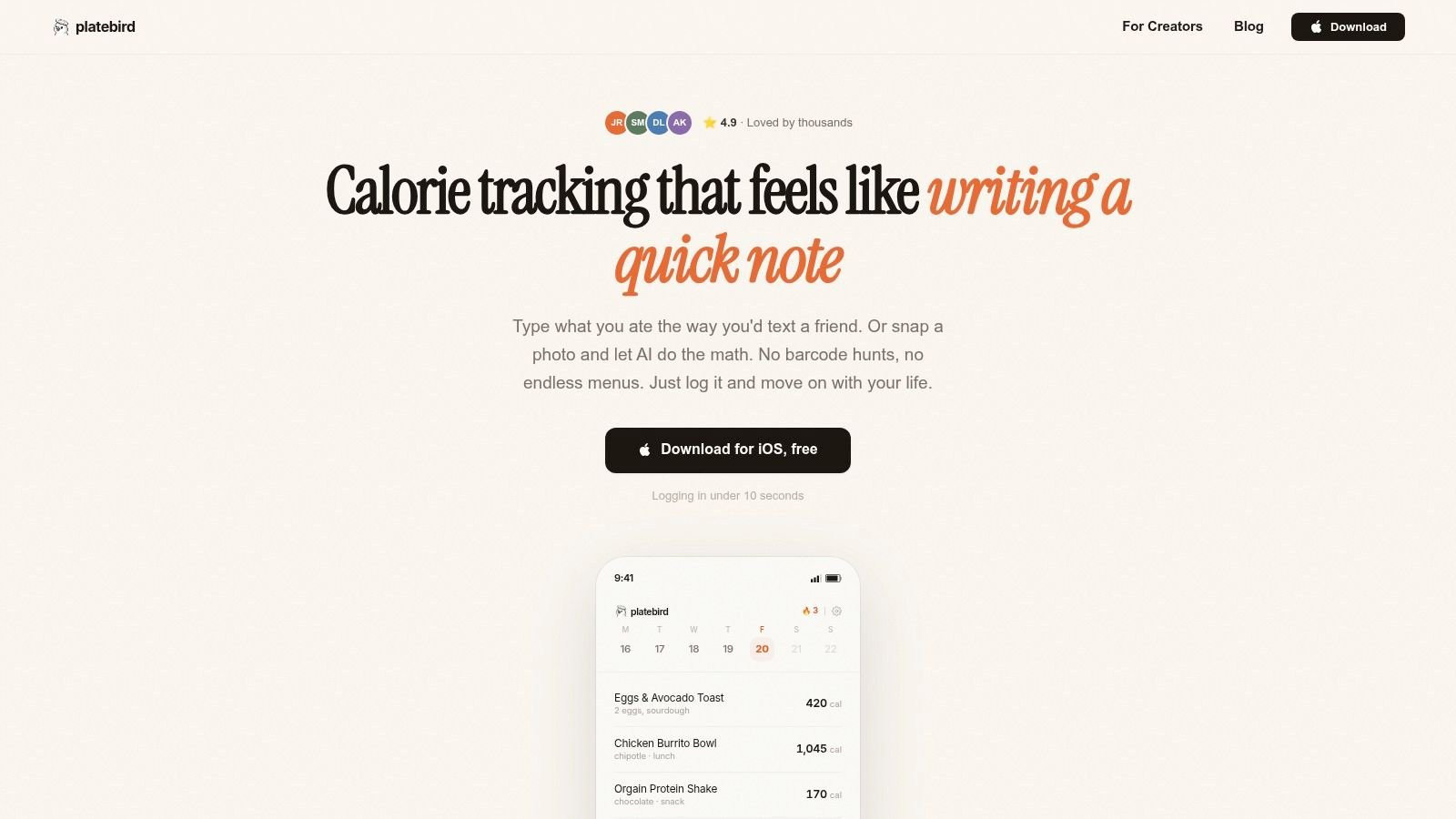
PlateBird takes a different approach. It's built around the idea that the fastest log is usually the one that happens. Instead of forcing users into endless search flows, it lets them type meals in plain language, use a photo, and reuse familiar foods with minimal effort.
For people who hate database hunting
One of the most draining parts of older apps is the search experience. You type “chicken sandwich” and get a pile of results that all look close but not quite right.
PlateBird reduces that friction by leaning into natural input. If someone types what they ate in ordinary language, the app can turn that into a usable log without making them hunt through screens. That feels closer to jotting a note than managing a spreadsheet.
Database size alone isn't the whole story, as recent industry analysis noted that 11 million+ foods in databases like MyFitnessPal are often unverified or estimated, and that the field is shifting toward AI-powered photo recognition to break down plate contents, especially when no menu is available, as described in this industry discussion of food database quality and photo logging.
For restaurant meals and mixed plates
Restaurant logging is hard because the meal rarely arrives as a neat label. You get a plate with several components, sauces, sides, and portions that may not match any standard entry.
That's where photo-based analysis becomes useful. Instead of asking the user to identify every part first, PlateBird can start from the visual meal itself. For someone eating out, traveling, or grabbing lunch between meetings, that's a big psychological shift. The task changes from “build a perfect entry” to “capture what's in front of you.”
Here's a quick look at the app in action:
For repeat eaters and busy weekdays
Individuals rarely eat a brand-new menu every day. They rotate through a set of breakfasts, lunches, snacks, and meal-prep staples.
PlateBird is strongest when it learns those habits and turns them into shortcuts. That reduces the number of decisions you make every day. And fewer decisions usually means better consistency.
A good tracking tool doesn't ask you to become more disciplined every day. It removes the moments that drain discipline in the first place.
That's the advantage. Not just more technology. Better follow-through.
Starting Your Journey to Mindful Eating
Meal tracking doesn't need to feel strict to be useful. It works best as a light layer of awareness. You log enough to notice patterns, learn what supports your goals, and make the next meal a little easier to steer.
That's a healthier relationship with a meal tracker app. You're not chasing a perfect record. You're building a feedback loop.
Some readers need detailed numbers for a season. Others do better with simpler logging and recurring meals. Both approaches can work if the habit is realistic. What matters is choosing a method that fits your actual life, not your most organized imaginary version of yourself.
If you've struggled before, that doesn't mean tracking isn't for you. It may just mean the method created too much friction. Better tools, simpler workflows, and a more forgiving mindset can change that quickly.
Start small. Log one full day. Then a few days. Notice what you learn without judging it. That's where mindful eating usually begins. Not with control, but with attention.
If you want a calmer way to build that habit, try PlateBird. It's designed for real life, with fast text entry, photo logging, and shortcuts that make tracking feel simple enough to stick with.