You're probably reading this with a half-finished meal in front of you, or with the memory of yesterday's abandoned food log still nagging you.
That's how calorie tracking usually breaks down. Not because people don't care, but because the process gets annoying fast. You eat something simple, then spend more time searching for it than eating it. By dinner, you're guessing. By the weekend, you stop logging.
A calorie counter app take picture of food approach can fix a lot of that friction. It can also create new mistakes if you treat the camera like an all-knowing nutrition coach. The people who get the best results use photo logging as a fast starting point, then apply a few smart checks before they save the meal.
From Tedious Taps to a Single Snap
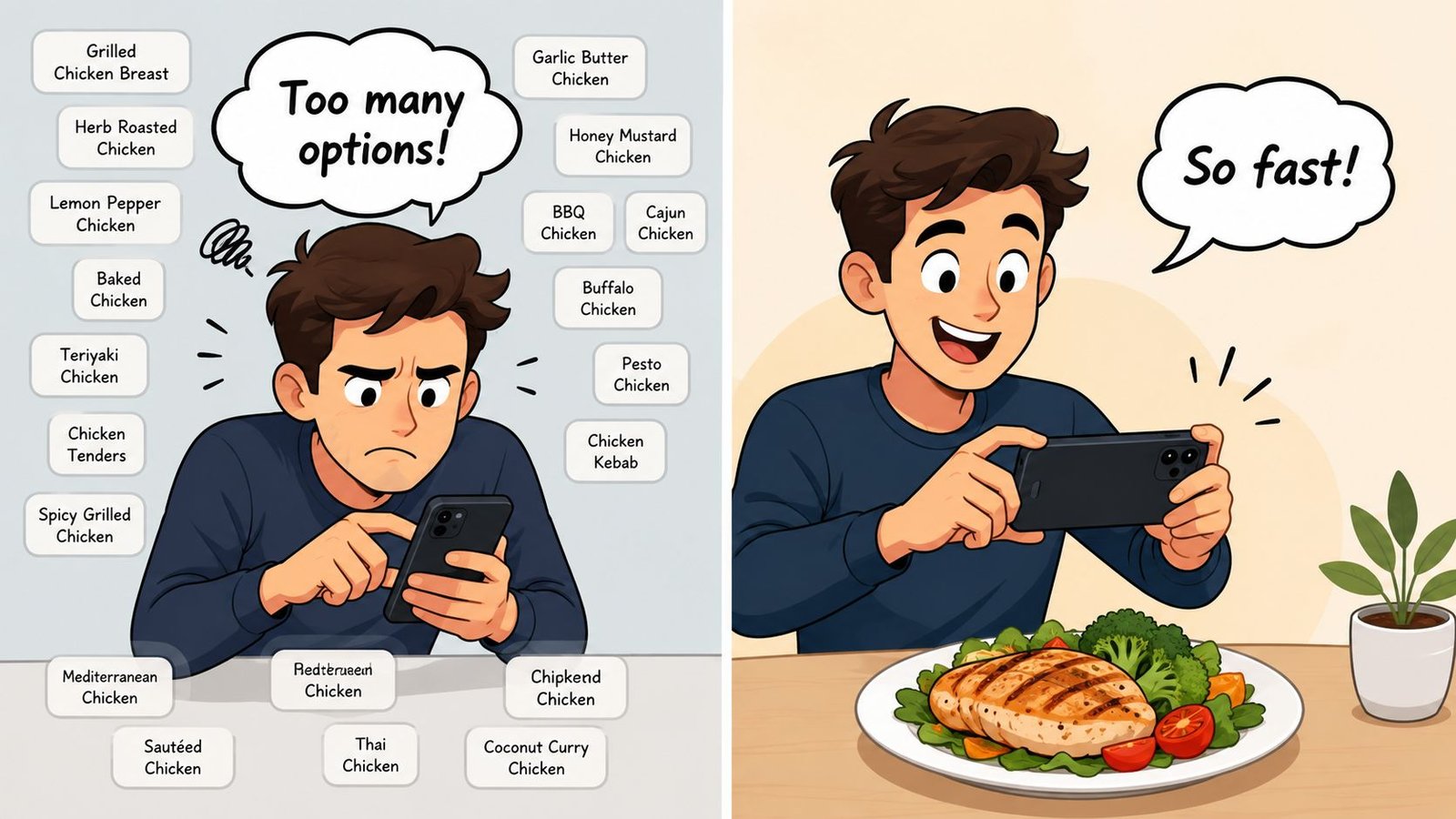
Manual logging usually fails in the same place. Breakfast might go fine. Lunch gets rushed. Dinner turns into a scavenger hunt through food entries that all look slightly different.
You type “grilled chicken breast,” then compare portion options. Then rice. Then vegetables. Then the oil you forgot to count. By the time you're done, the app feels like homework instead of a tool.
That's why camera-based logging caught on. It didn't become popular because taking food photos is fun. It became useful because it cuts out the slowest part of tracking: searching, selecting, and repeating the same process meal after meal. Back in 2015, MyFitnessPal already centered its tracking system on a database of over 20 million foods, and newer apps later added photo-based logging on top of that database model, turning a long manual process into a much quicker action through image recognition plus structured nutrition data, as described on MyFitnessPal.
What changed wasn't just the camera. It was the combination of two things working together:
- Recognition: the app identifies what's on the plate
- Database match: the app connects that visual guess to stored calorie and nutrient data
- Speed: the user moves from multiple taps to one capture and a quick review
That's the core appeal. Not novelty. Adherence.
The best tracking method isn't the most impressive one. It's the one you'll still use on a busy Thursday.
If you want a simple example of how this workflow is being packaged for everyday use, a photo food diary app shows the broader direction the category has taken. Logging has moved closer to note-taking and farther away from spreadsheet work.
For weight loss clients, gym regulars, and busy parents, that shift matters more than is commonly understood. The easier it is to capture a meal in the moment, the fewer “I'll log it later” meals disappear completely.
The Magic Behind the Camera
It looks instant, but the process is fairly straightforward once you strip away the marketing.
A food photo app does two jobs. First, it tries to recognize what's visible. Second, it pulls nutrition data for those foods from a database. If either part is weak, the result gets shaky.
Recognition first, nutrition second
When you snap your plate, the app's computer vision looks for visual patterns. It separates the image into likely food items such as eggs, toast, rice, salad, or chicken. After that, it has to connect those guesses to a database entry with calories, macros, and often more detailed nutrient information.
That second part matters more than many users think. The market now clearly supports the snap-to-log model, with apps like Calorie Mama, Cal AI, and SnapCalorie all promoting instant photo-based nutrition estimates. The category has matured around speed, and some apps pair that speed with large databases. MyNetDiary, for example, says its database includes over 2 million verified foods and tracks up to 108 nutrients per item, according to Calorie Mama's category overview.
So when people ask whether these apps are “really AI,” the practical answer is yes, but not in the way most imagine. The camera doesn't magically know your meal. It makes a visual guess, then leans on a nutrition database to turn that guess into usable numbers.
Why that matters in real use
Once you understand the two-part system, the trade-offs get easier to spot.
If the image is clear but the database match is poor, you can get a polished-looking log that's still off. If the app recognizes “pasta” but can't match the exact preparation well, the estimate may drift. If the dish is simple and common, the workflow tends to feel almost effortless.
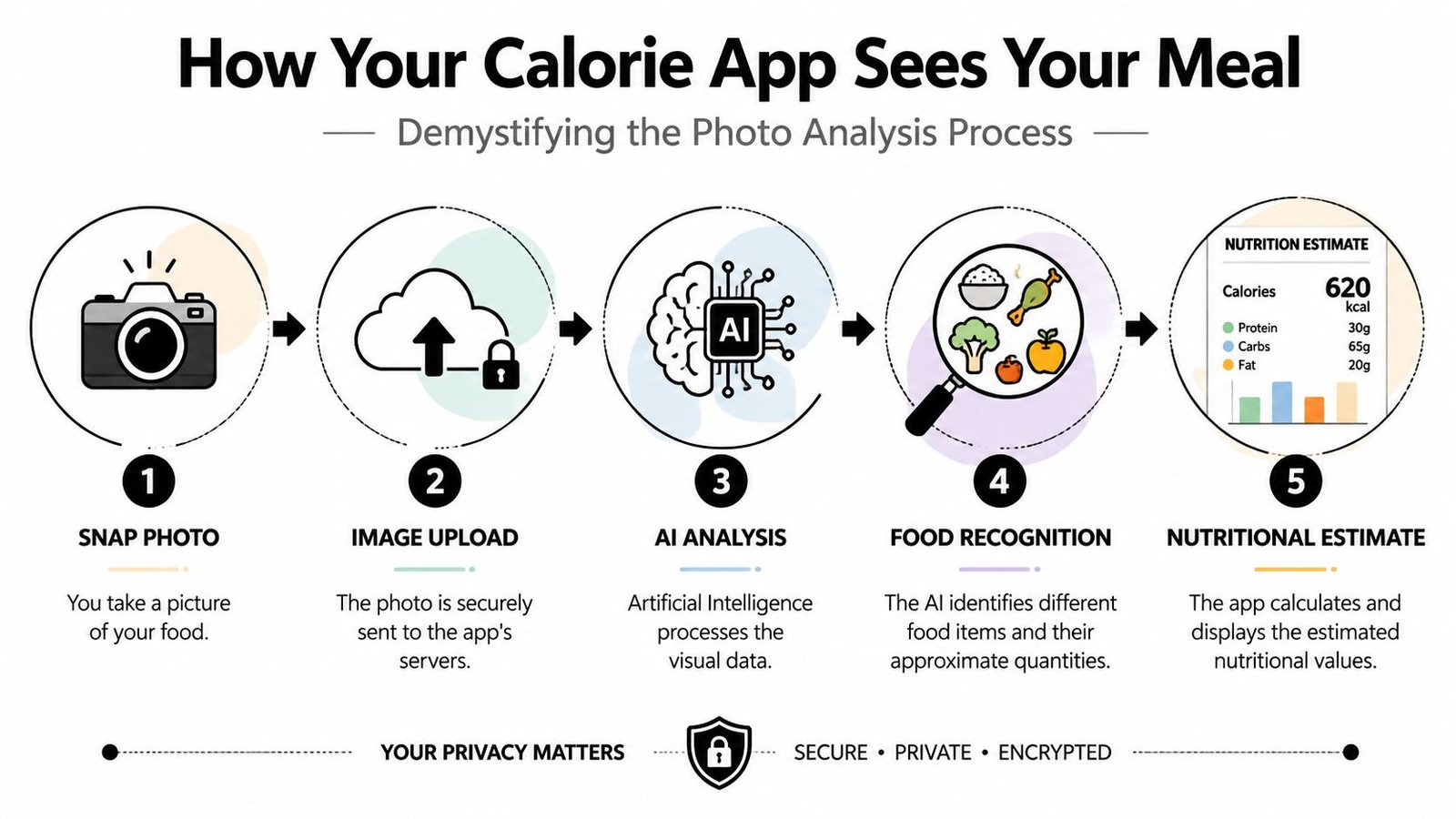
Here's the basic chain:
- You snap the meal
- The app uploads and analyzes the image
- It identifies likely foods
- It estimates quantity
- It matches those foods to nutrition entries
- You review before saving
That review step is where experienced users separate themselves from frustrated ones.
If you're curious how image systems are evolving more broadly outside nutrition apps, this overview of exploring artificial intelligence photography gives useful context on how AI interprets visual information. The same principle applies here: strong image analysis still depends on clean inputs and sensible human guidance.
For a practical example of this kind of workflow in a food tracker, an AI calorie counter shows how modern apps combine image recognition with database-backed nutrition estimates instead of relying on camera vision alone.
Mastering the Perfect Food Photo
Most logging errors start before the AI even gets to work.
People snap the meal from too far away, under dim restaurant lighting, with half the plate hidden by a napkin, then expect precision. That's not a software problem. That's an input problem.
Peer-reviewed evidence shows why this matters. A recent review found that photo-based systems are much better at food identification, roughly 68% to 86% accurate, than they are at portion estimation, which can fall as low as 39%. The same review recommends shooting bowls at 45° and flat plates from overhead, ideally with a reference object to help estimate size and volume, as summarized by Fitia's review article.
Use the angle that fits the meal
One of the easiest wins is changing your camera angle based on what you're eating.
- For bowls and deep dishes: shoot from about 45°
- For flat plates: shoot from directly overhead
- For mixed meals: make sure each item is visible and not hidden behind another food
A bowl of chili, yogurt, oats, or curry photographed overhead can flatten the visual depth too much. A flat plate of eggs, toast, and fruit shot from the side can hide part of the meal. You want the app to “see” shape and spread clearly.
Give the app clean visual information
Lighting matters, but perfection doesn't. You don't need studio conditions. You need visibility.
Good habits include:
- Use even light: window light or bright indoor light works better than harsh shadows
- Keep the full plate in frame: if the avocado is cropped out, it won't get counted
- Avoid clutter: wrappers, extra dishes, and busy backgrounds can confuse the visual read
- Add a scale cue: a fork, spoon, or another familiar object can help the app judge size
Practical rule: Help the AI with the one thing it struggles with most, which is quantity.
A lot of users think “better photo” means prettier photo. It doesn't. It means a more legible one. The best logging image is often boring: centered plate, visible food, decent light, no dramatic angle.
For a deeper set of examples, this guide on how to photograph your plate for accurate macro logs matches the habits that make photo logging smoother in daily life.
One more small habit makes a bigger difference than people expect: take the picture before the first bite. Once a meal is half eaten, sauces are smeared, portions are unclear, and the original serving size is harder for both you and the app to judge.
If you want to see the idea in motion, this walkthrough is a useful quick reference:
You Are Smarter Than the AI
The camera is not the final authority. You are.
That mindset fixes most tracking problems immediately. The app gives you a first draft. Your job is to edit it fast and save it. People who skip that step end up trusting guesses they would never accept if they'd typed the meal manually.
The three checks that matter
Start with a simple review every time:
-
Check the food names
Make sure the app recognized the actual items. Chicken salad is not the same as fried chicken with dressing. Rice pilaf is not plain white rice. -
Fix the portion
Errors often arise in this step. If the serving looks too small or too large, adjust it before logging. -
Add what the camera can't see
Butter in the pan. Oil on the vegetables. Dressing on the salad. Sugar in the coffee. These are the classic misses.
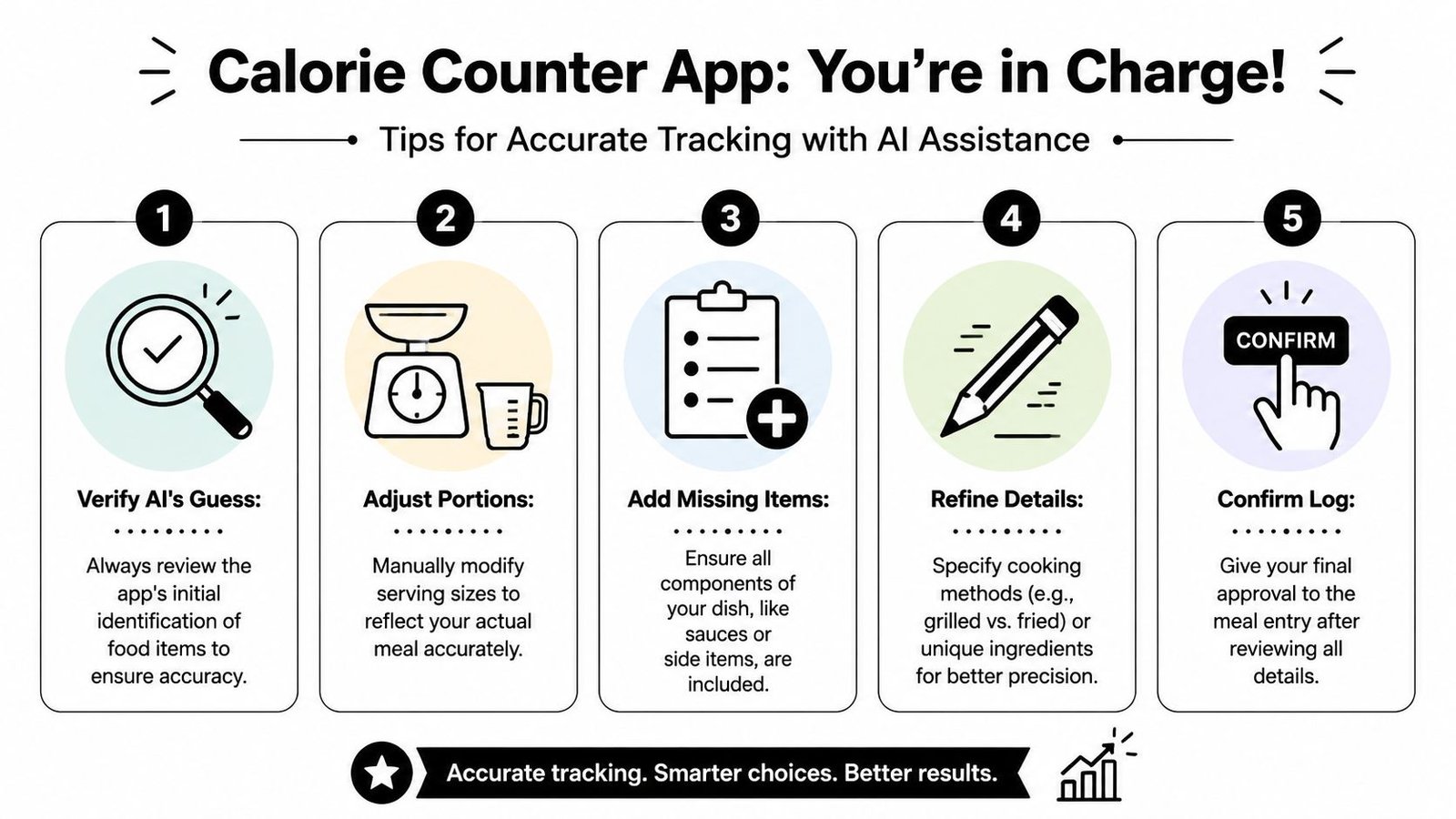
This isn't nitpicking. The same review discussed earlier noted that hidden ingredients such as oils, sauces, and butter can add 100 to 400 kcal per meal while often remaining invisible in the image-based workflow. That's why the strongest real-world process is a quick image capture followed by user confirmation and edits.
Invisible calories are where honest trackers get better results
Undercounting isn't typically due to carelessness. Rather, it happens because some calories don't look like much.
A splash of olive oil, a spoon of mayo, a pat of butter, or a sweetened coffee can change the meal's total. The app may identify the visible chicken and vegetables correctly, yet still miss the part that changes the total most.
Here's the habit I push hardest with clients:
- If it was poured, spread, or cooked in fat, ask whether it was logged
- If it tastes sweet or creamy, check whether something was added
- If it came from a restaurant, assume there's more going on than the photo reveals
Your photo log should be fast, not blind.
That's also why correction speed matters. You don't need to turn every meal into a forensic investigation. You need a repeatable five-second check. Was the food recognized correctly? Does the portion pass the eyeball test? Did anything invisible get left out?
The app handles the tedious part. You handle the judgment.
When to Put the Camera Down
Photo logging is a strong tool. It's not the right tool for every meal.
One study comparing food-logging apps found meaningful energy errors across cuisines. Energy intake was overestimated for Western diets by a mean of 1040 kJ and underestimated for Asian diets by a mean of −1520 kJ, with some apps showing discrepancies as large as −47% and 44% mean energy difference. The same study noted that mixed and cultural dishes remained a weak point for AI recognition, which is why relying on vision alone is risky for complex meals, as reported in the PMC study on app validation.
That lines up with what practitioners see every day. A clean breakfast plate is one thing. A stew, curry, casserole, ramen bowl, burrito, or family-style dish is another.
Use manual entry for these situations
Photo logging usually loses to manual methods when the meal is visually messy or nutritionally pre-defined.
- Mixed dishes: soups, stews, casseroles, curries, stir-fries, and layered foods hide ingredients
- Cultural dishes with many components: the app may spot broad categories but miss key details
- Packaged foods with a barcode: the package label is usually the better source
- Simple single foods: typing “apple” can be faster than opening the camera
- Homemade recipes you already built: if you've calculated the recipe once, reuse that entry
Smart trackers switch tools without drama
Some people get oddly loyal to the camera feature because it feels advanced. That's backwards. A strong tracker uses whatever gives the best balance of speed and accuracy for that moment.
If lunch is a protein bar, scan the barcode.
If breakfast is eggs and toast, a photo may be easiest.
If dinner is your usual chili recipe, use the saved recipe entry.
The camera is best for visible meals. It's worst when the important details are buried inside the dish.
That flexibility is what keeps logging sustainable. The goal isn't to prove the app can recognize everything. The goal is to build a record you can trust enough to learn from.
Your Sub-60-Second Meal Logging Routine
The most reliable workflow is also the least dramatic. It doesn't ask you to be perfect. It asks you to be consistent.
Here's the routine that works in real life.
The fast sequence that keeps people logging
Before you eat, take the photo while the plate is intact. Use a sensible angle. Keep the meal visible. Then spend a few seconds reviewing the app's guess.
A good routine looks like this:
-
Snap before the first bite
Don't wait until the meal is half gone. -
Use the right view
Bowls at an angle. Flat plates from overhead. -
Scan the result quickly
Check the item names and whether the serving looks plausible. -
Add the hidden extras
Oils, sauces, butter, dressings, sugar, cream. -
Save and move on
Don't linger unless the meal is unusually complex.
What makes this stick
The biggest win isn't a “perfect” calorie number. It's lowering friction enough that you keep collecting useful data. Once your meals start repeating, logging gets easier. Breakfasts repeat. Work lunches repeat. Meal prep repeats. That familiarity is where speed compounds.
You also don't need to obsess over every single entry to benefit. The better approach is to be especially careful with meals that are calorie-dense, restaurant-made, or hard to estimate by sight. Let simple meals stay simple.
If you follow this routine, a calorie counter app take picture of food setup becomes what it should be: a shortcut with guardrails. Not a gimmick. Not a replacement for common sense. Just a faster way to keep your nutrition visible enough to manage.
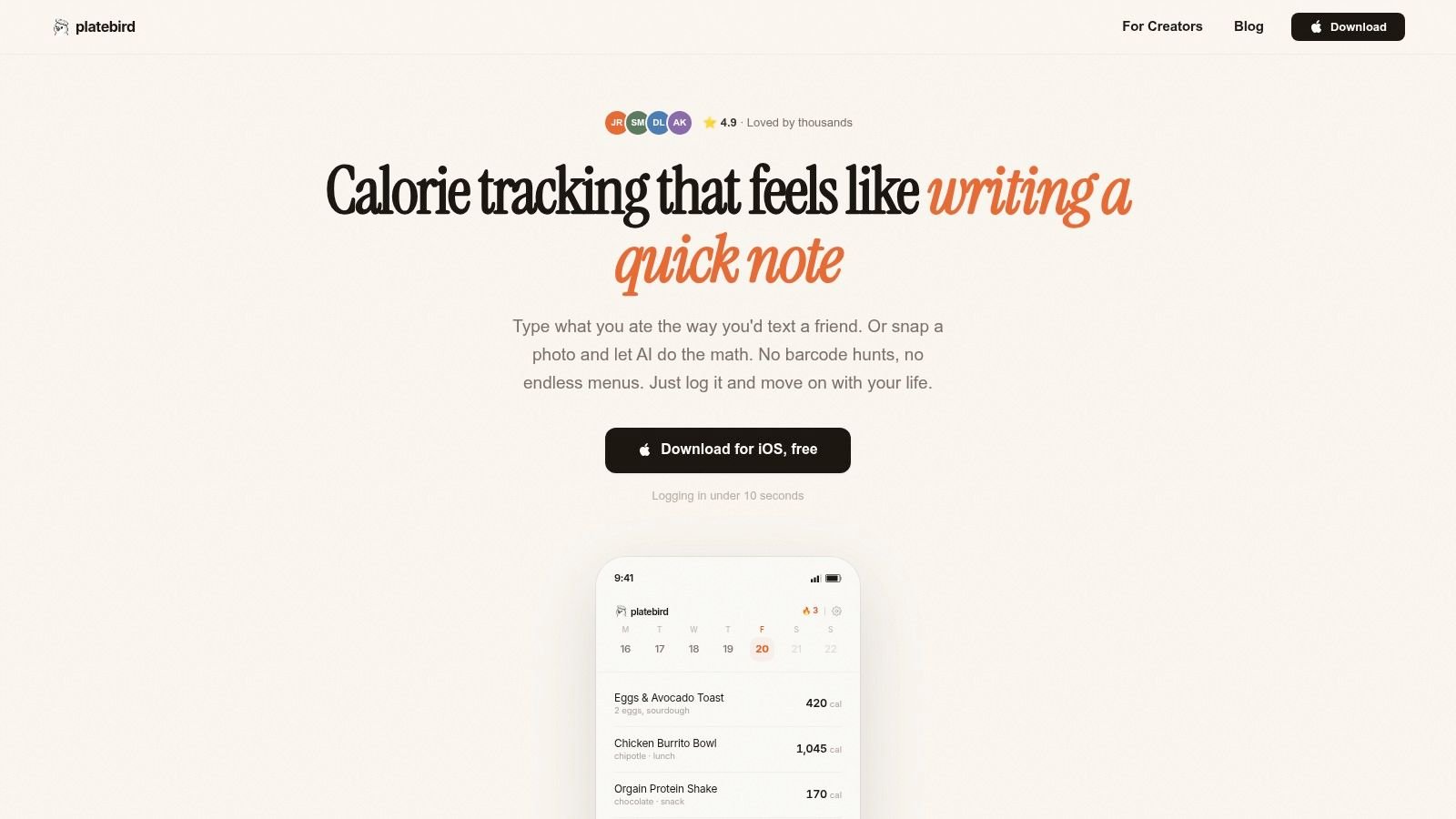
If you want a tracker built around speed instead of friction, PlateBird is worth a look. It lets you log meals by typing simple phrases or snapping a photo, then turns repeat meals into one-tap shortcuts so tracking feels more like sending a note than filling out a form.